VC72XX_HW.pdf – Hardware Documentation VC72XX Smart Cameras
1996-2016 Vision Components GmbH Ettlingen, Germany
3.2 Trigger & Serial (RS232) Interface
The trigger interface incorporates 2 functions:
1. Image trigger input for hardware controlled image acquisition.
2. Serial RS232 interface.
Multiple use of the trigger interface:
A “Y” adaptor cable is available for connecting several components to the trigger interface – refer to
section 3.2.4 for details.
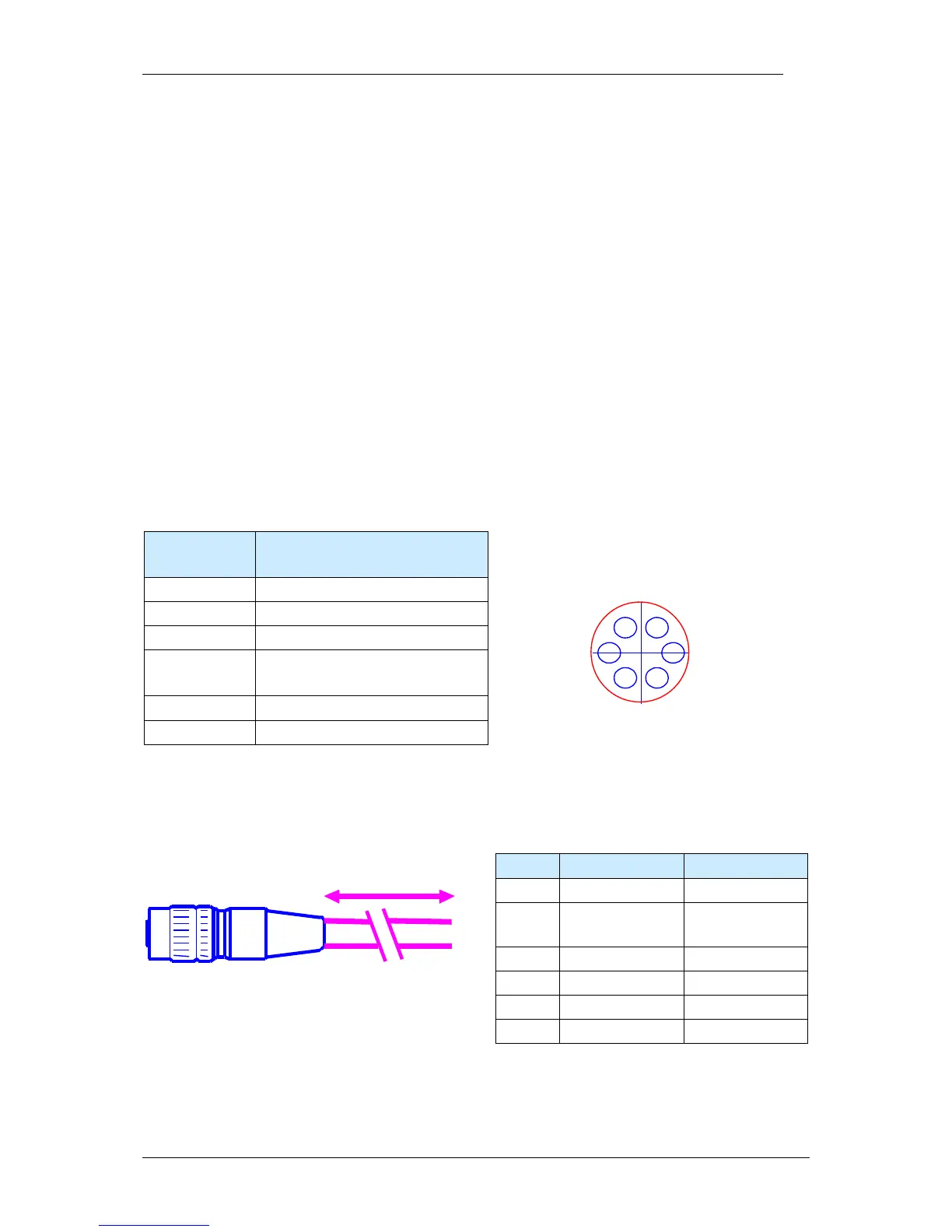
3.2.1 Pin Assignments Trigger & Serial (RS232) Interface
Pin Signals RS232 /
Equipped on one end with a Hirose plug, length 5m, 10m or 25m
Refer to section 4.2 for a list of available cables with order numbers.


 To Next Page