2. Operation menu
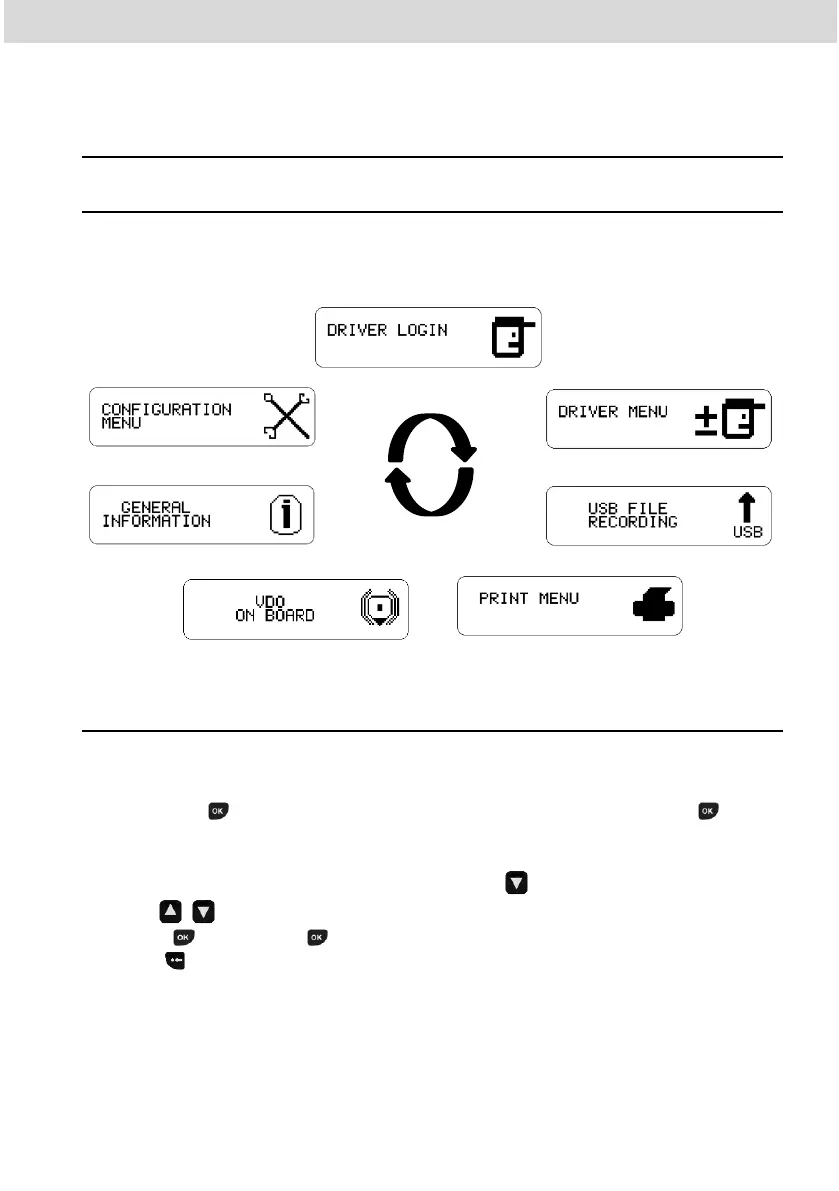
2.1 Simplified navigation structure using menu
Via the rotary menu, you can navigate through the main menu options.
Each menu consists of a group of submenus with operations and adjustments.
2.1.1 Navigation buttons
The functions of these buttons are available only when the vehicle is stationary
and the ignition is switched on.
Exception for Button in case of driving and no driver log in, where button
can be pressed to deactivate the audible alert.
To activate the options menu, press the button . Once in the function menu,
use the buttons to navigate in the options. To select the desired option,
press the button. The button also allows you to confirm an operation.
With the button you can go back one level in the secondary structure of the
menu and if pressed for more than 2 seconds, return to the main screen. Also
used to cancel unwanted menu options.



 To Next Page