LVP615U
使用说明
72
however, if the blue indicator blinks, it means there are no valid signal input.
AUTO
:
VGA automatically adjust button, only available for VGA1, VGA2 and EXT.VGA.
Switching effect selection, can select cut (seamless switching) and fade in / fade out (0.5s
1s 1.5s) switching.
Switching mode:
Default switching mode is one key switch, this moment press signal button, switch
input to relative signal;
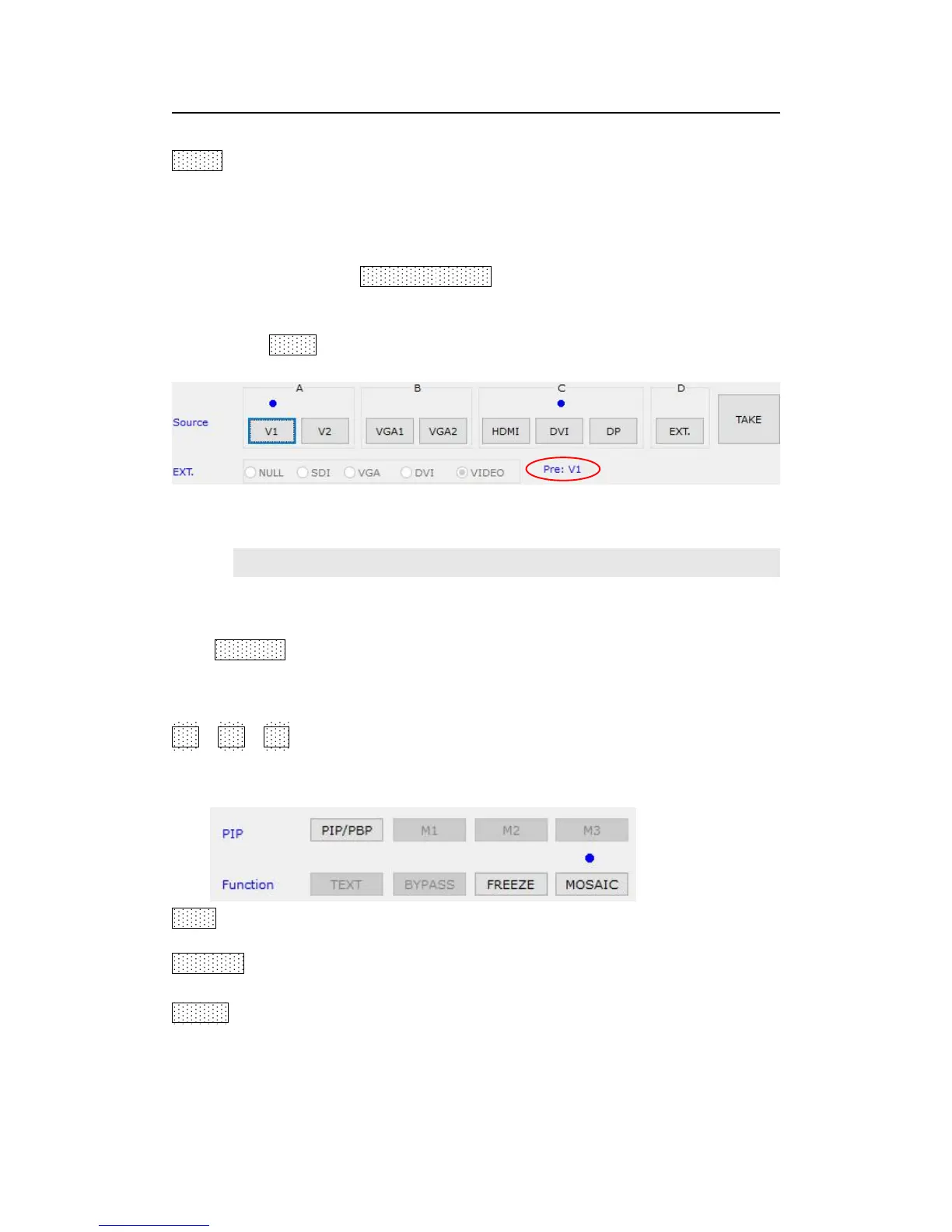
If select pre + TAKE switching, the signal area become the style as below,
4) function and mode setup
The buttons in this area used for PIP, TEXT (Text Overlay), BYPASS, FREEZE, MOSAIC
PIP/PBP:PIP switch, used to open or close PIP mode, meanwhile the bright point
above the button indicates the mode open or not.
M1、M2、M3:PIP mode buttons, the blue bright point above the mode button shows
which mode you have selected.
TEXT:text overlay display switch, used open or close text overlay function; meanwhile
the bright point above the button indicates the function is open or not.
BYPASS:full and part display switch button, only available for PC signal VAG DVI HDMI
DP.
Freeze:Image freeze switch button, it is available when under signal switch mode.



 To Next Page