Settings PLRF10/15-2.0en
24
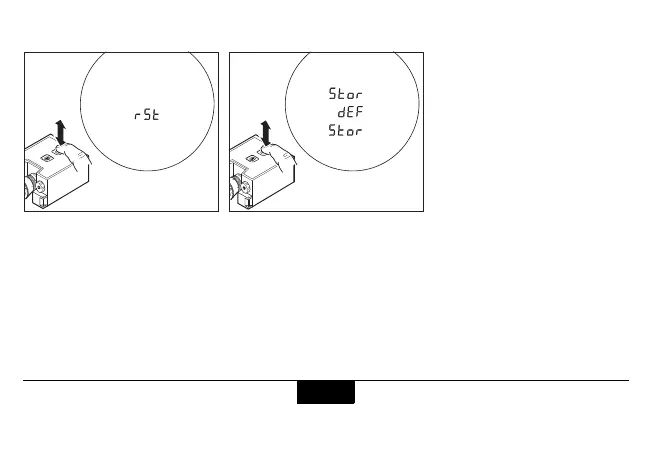
Set Factory Settings - Reset to default
Click the function key eight
times in rapid succession."rSt"
for reset appears.
Click the function key eight
times again to store the default
factory settings. "Stor" - "dEF" -
"Stor" appears.
If not done correctly, the
settings remain unchanged and
"Old C" is displayed.
The default factory settings are:
Electronic aiming mark "off"
Distance gate "off"
Night mode "off"
Multiple object measure. "Off"
Distance unit "meter"
Angular unit "degree"
Interface setting "PC".
8x
8x


 To Next Page