EasyManua.ls Logo

Velex VX508 - User Manual

Velex VX508
13 pages
Print Icon
To Next Page IconTo Next Page
Loading...
Please read through these instructions carefully so you will know how to
operate your model properly.
Thank you for purchasing this
VX508 Bluetooth Amplifier
After you have finished reading the instructions, keep this document in a
safe place for future reference.
THIS PACKAGE CONTAINS
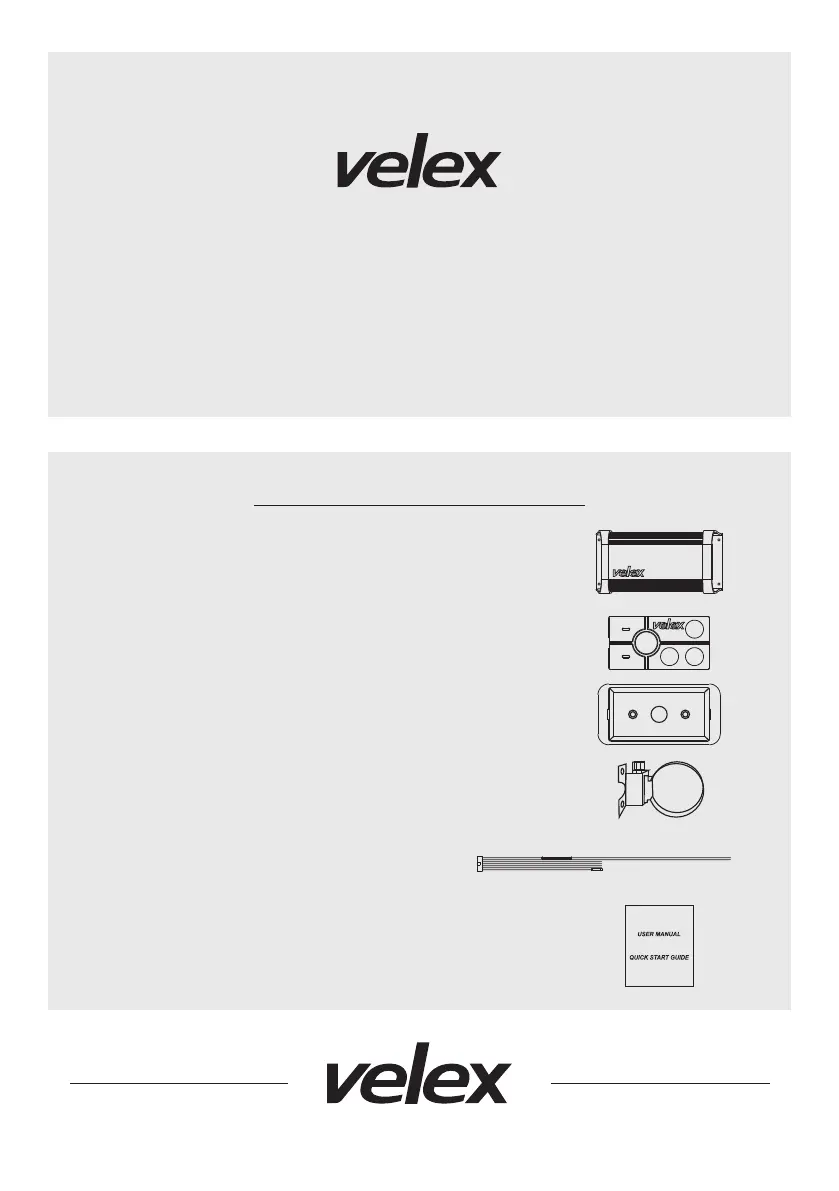
1-VX508 Bluetooth 2-CH Class D Amplifier
1-Multi-Function Controller
1-Flush Mount Bezel (preinstalled on the remote)
1-Handleber Mounting Bracket & Hardware Kit
1-Power Harness
1-User Manual

Questions and Answers

Summary

Package Contents

Before You Start

Important Safety Precautions

Guidelines for safe operation including volume limits and immediate action for anomalies.

Installation Precautions

Warning to use professional installers and specific wiring/grounding guidelines for safe installation.

Wire Diagram

Before Installing This Product

Suggested Mounting Methods

Flush Mount

Flush mount bezel requires no screws. Use cutout dimensions: 3-3/16" W x 1-11/16" H.

Surface Mount

Flush mount bezel has two recessed screw holes for oval-head screws.

Handlebar Mount

Use provided pan-head screws and stainless steel clamp for secure mounting variations.

Getting Started

Getting to Know Your VX508 Multifunction Controller (MFC)

Identifies and explains the functions of the buttons on the VX508 Multifunction Controller.

Bluetooth Operation

Pairing & Discovering a New Bluetooth Connection

Steps to pair the VX508 with Android and iOS devices, including passcode entry.

Reconnection

Process for automatically reconnecting paired devices and manual reconnection steps.

Streaming Music

Multifunctional Controller Bluetooth Operation

How to play, pause, skip tracks, control volume, and adjust EQ settings using the controller.

Aux-Input

Aux-In Operation

Instructions for connecting and playing audio from external devices via RCA or 3.5mm jack.

Volume Control

How to adjust volume, mute, and unmute using the controller buttons.

Trouble Shooting Guide

Specifications

Velex VX508 Specifications

General IconGeneral
BrandVelex
ModelVX508
CategoryAmplifier
LanguageEnglish

Related product manuals