BLUETOOTH OPERATION
7
PAIRING & DISCOVERING A NEW BLUETOOTH CONNECTION
To avoid battery exhaustion be sure to run the vehicles engine
while using this product. Using this product without running the
engine can drain the battery.
Tips:
SRC
2
2
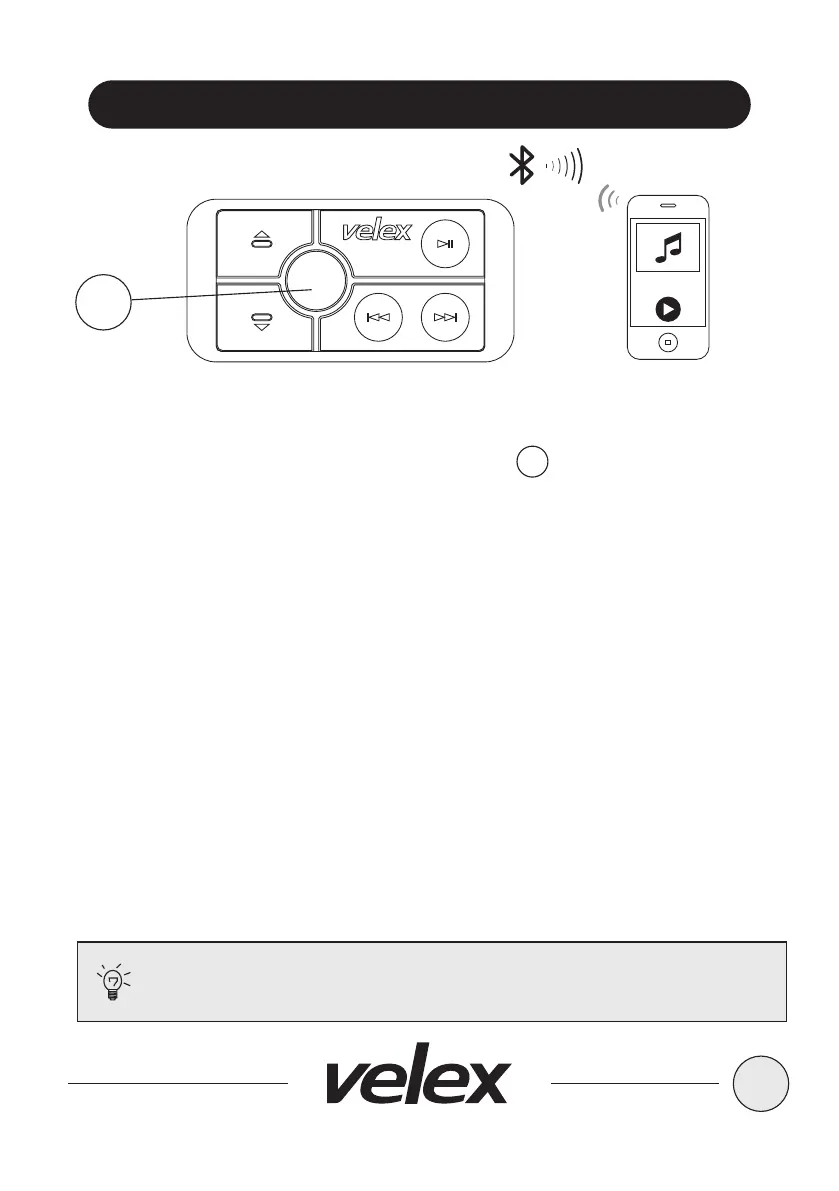
1. Power on the VX508 by short press the SRC button, the Bluetooth blue
LED will be switched on, a confirmation tone will be heard, signaling that VX508
is now ready for Bluetooth pairing.
2. Now that the VX508 (VELEX) is in pairing mode:
Android users:
a. Go into the Setting Menu of your device.
b. Enter the Bluetooth Menu and press SCAN.
c. VX508 (VELEX) will now be display under AVAILABLE DEVICES.
d. If prompted, enter passcode: “0000".
IOS users:
a. Go into the Setting Menu of your device.
b. Enter the Bluetooth Menu.
c. VX508 (VELEX) will now be display.
d. If prompted, enter passcode: “0000".
3. If the VX508 is not seen, repeat the above steps to refresh the “Device List”.
4. When the connection is successful, you are now ready to steam music from
your devices favorite media player to the VX508.
5. Press and hold SRC button to power off VX508.


 To Next Page