7
THE FUNCTION GENERATOR MODULE :
What ? :
Most common wave-forms are
accessible at the touch of a
button. A library with special
functions is provided, as well
as a Wave Editor, to create
virtually any kind of waveform.
How ? :
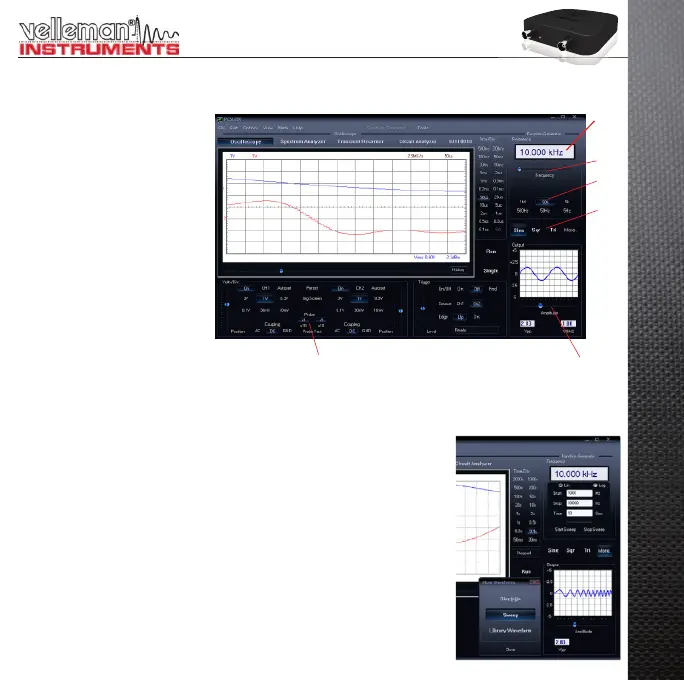
Click on the desired waveform (• 1).
Select the desired frequency range (• 2).
Set the exact frequency by sliding (• 3) or click the frequency readout (4) and enter a value.
Adjust the amplitude (• 5)
(• 6) shows a simulated preview of the output waveform
The ‘More Functions’- button :
The ‘More Functions’-button gives access to special purpose waveforms such
as arbitrary waveforms, and frequency sweeps. It also gives access to the
waveform library.
Note: The Probe test button (7) makes the generator output a signal, suitable
for your scope probe calibration at X10 setting.
7
5
1
3
4
6
2


 To Next Page