9
)
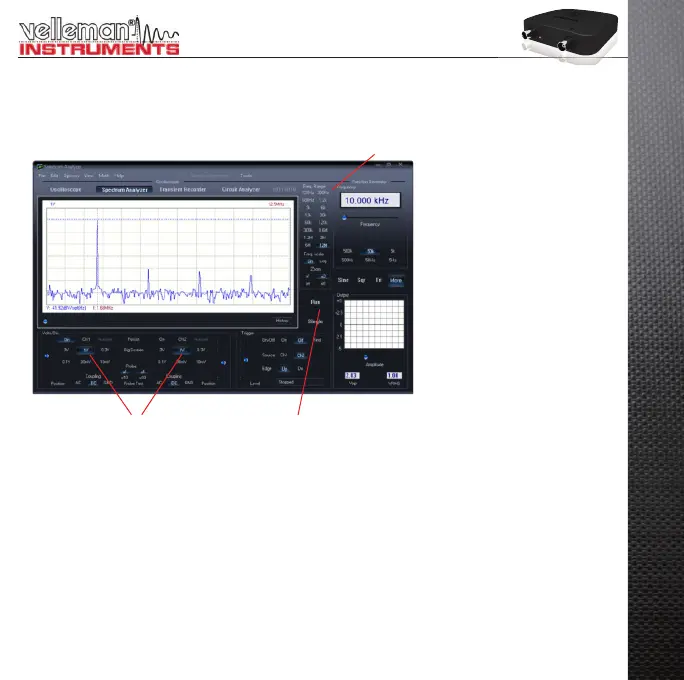
THE SPECTRUM ANALYSER MODULE :
What ? : Powerful feature which allows visualization of the frequency spectrum of a signal, using FFT (Fast
Fourier Transform) analysis.
How ? :
Connect the scope input to the circuit under test. (observe the max. input rating of the scope!) Or use the •
internal generator output.
First observe the signal on the scope screen (see previous page).•
Check that the signal is not over the maximum of the screen.•
Start the spectrum analyzer.•
Press ‘RUN’ (• 1)
Select the appropriate frequency range. Make sure your setting will capture any signal change of interest (• 3).
If wanted set the appropriate channel and volts/div setting (• 2)
3
12


 To Next Page