_________________________________________________________________________________________________________________________________________________________
The pictures may differ depending on the type of PersonalScope
23
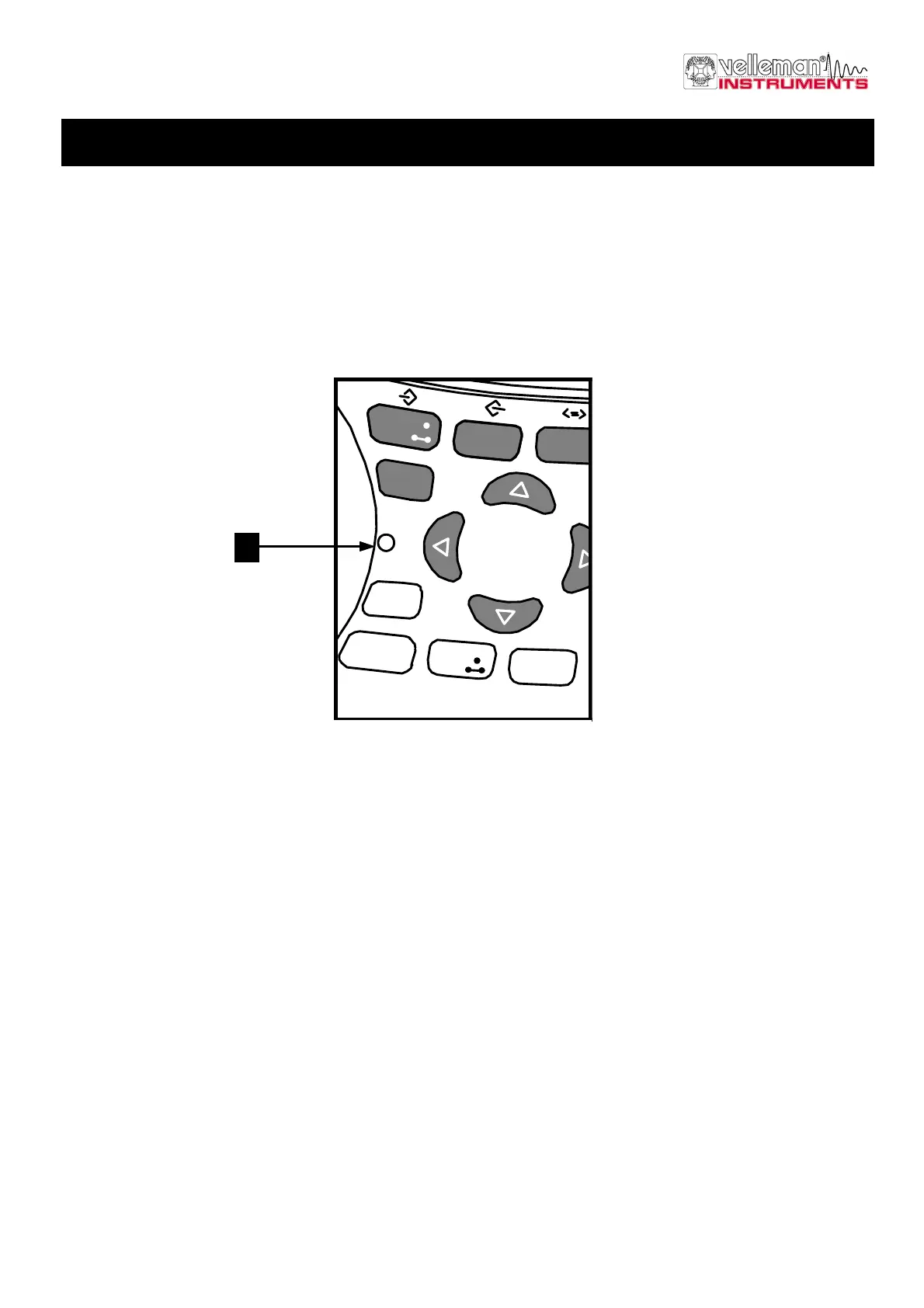
RESETTING THE PERSONAL SCOPE (FIG. 47)
Press the sunk (1) ‘Reset’ push button for at least 10 seconds to return to the manufacture-programmed setup.
G Note:
• Use the reset function in case of unusual behaviour of the unit, like distorted screen or not functional keyboard (see
also troubleshooting).
• Do not use a sharp tool.
trigger
t-V/div
Probe
x1/x10
Memory
Display
setup
ac/dc
Gnd
Auto
Reset
Slope
Trigger
mode
Marker
1 - 2
1
Fig 47



 To Next Page