16
4.3 settings moDificAtion
• Go to CFG OPT using (+/-) then press on the OK button for 4 seconds.
4.2 unit first boot
prepArAtion
Follow these steps to ensure a successful boot:
• Seal all the ductwork with tape. Close all windows and doors.
• Turn off all exhaust devices such as range hood, dryer and bathroom fans.
• If the installation is in any way connected to a ductwork of a central forced-air system, make sure that the central forced-air
system blower is ON. If not, leave central forced-air system blower OFF.
boot up proceDure
• Plug the unit and wait for the STB mode to display on the LCD screen. If unit is colder than ambient temperature, it is normal to
experience a 60 s longer boot-up since motors have to preheat.
4.1 DisplAy on lcD screen
DISPLAY DEFINITION
STB Standby mode
MED MED speed
INT Intermittent mode
REC Recirculation mode
(Min, Med or Max speed)
AUT AUTO mode
OVR 20 Override 20 min
Options Congurations available
DEF (Defrost)
DIS* (Discretion - defrost without speed variation for more comfort),
PLU (Plus - extended defrost for colder areas)
INT (Intermittent)
STB (Standby - 20 min in MIN speed and 40 min in standby mode), REC* (Recirculation - 20 min
in MIN speed and 40 min in recirculation mode)
NOTE: Following ducting installation conguration and temperature conditions, it may be
necessary for the unit to operate continuously. Refer to section 2.4 for more details.
SPD (Speed)
HRV110 DFT* (Default - MIN/MED/MAX = 50/81/112 CFM)
HRV110 TDM (Tandem - MIN/MED/MAX = 50/64/90 CFM)
ERV130 DFT* (Default - MIN/MED/MAX = 64/96/131 CFM)
ERV130 TDM (Tandem - MIN/MED/MAX = 50/70/105 CFM)
If needed, reset settings to restart the boot up procedure.
proceDure to reset settings
Press on the OK and (-) buttons simultaneously for 4 seconds. Use (+/-) to select Yes or No and OK to conrm.
Then perform the boot up procedure.
NOTE: If no selection is conrmed within 10 minutes, the unit will exit the menu without saving any changes.
* Factory setting
4.4 fActory settings reset
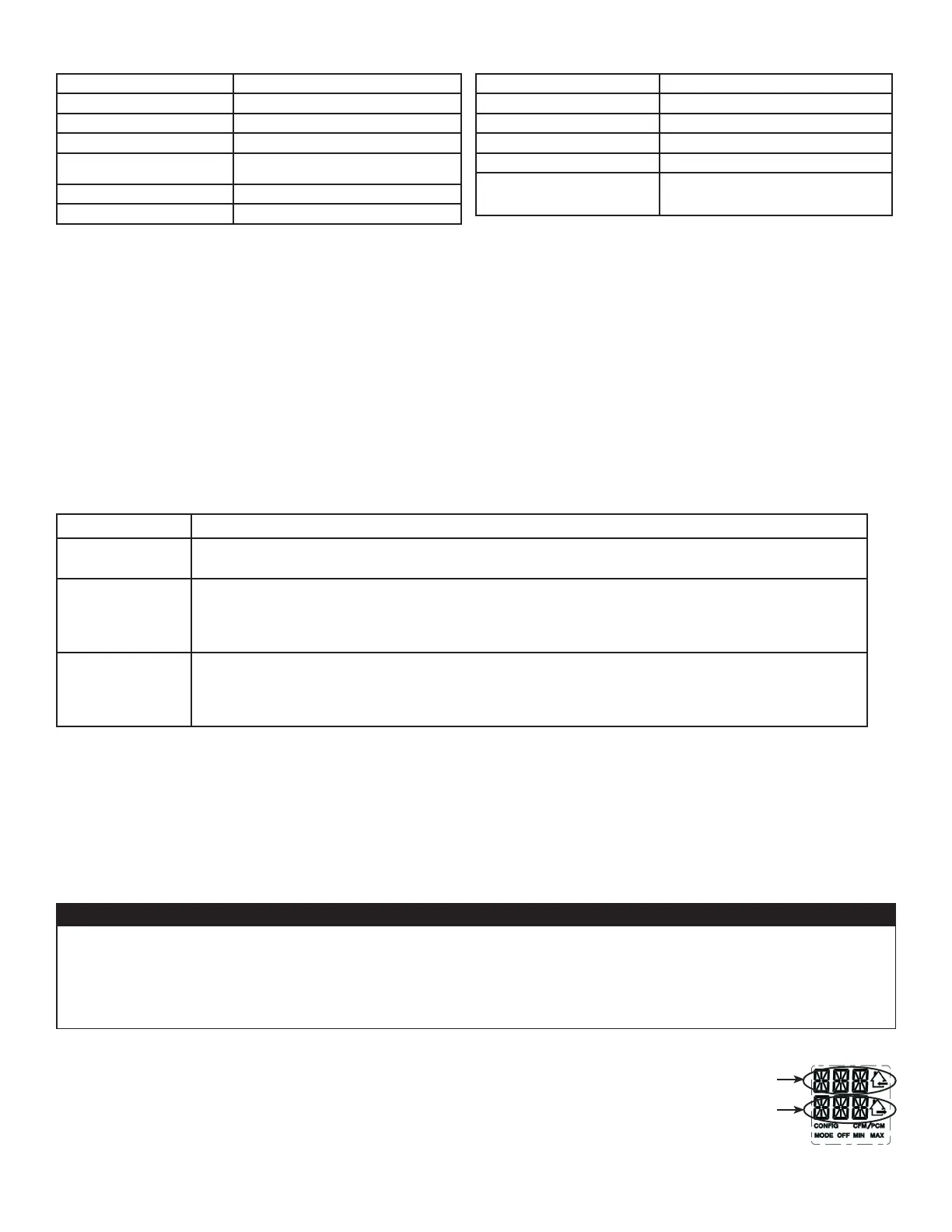
Indicates
fresh airow
Indicates
stale airow
4.5 mAnuAl moDe
This mode is meant for qualied personnel only in case of troubleshooting. Operating the unit continuously
in manual mode can reduce comfort and increase risk of frost following improper airows conguration.
Damage to the unit and/or property damage could result. It is highly recommended to use manual mode on
a temporary basis only when needed and to reset the unit factory settings once the use of this mode is over
(refer to section 4.4).
CAUTION
Press simultaneously (+/-) buttons for 4 seconds.
Use (+/-) to adjust fresh air airow and OK to conrm.
Use (+/-) to adjust stale air airow and OK to conrm.
If needed, press OK to readjust airows.
Press + or - button, change mode on main wall control or use optional auxiliary wall control to
leave manual mode.
When leaving manual mode, settings are lost.
DISPLAY DEFINITION
OVR 40 Override 40 min
OVR 60 Override 60 min
TUR Turbo mode
DEF Defrost mode
EXX or WXX
(XX referring to error or warning
number)
Refer to section 7 for each error/warning
explanation



 To Next Page