DEVICE SETUP
SAM Card
T650
P INSTALLATION GUIDE 17
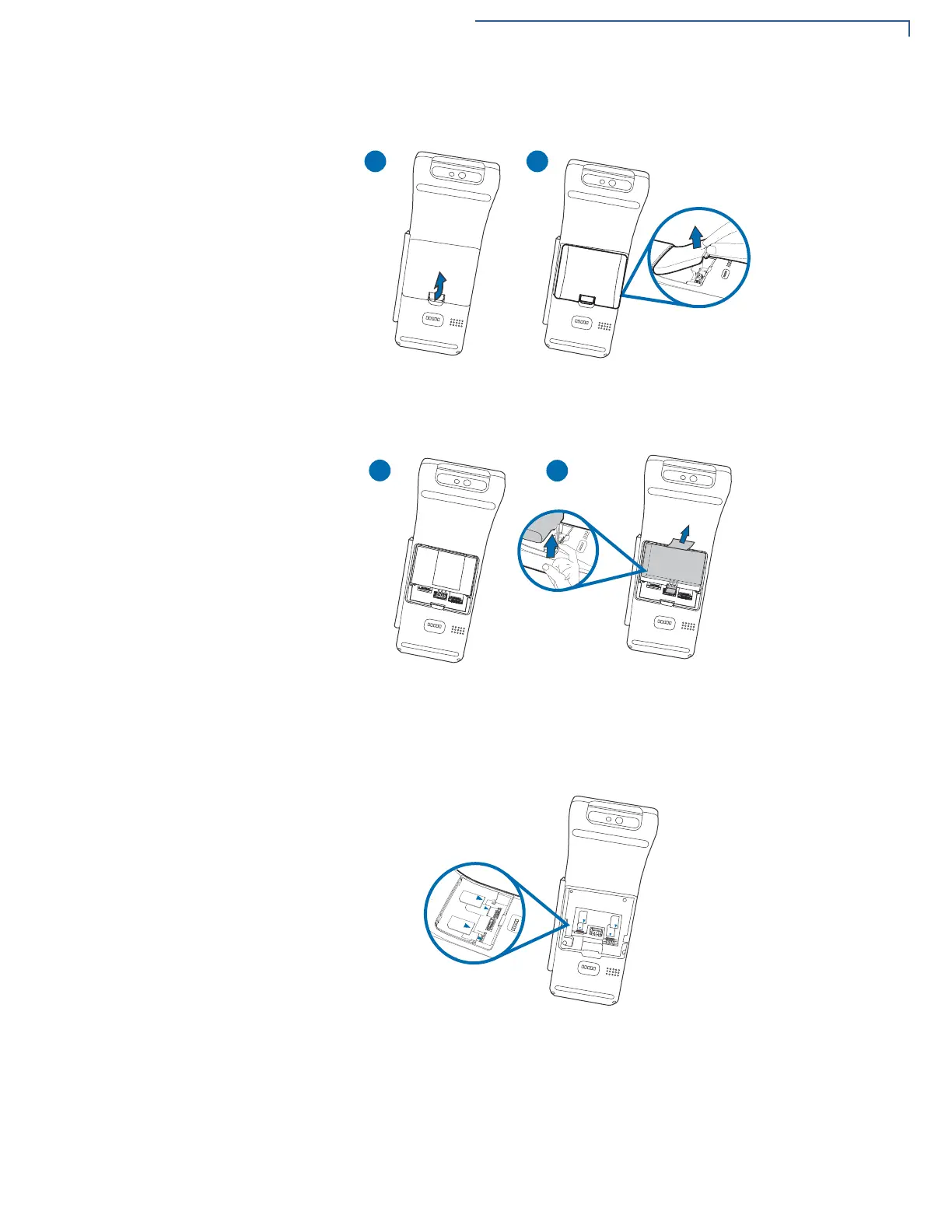
Figure 4 Removing Back Cover
4 Remove the battery from the battery compartment.
Figure 5 Removing Battery
5 Insert the SAM cards. Carefully slide the cards one at a time into the slots until
fully inserted. The correct orientation of the SAM card is as indicated in figure
6.
Figure 6 SIM/SAM Insertion
F
T
2
M
A
S
P
2
M
I
S
2
M
I
S
2
M
A
S
P
2
M
I
S
1
M
I
S
F
T
1
M
A
S
P
2
M
A
S
P
2
M
I
S


 To Next Page
 Loading...











