7
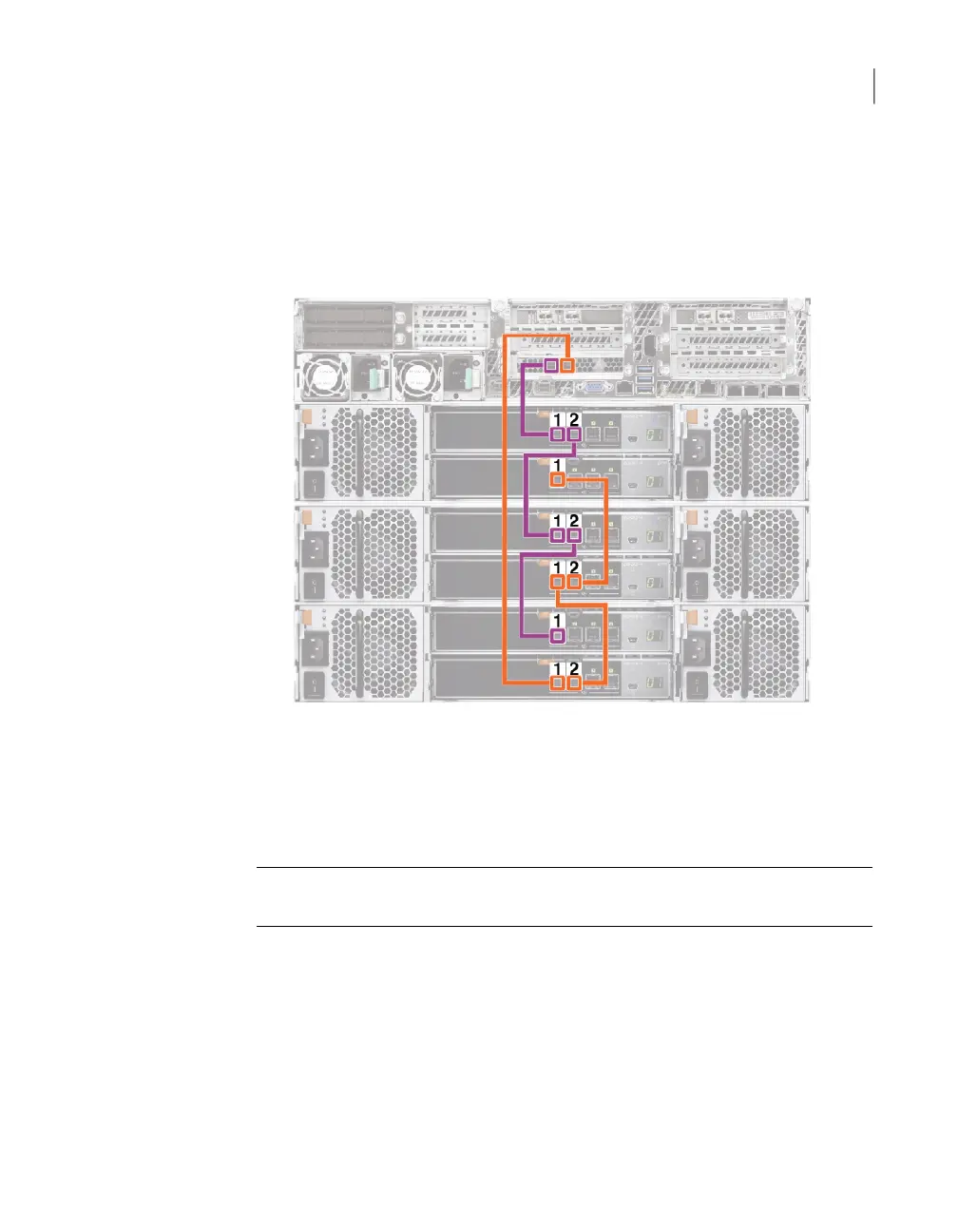
Connect a SAS-3 cable from port 2 of the bottom I/O module in the third shelf
to port 1 in the bottom I/O module in the second shelf.
8
Connect a SAS-3 cable to port 1 of the bottom I/O module in the second shelf.
Connect the other end of the cable to port 1 on the bottom I/O module in the
first shelf.
Next, connect network and power cables. Turn on the storage shelves and the
appliance per the required sequence. Verify that all units function correctly.
Connecting four D Series storage shelves to an appliance
Note: The cables in the illustrations in the following sections are shown in different
colors for demonstration purposes only. The actual cables are black.
166Adding one or more storage shelves to an operating appliance that does not have any storage shelves
Connecting the D Series storage shelves to the appliance



 To Next Page