Creating Tamper Evidence
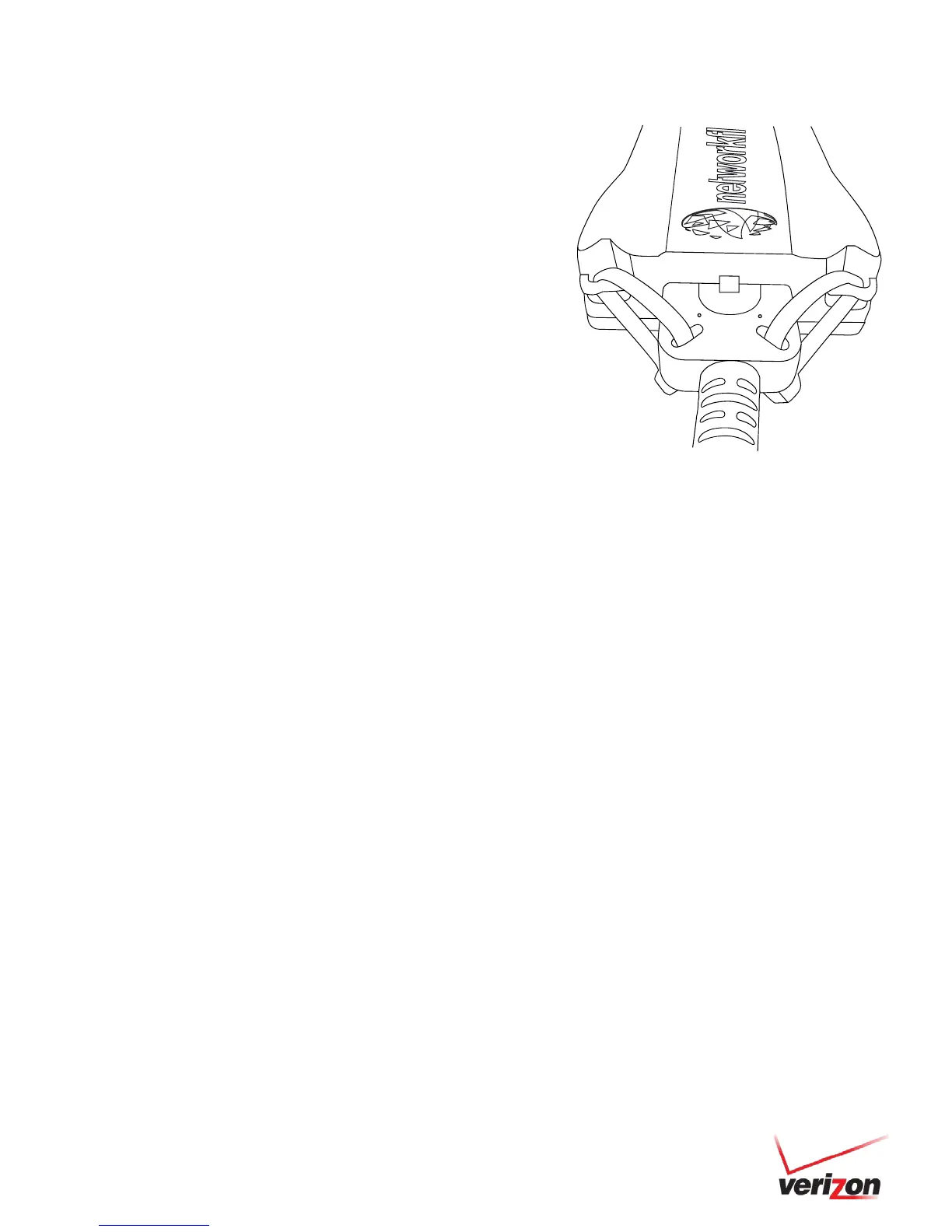
Once the vehicle harness is plugged in, slide the Networkfleet branded yellow
zip ties through the two slots provided on the harness connector. Once the zip
ties are in place, tighten and remove the excess plastic. If possible, position the
zip ties so that the “DO NOT REMOVE” message is showing.


 To Next Page