~|}ïï),2!"/3& "01"46||"/&"0
Planning and Installationïï21
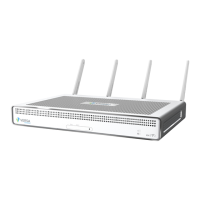
3.5.1 Step 1: Connect Earth Ground to a CSG700 Series Appliance
To ensure proper operation of a CSG700 series appliance and to meet safety and electromagnetic interference (EMI)
requirements, you must connect the appliance to earth ground before you connect power to the appliance.
If you use a three-prong power cable to connect power to a CSG700 series appliance, the power cable provide the
ground connection.
If you use a twoprong power cable to connect power to a CSG700 series appliance, connect the appliance to earth
ground before you connect power to the appliance:
1. Connect one end of the grounding cable to a proper earth ground, such as the rack in which the CSG700
series appliance is mounted.
2. Secure the grounding lug to the protective grounding terminal with washers and screws.
3.5.2 Step 2: Connect AC Power to a CSG700 Series Appliance
Before you begin connecting AC power to a CSG700 series appliance, ensure that you have:
Electrostatic discharge (ESD) wrist strap.
AC power cord shipped with the appliance. The cord has plugs appropriate for your geographical location.
To connect a CSG700 series appliance to an AC power source:
1. Attach one end of the ESD grounding strap to your bare wrist, and connect the other end to the ESD point on
the rack.
2. Plug one end of the AC power cord into the power supply in the appliance.
3. Plug the other end of the AC power cord into an AC power source outlet.
4. Plug the DC end of the power supply unit into the back of the CSG700 series appliance.
3.5.3 Step 3: Connect a CSG700 Series Appliance to a Management Console
You can configure and manage a CSG700 series appliance using a management console. To connect a CSG700
series appliance to a management console, use the console port on the appliance, which accepts a cable with an
RJ-45 connector.
To connect a CSG700 series appliance to a management console:
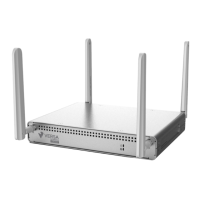
1. Plug one end of the console cable into the console port located on the rear panel of the CSG700 series
appliance.
2. Plug the other end of the cable into the console server or into a management console.



 To Next Page