Need help?
Do you have a question about the Versa Networks CSG770 and is the answer not in the manual?
Lists the available CSG700 appliance models: CSG730, CSG750, and CSG770, detailing their CPU, memory, and storage.
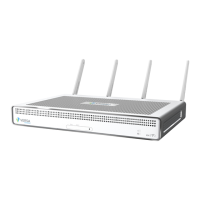
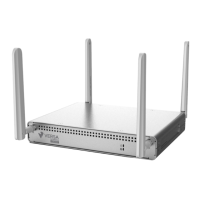
Describes the front and rear panels of the CSG700 series appliance, including ports, LEDs, and buttons.
Details components on the front panel (LEDs, SIM slots) and rear panel (LEDs, buttons, ports, locks, GPS antenna input).
Explains interface modularity and the four Ethernet ports supporting 1-GB EoC and 1-GB EoC with PoE NICs.
Maps Ethernet ports to Virtual Network Interface (VNI) numbering, illustrated with a diagram of port-to-VNI mapping.
Covers AC power supply specifications, cord requirements, and airflow needs for optimal heat dissipation and cooling.
Provides essential safety precautions for installing and removing the CSG700 series appliance, including ESD protection.
Details FCC compliance rules, interference limits, and user guidance for potential radio communication interference.
Outlines site preparation, environmental requirements, and rack specifications for installing the appliance.
Provides instructions on unpacking, verifying components, and mounting the CSG700 series appliance in a rack.
Guides on connecting the appliance to an AC power source and a management console via console port.
Explains how to find the appliance's model and serial numbers for return or replacement.
Details the process of obtaining a Return Material Authorization (RMA) number by contacting Versa Networks support.
Provides step-by-step instructions for repacking the appliance in its original packaging for return.
Covers the final steps and considerations for returning hardware, including writing RMA numbers.
 General
| Brand | Versa Networks |
|---|---|
| Model | CSG770 |
| Category | Gateway |
| Language | English |


 To Next Page