~|}ïï),2!"/3& "01"46||"/&"0
Components and Specificationsïï10
2.1.2.1 LEDs
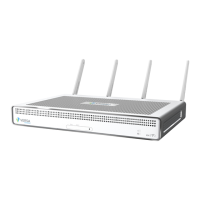
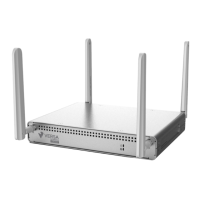
The rear panel of a CSG700 series appliance has six LEDs located in two rows.
Table 2 lists the LEDs, their color and states, and the status they indicate.
Table 2: Rear Panel LEDs in a CSG700 Series Appliance
LED Color Status
Power Green Off: Appliance is not powered on.
Green: Appliance is powered on.
Status Green, Red Off: Appliance hardware is up but there
is a problem with the software.
Solid green: Appliance is up and
running.
Blinking green: Appliance is in the
process of booting up.
Solid red: Major error condition exists in
the system or there is a corrupt
software configuration.
Blinking red: System crash, over
heating, or a persistent error condition
exists.
Wireless White Off: Wireless module not installed.
Solid white: Wireless module is up and
running.
Blinking white: Wireless module is
booting up or there is traffic on the
wireless module.
LTE White Off: LTE module not installed, or there
is a major hardware problem.
Solid white: LTE module is up and
running.
Blinking white: LTE module is booting
up or there is traffic on the LTE module.
2.1.2.2 Power Button
The Power button on the rear panel of a CSG700 series appliance turns the power on and off.
To turn the power on, press and immediately release the Power button when the appliance is off.
To turn the power off, press the Power button when the appliance is on. If you press and immediately release the
button, the appliance shuts down gracefully. If you press and hold the button for a longer period, it turns off power
to the appliance ands shuts it down.



 To Next Page