EasyManua.ls Logo

VERSATEK VX-MD4024 - Ethernet Port (MGMT)

VERSATEK VX-MD4024
48 pages
Print Icon
To Next Page IconTo Next Page
To Previous Page IconTo Previous Page
Loading...
1 — Installation of the VX-MD4024
13 / 44
1.2.8 Ethernet Port (MGMT)
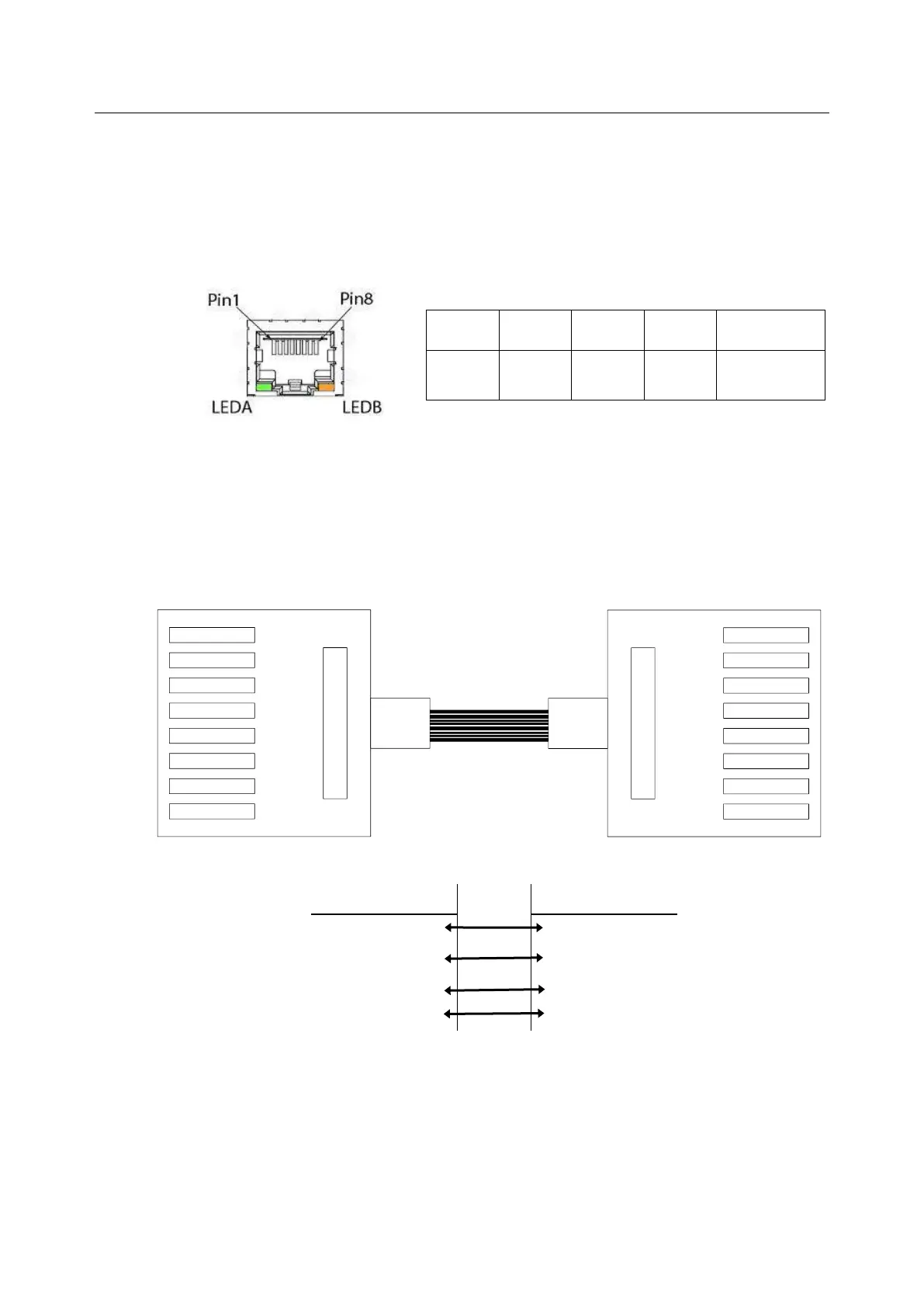
The VX-MD4024 provides one RJ45 Jack (MGMT) on the front panel for Ethernet interface
connection. The detailed pin assignment is shown in the following figure and table.
1
2
3
6
Other pins
TX +
TX -
RX +
RX -
Bob Smith
Termination
Figure 1-14 Ethernet Port RJ-45 pin assignment
To connect the Ethernet interface to PC, the Ethernet crossover cable is required. The detailed pin
assignment is shown below.
Brown 1
Green/White 8
Green 7
Orange/White 6
Blue 5
Blue/White 4
Orange 3
Brown/White 2
8 Green/White
1 Orange
2 Orange/White
3 Brown
4 Blue/White
5 Blue
6 Brown/White
7 Green
Name
Pin
Pin
Name
Tx+
1
3
Rx+
Tx-
2
6
Rx-
Rx+
3
1
Tx+
Rx-
6
2
Tx-

Table of Contents