10 www.versitron.com
Chapter 2
Installation
2.1 Unpacking
The product package contains:
• The system unit
• One power cord
• One 19-inch rack mounting kit
• Operation Manual
2.2 System Units
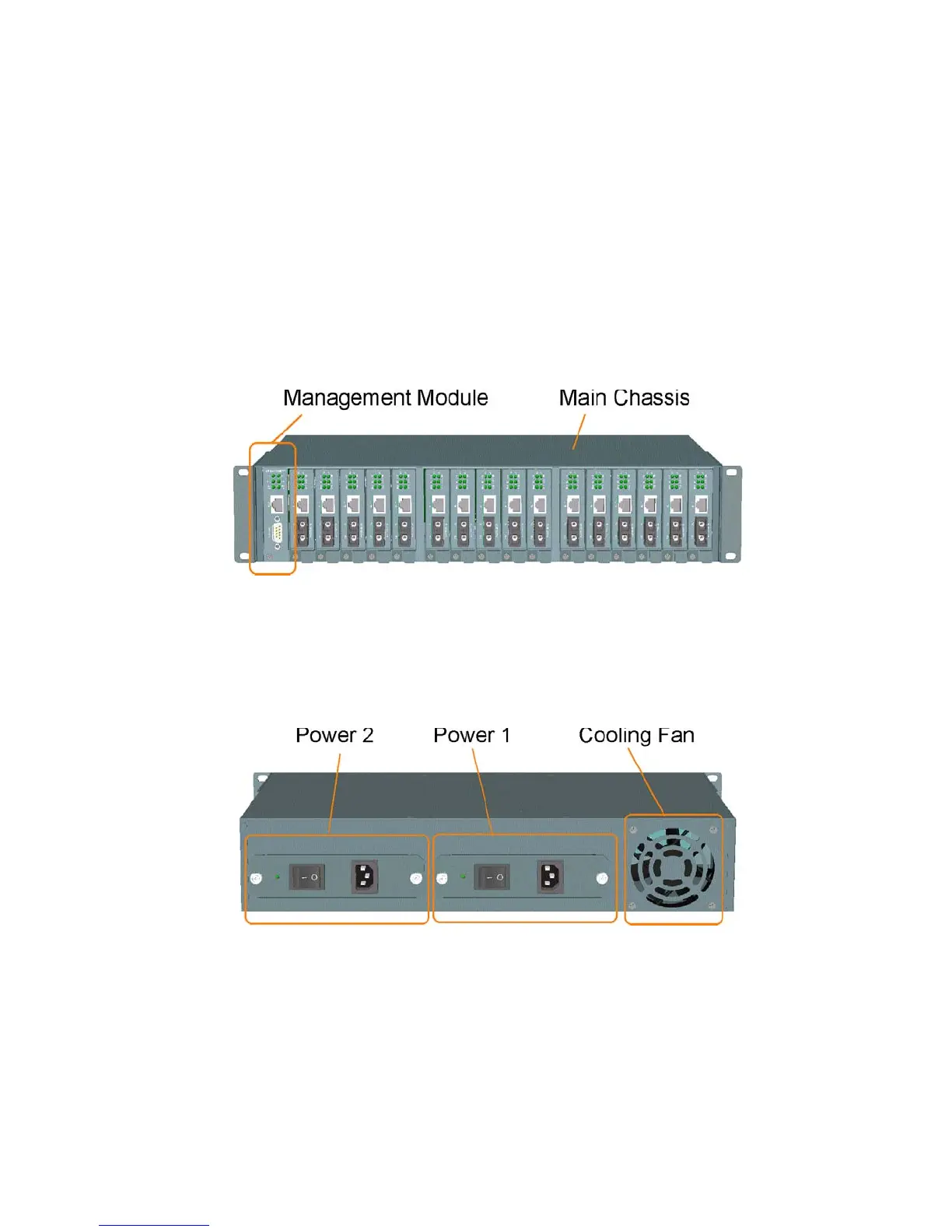
The figure below illustrates the front view of the MCC-16 system:
The type and numbers of the pre-installed media converters may be different depending on the model purchased.
The figure shows a system fully installed with media converters.
The following figure shows the rear view of the MCC-16 chassis with two power slots on the rear panel. Each
power slot can be installed with one AC power supply. Two slots provide the option for redundant power.
Main Chassis: provides insertion slots on front panel for CPU management module and optional add-on media
converters. It also provides two chassis slots on rear for mounting power chassis modules.
Management Module: serves as a management agent to monitor system status and add-on converter modules for
in-band and out-of-band management requests.
AC Power Chassis: provides power for the whole unit. It can receive commercial AC power.
System Cooling Fan: provides forced air to cool down the temperature for the system unit.



 To Next Page