32 www.versitron.com
6.2 Login to the System Unit
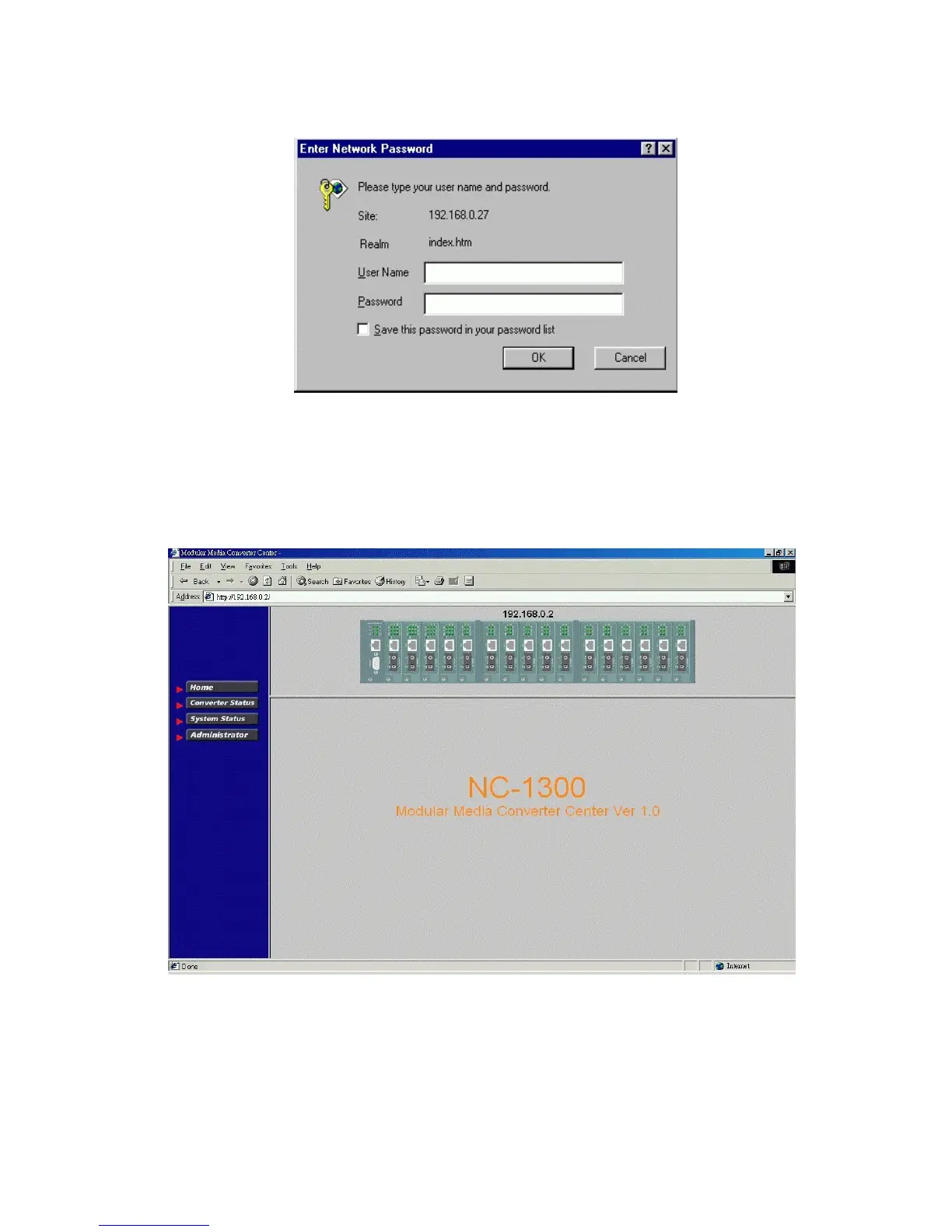
When browser software connects to the system unit successfully, a Login screen is provided for you to login to the
device as follows:
Login
Username: Admin
Factory default Password: 123
The following screen is displayed when a successful login is performed.
In addition to the device image, the screen supports the following functions on the right side:
1. Home: home page and device image
2. Converter Status: view all slot status
3. System Status: view system related status
4. Administrator: other management functions



 To Next Page