33 www.versitron.com
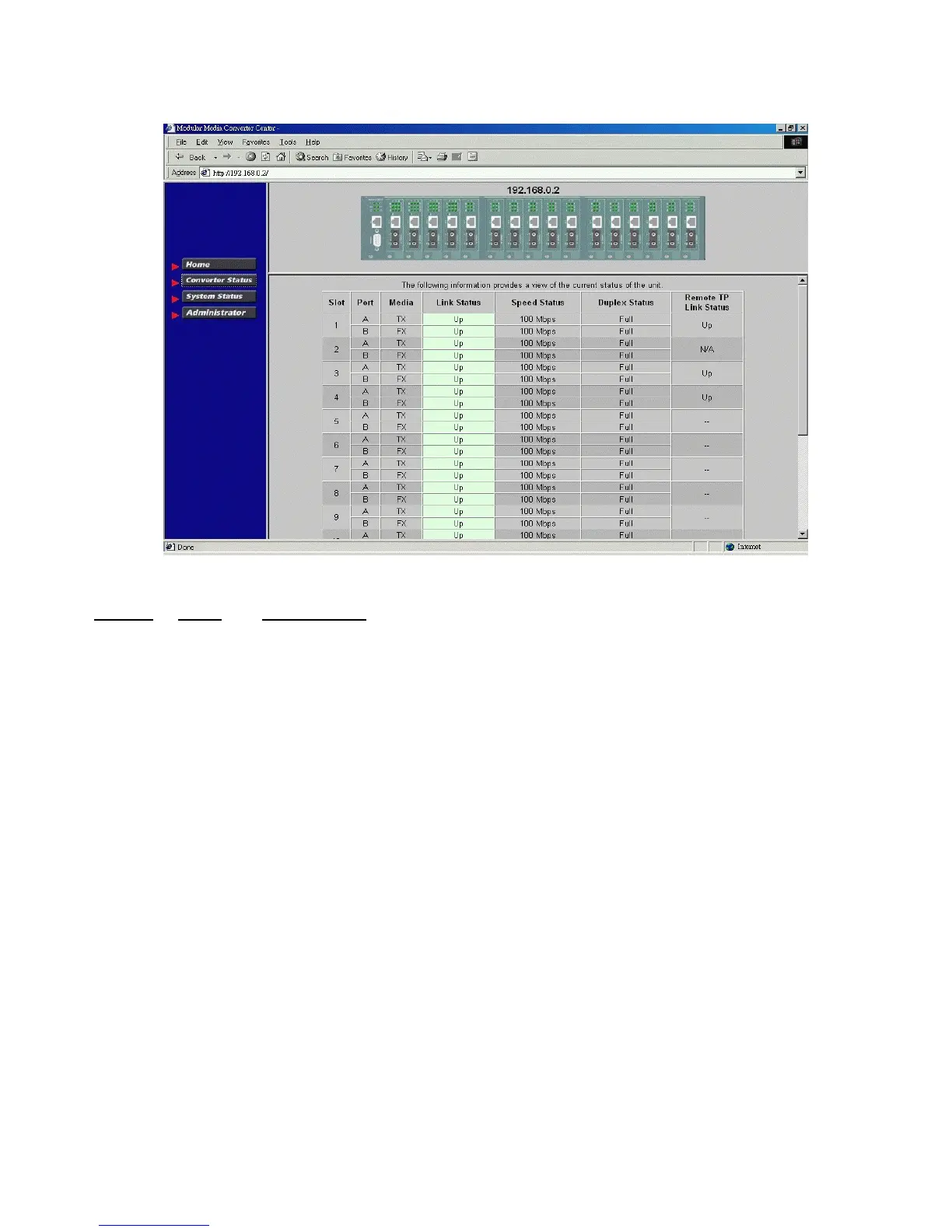
6.3 Converter Status
Click [Converter Status] to view all slot status in a table format.
The information includes:
Column States
Interpretation
Slot 01-16 Slot position in the system
Slot #1 - slot #16 are for MC installation
Port A Upper port of the module in the slot
B Lower port of the module in the slot
Media TX Twisted-pair port type
FX Optic fiber port type
Link Green Link up
Red Link down
Speed 10Mbps 10BASE-T or 10BASE-FL
100Mbps 100BASE-TX or 100BASE-FX
1000Mbps 1000BASE-T or 1000BASE-SX/LX
Duplex Full Full duplex
Half Half duplex
RTP link Green Remote MC TP link up *
Red Remote MC TP link status not available
* RTP: Remote MC TP link status monitoring is available only when M727XS in the rack is connected to a
remote M727XS through a fiber link.



 To Next Page