EVX-539 OpErating Manual20
advancEd opEratIon
dIrEct cH EntrY
You can recall the desired channel directly using this
function:
Press, (or press and hold), the assigned
PF
key.
A tone will sound, and the current group/channel
will appear on the display.
Enter the desired group number (two digits) and
channel number (two digits) from the keypad
([
0
]
-
[
9
]
key
)
.
Press the
[
D
]
key to store the new setting. The
display indicates “- SET -” briey, then reverts to
the normal channel indication.
You may cancel the new setting by pressing
the
[
C
]
key. In this case, the display indicates
“- CANCEL -” briey.
scan
The Scanning feature is used to monitor multiple
signals programmed into the transceiver. While scan-
ning, the transceiver will check each channel for the
presence of a signal, and will stop on a channel if a
signal is present.
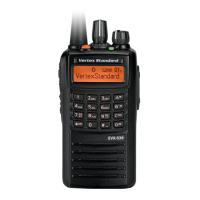
EVX-539
can scan both digital and
analog frequency programmed channels simultane-
ously.
To activate scanning:
Press, (or press and hold), the assigned
PF
key to
activate scanning.
The scanner will search the channels of each
channel, looking for active ones; it will pause
each time it nds a channel on which someone is
speaking.
Press again, (or press and hold again), the as-
signed
PF
key to disable scanning. Operation will
revert to the programmed revert channel.
Note: Your dealer may have programmed your radio
to stay on one of the following channels if you press
the
PTT
switch during scanning pause:
“Scan Pause” channel (“Talk Back”)
“Last Busy” channel
“Priority-2” channel
“User Programmed” channel (“Select Channel”)
The channel which dened in the
CH
Selector
knob.









 To Next Page