15
adVanced oPeration
emergencY
The
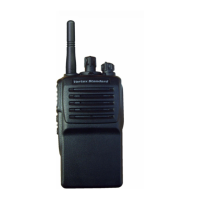
VX-261
includesan“Emergency”featurewhichmay
be useful for alerting another party monitoring on the
samefrequencyasyourtransceiver’schannel.Pleasecon-
tactyourVertexStandarddealerforfurtherdetails.
Pressandholdtheassigned
PF
keyforapre-programmed
period to initiate an emergency call on the pre-defined
channel.
TorevivetheradiofromtheEmergencymode,justpress
andholdagaintheassigned
PF
keyorturnofftheradio.
lone WorKer
Press,(orpressandhold),theassigned
PF
keytoactivate
the Lone Worker feature. The Lone Worker feature is
designedtoemitanalarmfor30secondswhentheLone
WorkerTimer (programmed by yourVertex Standard
dealer)hasexpired.
Press again, (or press and hold again), the assigned
PF
key,theLoneWorkerfeatureisdisabled.Iftheuserdoes
notresetthetimerbypressingthe
PTT
switch,theradio
switchestoEmergencymode.
Pri
Press,(or pressand hold),the assigned
PF
key torecall
the pre-programmed Priority Channel by your Vertex
Standarddealerdirectly.
scan
The Scanning feature is used to monitor multiple chan-
nelsprogrammedintothetransceiver.Whenscanning,the
transceiverwillcheckeachchannelforthepresenceofa
signalandwillstoponachannelifasignalispresent.
To activate scanning:
r
Press,(orpressandhold),theassigned
PF
keytoacti-
vatescanmode.
r
The scanner will search the channels of the pre-pro-
grammedscanlist,lookingforanactivechannel.The
radiowillpauseeachtimeitndsachannelonwhich
someoneisspeaking.
r
Pressagain,(orpressandholdagain),theassigned
PF
keytodisablescanningandreceivethechannelwhich
waschosenwhenpressedthe
PF
key.
Note:Your dealer may have programmed your radio to
stay on one of the following channels if you press the
PTT
switchduringscanningpause:
“ScanPause”channel(“TalkBack”)
“LastBusy”channel
“Priority”channel
“UserProgrammed”channel(“SelectChannel”)
The channel which defined in the
CH
Selector
knob.








 To Next Page