VX-450 SerieS Operating Manual
10
Before you BegIn
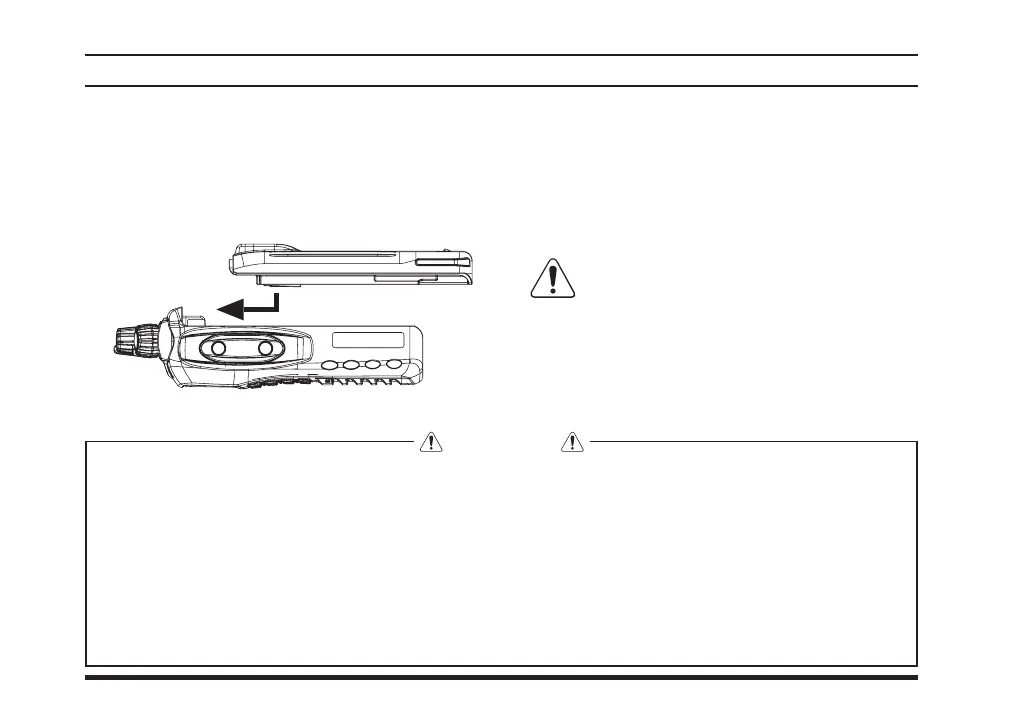
Battery Pack Installation and Removal
r
To remove the battery, turn the radio off and re-
move any protective cases. Slide the Battery Pack
Latch on the bottom of the radio toward the front
panel while sliding the battery down about 1/2
inch. Then lift the battery out from the radio.
Do not attempt to open any of the re-
chargeable Lithium-Ion packs, as they
could explode if accidentally short-circuited.
r
To install the battery pack, align the battery pack
to the radio with an offset about 1/2 inch from the
top edge of battery compartment, then slide the
battery pack upward until it locks in place with a
“Click.”
WARNING
The IS version of the
VX-450
series is only intrinsically safe with the use of the
FNB-V113LIIS
Battery
Pack. To acquire the IS version of the
VX-450
series you much select the Intrinsically Safe battery option
at the time of purchase. Replacement
FNB-V113LIIS
batteries may also be purchased however to be con-
sidered IS the radio must have originally been purchased with the IS battery option.
Do not reverse-connect the battery terminals.
Do not parallel-connect the battery terminals.
Do not charge batteries in hazardous locations.
To reduce the risk of explosion, recharge the batteries outside of hazardous locations.













 To Next Page