VX-450 SerieS Operating Manual
16
operatIon
Operation Quick Start
r
Tu r n th e top p a n e l ’s
VOL/PWR
knob clock-
wise to turn the radio
on.
r
Turn the top panel’s
CH
Selector knob to choose
the desired operating
channel. On the
VX-454
and
VX-459
, a channel
name will appear on the
LCD.
r
If you want to select the operating channel from a
different Channel Group, press the Programmable
key (assigned to the Group Up or Down function)
to select the Channel Group you want before se-
lecting the operating channel. A Group name will
appear on the LCD whenever the Programmable
key is pressed.
Note: Some models are programmed so that the
operating channels are selected by the Program-
mable key and the Channel Group is selected by
Preliminary Steps
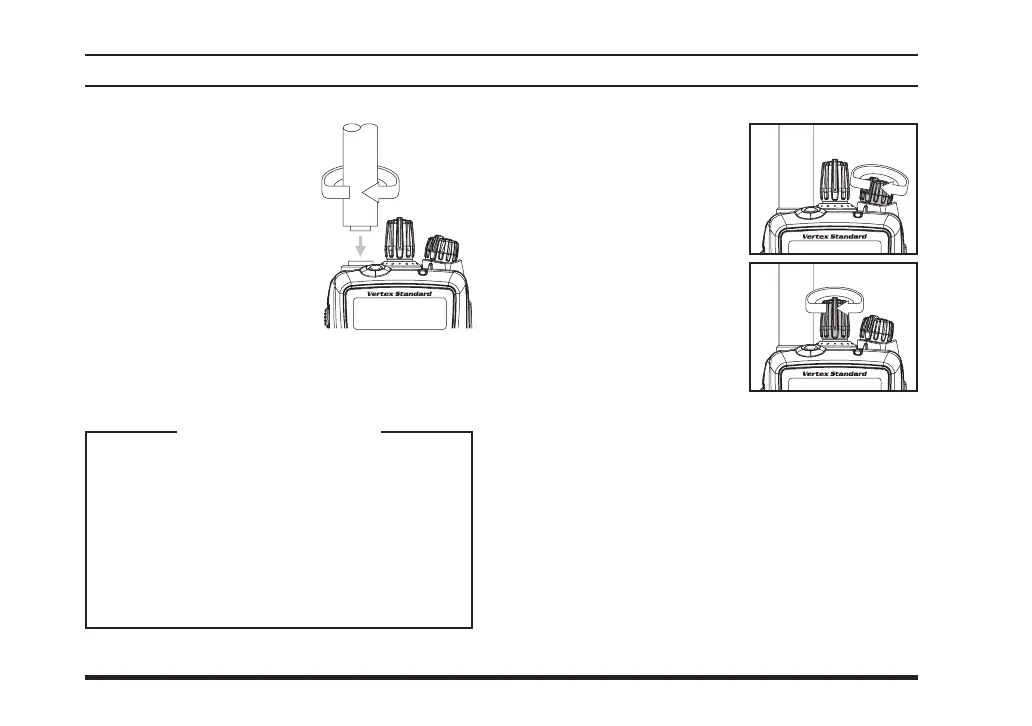
r
Install a charged battery
pack onto the transceiver,
as described previously.
r
Screw the supplied antenna
onto the Antenna jack.
Never attempt to operate
this transceiver without an
antenna connected.
r
If you have a Speaker/Mi-
crophone, we recommend that it not be connected
until you are familiar with the basic operation of
the
VX-450
Series.
IMPORTANT NOTE
Water resistance of the transceiver (IP57: 1
meter / 30 minutes) is assured only when the
following conditions:
r
Battery pack is attached to the transceiver;
r
Antenna is connected to the antenna jack;
r
and
MIC/SP
cap is installed in the
MIC/
SP
jack.













 To Next Page