EVX-534/-539 VHF Service Manual 13
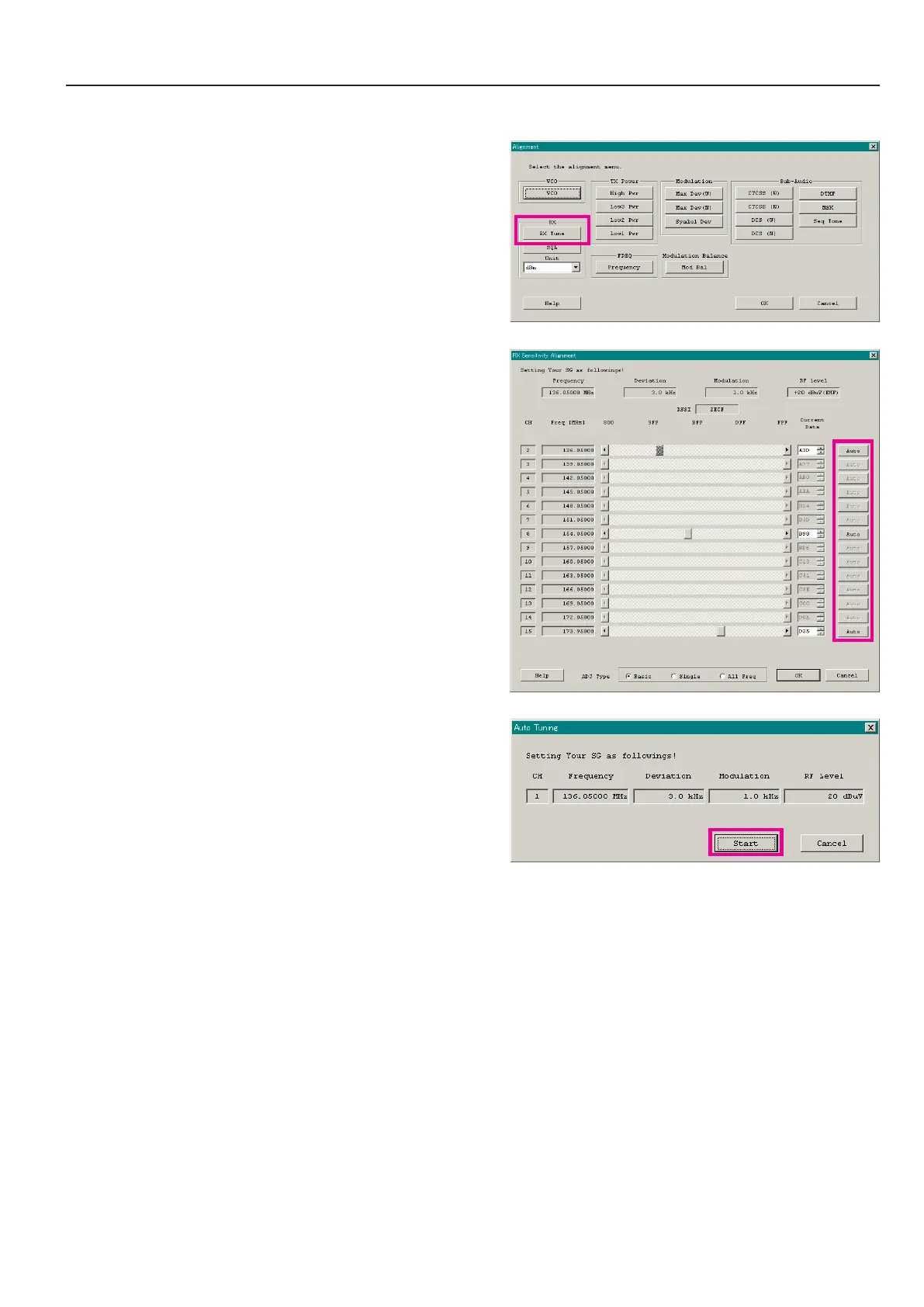
3. rx sensitivity (rx tune)
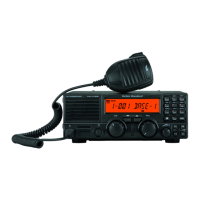
This parameter is to align the RX BPF (Band Pass Filter) for Receive (RX) sensitivity. The PLL Reference Frequency (Frequency)
alignment must be done before this alignment is performed.
1. Click the “RX Tune” button to open the “RX Sensitivity Align-
ment” window.
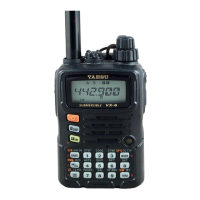
2. Click the “Auto” button on the desired channel. The “Auto
Tuning” window will appear.
3. Set the RF Signal Generator output according to the indication
of the screen.
4. Click the “Start” button to start the automatic alignment to get
the best RX sensitivity (Highest RSSI value).
5. Click the “OK” button to nish the RX Sensitivity alignment
and save the data.
1) You may adjust the RX sensitivity manually by the following
method:
l
Dragging the slide bar
l
Clicking the arrow buttons
l
Pressing the left/right arrow key of the computer’s keyboard
l
Entering the value (“800”- “FFF”) in the “Current Data”
box from the computer’s keyboard
2) You may select the alignment type from the “Radio” button
(ADJ Type) located at the bottom of the screen, as needed.
Basic: “Low-edge / band center / high-edge” and select the
channel for alignment (Default).
Single: Alignment value changes only on the selected chan-
nel.
All Freq: Alignment value changes on all channels.
Alignment
ê
ê


 To Next Page