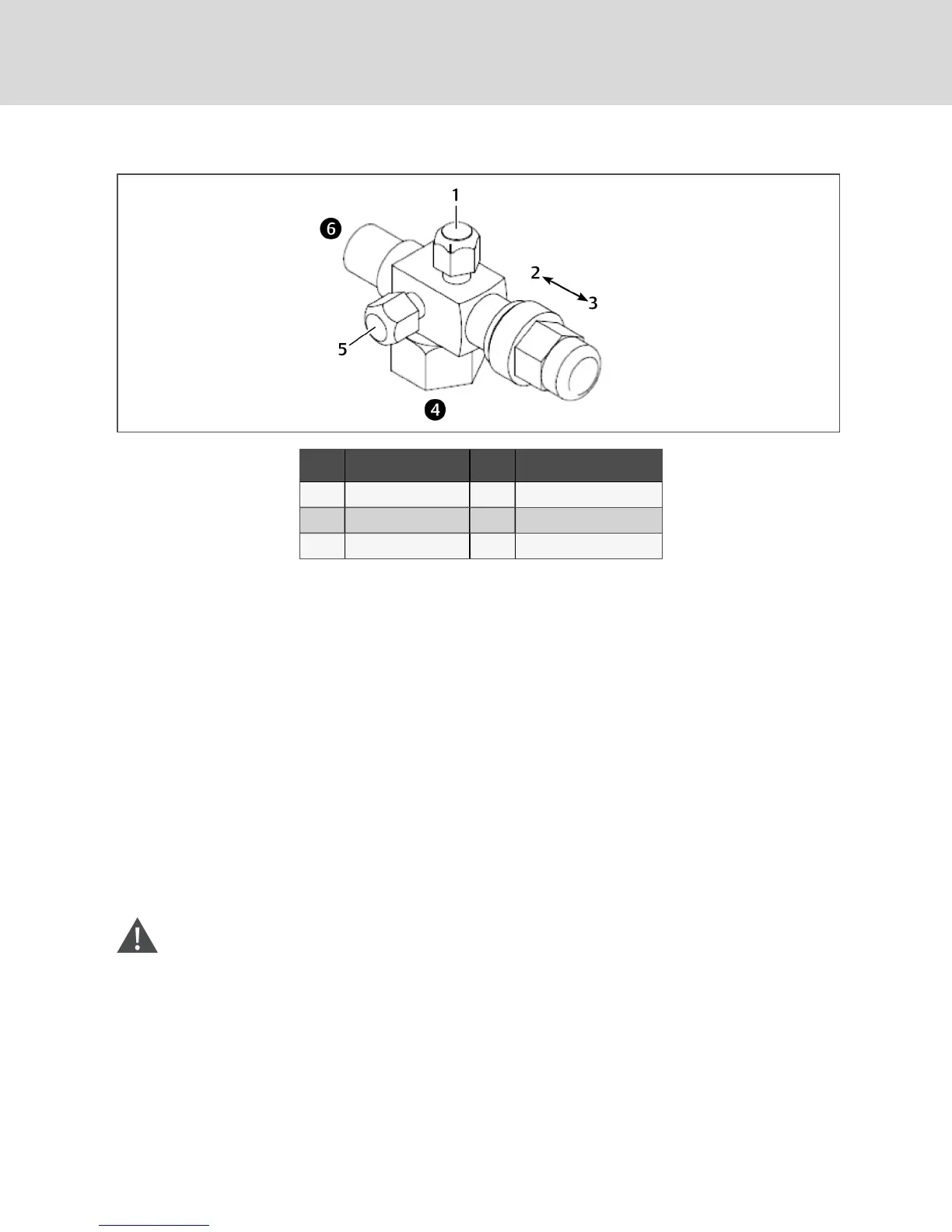
Figure 8.3 Rotalock valve
Item Description Item Description
1 Service port (gauge) 4 Compressor side of valve
2 Front seat 5 Neutral port
3 Back seat 6 System side of valve
8.5.3 Replacement Compressors
Replacement compressors are available through your Vertiv sales office. If the unit is under warranty, the
replacement compressor must be obtained from and the original compressor returned to your local Vertiv
sales office. Compressors are shipped in reusable packaging, and the original compressor should be
returned in the same packaging.
8.5.4 Compressor Motor Burnout
If a burnout has occurred, a full system clean-out is required. If not cleaned, compressor and system
problems will continue.
Consult the factory for compressor maintenance. Do not attempt to remove the compressor without first
contacting Vertiv support at 1-800-543-2778.
8.5.5 Unloading Solenoid(s) on a Digital-scroll Compressor
When replacing a digital-scroll compressor, the digital solenoid valve and coil must be replaced. The
compressor and valve kit are shipped separately. The valve kit must be field-brazed to the top of the
compressor in proper orientation and supported with the original factory bracket.
8.5.6 Replacing the Compressor
WARNING! Risk of electric shock. Can cause serious injury or death. The Liebert® iCOM
microprocessor does not isolate power from the unit, even in the "Unit Off" mode. Some internal
components require and receive power even during the "unit off" mode of the Liebert® iCOM
control. Open all local and remote electric power disconnect switches and verify with a
voltmeter that power is Off before working on any component of the system.
Vertiv | Liebert® DSE500™ Installer/User Guide
32



 To Next Page