3.2 Controls
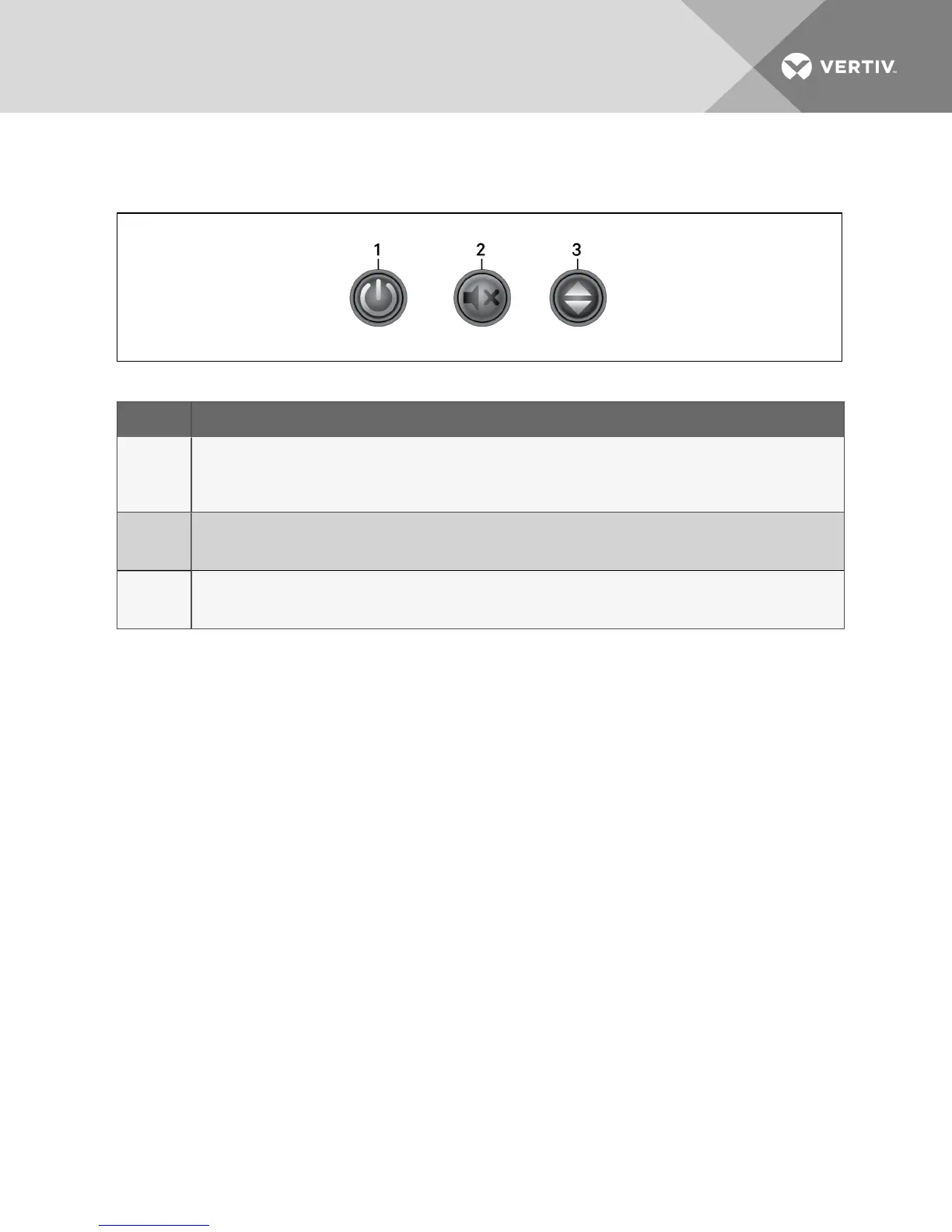
Figure 3.1 Buttons on the front panel
ITEM DESCRIPTION
1
Power button.
• Press-and-hold for 1 second to cycle between On and Off mode.
• Press-and-hold for 3 seconds to enter Battery Self-test mode.
• Press quickly to wake the display
2
Silence Battery-mode Alarm button.
• Press-and-hold for 2 seconds during On/Battery mode to mute the battery-alarm beep.
• Press quickly to wake the display.
3
Scroll button.
• When the UPS is On, press to cycle through UPS operating parameters.
• Press quickly to wake the display.
Table 3.1 Button Controls
Vertiv | Liebert® PSA5™ Installer/User Guide | 12










 To Next Page