2 INSTALLATION
2.1 What's Included
• USB cable; one 2 m (6.5 ft) long
• Coax cable; one 1 m (3 ft) long
• Quick Installation Guide
• Safety and Regulatory Guidelines
The following are available online at www.VertivCo.com:
• PSA5 Installer/User Guide (this document)
• Liebert MultiLink™ Shutdown Software
2.2 Unpacking and Inspection
Unpack the UPS and conduct the following checks:
• Inspect the UPS for shipping damage. If any shipping damage is found, report it to the carrier
and your local dealer or your Vertiv representative immediately.
• Check the accessories included in packaging list. If there is any discrepancy, contact your local
dealer or your Vertiv representative immediately.
2.3 Preparation for Installation
2.3.1 Installation Environment
• Install the UPS indoors in a controlled environment, where it cannot be accidentally turned Off.
The installation environment should meet the specifications listed in Specifications table, see
Specifications.
• Place it in an area of unrestricted air-flow around the unit, away from water, flammable liquids,
gases, corrosives, and conductive contaminants. Avoid direct sunlight.
• The socket outlet should be nearby and easily accessible.
• This UPS is not for use in a computer room as defined in the standard for the Protection of
Electronic Computer/Data Processing EquipmentANSI/NFPA75.
NOTE: Operating the UPS in temperatures above 77°F (25°C) reduces battery life.
2.3.2 Installation Clearances
Maintain at least 4 in. (100 mm) clearance in the front and rear. Do not obstruct the air inlets on the front
panel and rear panel. Blocking the air inlets reduces ventilation and heat dissipation, shortening the
service life of the UPS.
2.4 Installing the UPS
2.4.1 Connecting Loads
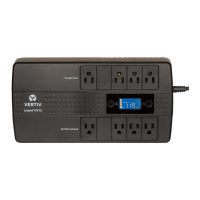
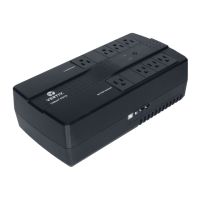
The UPS has 5 battery-backed outlets and surge-protected receptacles and 5 surge-protected-only
receptacles. Plug your critical equipment (such as computer, monitors, etc.) into the battery-backed
receptacles and your less-critical equipment (such as printers and other less-often used peripherals) into
the surge-only receptacles.
Vertiv | Liebert® PSA5™ Installer/User Guide | 9










 To Next Page