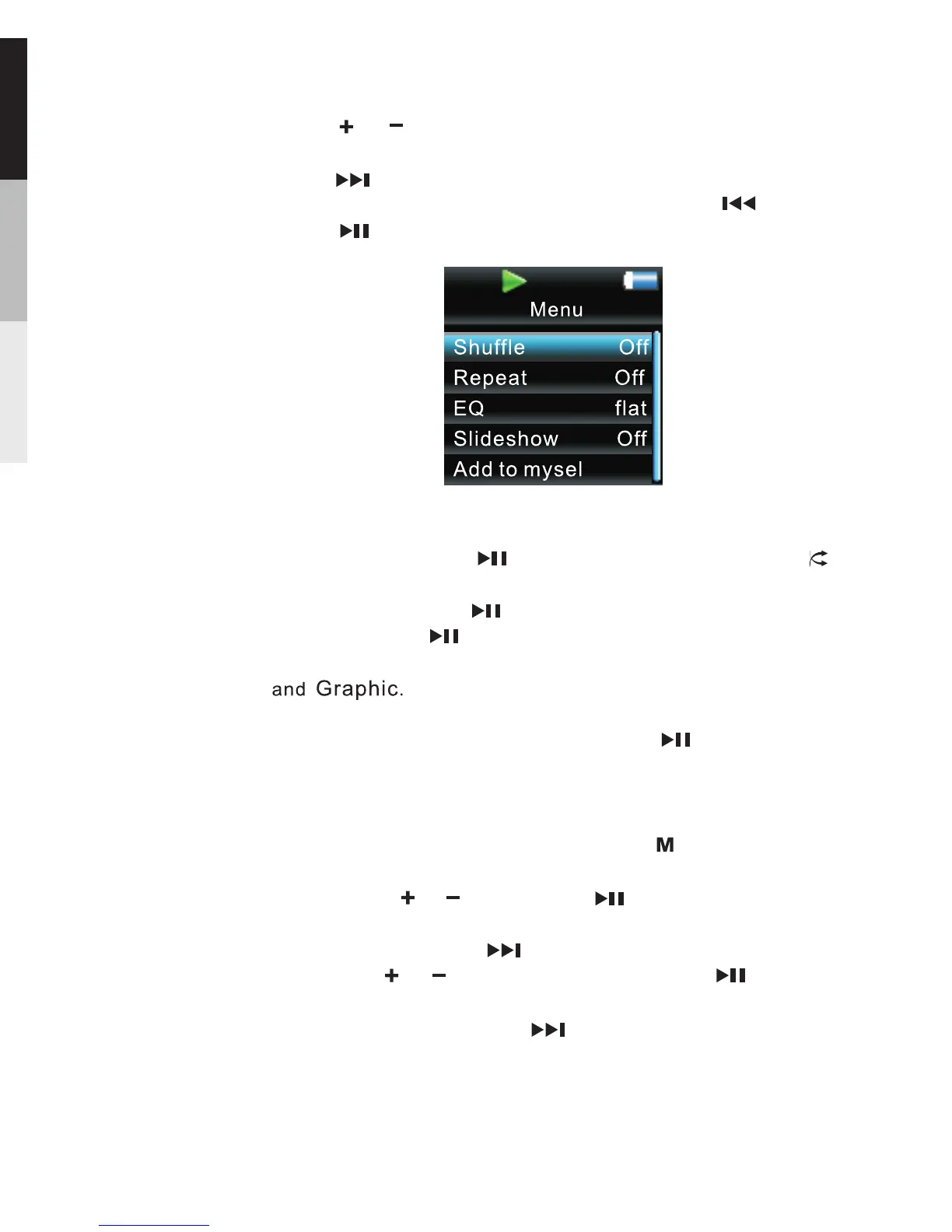
To scroll up or down to highlight items on the screen,
press or .
To confirm your selection or enter and view the submenu,
press .
To go back to the previous menu level, press .
Press repeatedly to select options.
Shuffle …… Press repeatedly to select shuffle on
or off.
Repeat …… Press repeatedly to select a repeat mode.
Slide show … … defines the viewing time for This
each picture during a slideshow. Press repeatedly to
select among:off,3,5,10 and 15 seconds.
Adding Files to My Selections … … You can add your
favorite songs to my Selections.
Clearing My Selections … … Press during playback
to access the Player s menu. Highlight “Clear MySel”.
by pressing or .Then press to confirm deletion
of the selected items.
Settings … … Press to enter the settings menu and
then press or to highlight an item. Press
repeatedly to change settings.
System …… Press to show the amount of free Info
space available and the firmware version.
EQ … … Press to select a EQ mode.repeatedly
Options available: Flat,Bass,Classic,Pop,Rock,Jazz
,
12


 To Next Page