EN - 9 -
Operating your fridge
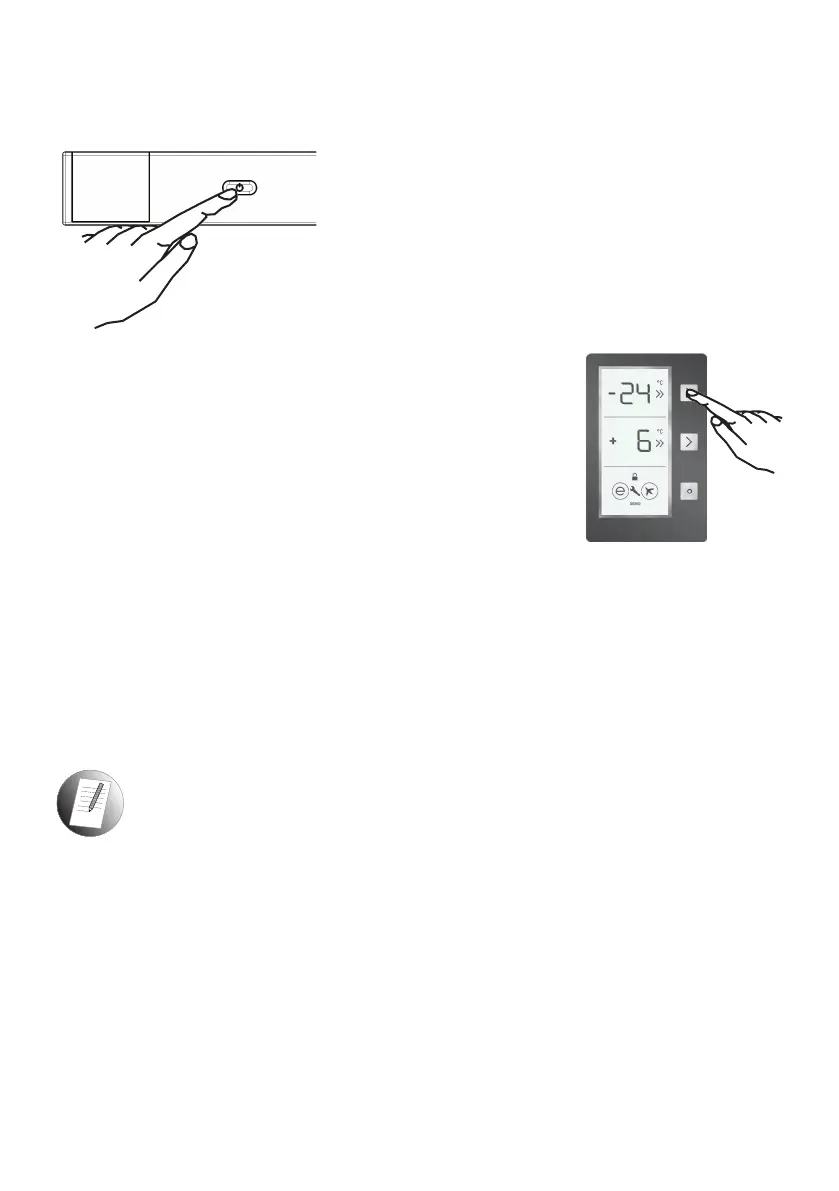
On / Off button
• It cuts the power of appliance by pushing on-off switch.
• After the appliance is plugged, all symbols will appear
for 2 seconds, and then the startup values will appear
as -18°C on freezer setting indicator and +4°C on
cooler setting indicator.
All buttons on the control panel are touch-operated.
(Only press to activate the button you want to operate.)
Super freeze mode
How would it be used?
• Press the Freezer Set Button until SF is shown on the screen.
The buzzer will sound twice and the mode will be set.
• Freezer temperature segment will show "SF".
During this mode:
• The temperature of the Cooler and Super Cool Mode may be
adjusted. In this case, Super Freeze Mode continues.
• Economy and Holiday mode cannot be selected.
• Super Freeze Mode can be cancelled in the same way that it was selected.
Note:
• The maximum amount of fresh food (in kilograms) that can be frozen within 24 hours is
shown on the appliance label.
• For optimal appliance performance in maximum freezer capacity, set the appliance to
active SF mode 3 hours before you put the fresh food into the freezer.
• At the end of this period, the fridge will sound an audible alarm notifying that it is ready.
Super Freeze mode will be automatically cancelled after 24 hours or when freezer
sensor temperature drops beneath -32 °C.


 To Next Page