EN - 10 -
Super cool mode
How would it be used?
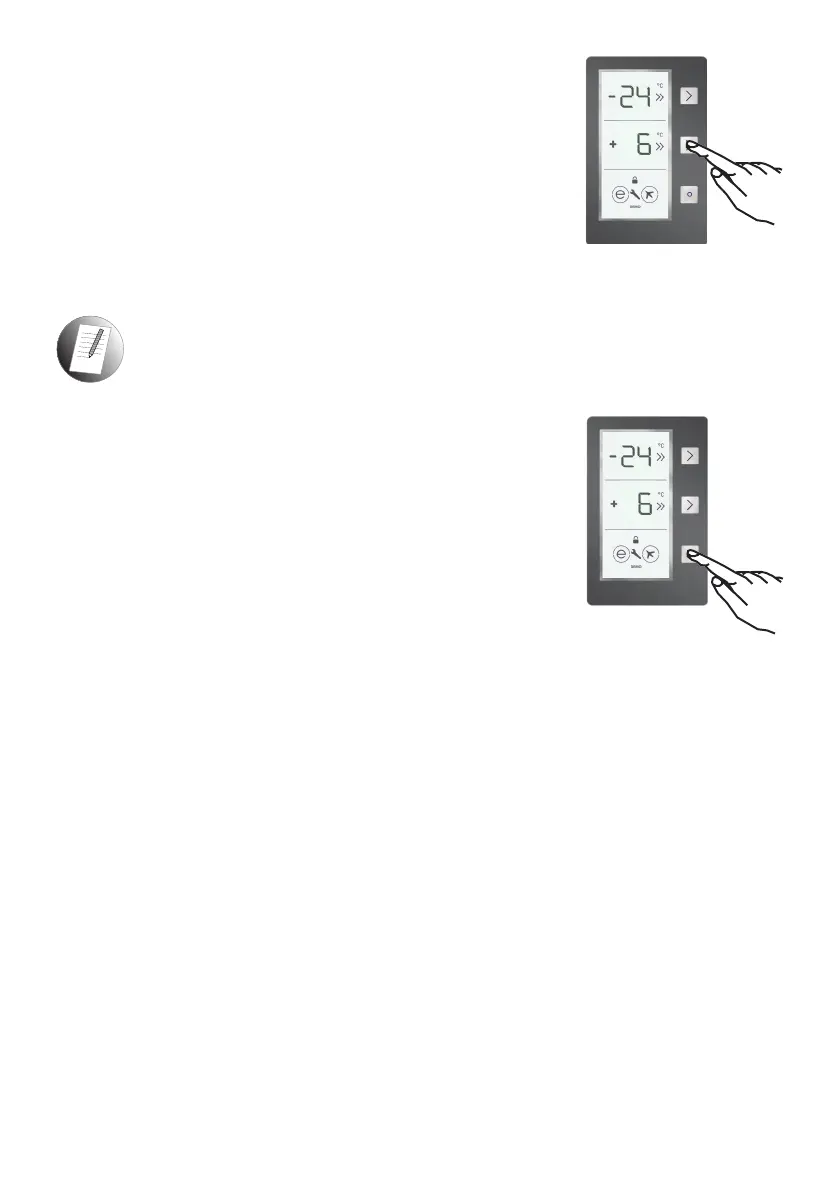
• Press cooler set button until SC is shown on the screen. The
buzzer will sound twice and the mode will be set.
• The Cooler temperature segment will show “SC”.
During this mode:
• The temperature of the Freezer and Super Freeze Mode may
be adjusted. In this case, Super Cool Mode continues.
• Economy and Holiday Mode cannot be selected.
• Super Cool Mode can be cancelled in the same way it was selected.
Note: Super Cool mode will be automatically cancelled after 4 or 6 hours depending
on the environmental temperature or when the refrigerator sensor reaches a
sufciently low temperature.
Economy mode
How would it be used?
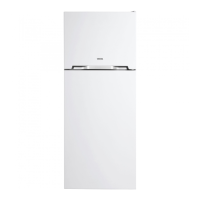
• Push the “Mode Button” until a circle appears around economy
symbol.
• If no button is pressed for 1 second, the mode will be set. The
circle will blink 3 times and the buzzer will sound twice.
• The Freezer and Refrigerator temperature segments will
show “E”.
• The circle of the Economy Symbol and E will illuminate until
the mode nishes.
During this mode;
• The Freezer may be adjusted. When Economy Mode is cancelled, the selected setting
values will remain.
• The Cooler may be adjusted. When Economy Mode is cancelled, the selected setting
values will remain.
• Super Cool and Super Freeze modes can be selected. Economy Mode is automatically
cancelled and the selected mode is activated.
• Holiday Mode can be selected after cancelling the Economy Mode. The selected mode
is activated.
• To cancel, press the Mode Button.


 To Next Page