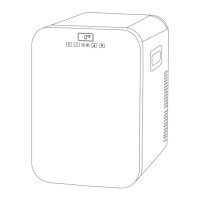
Double Zone
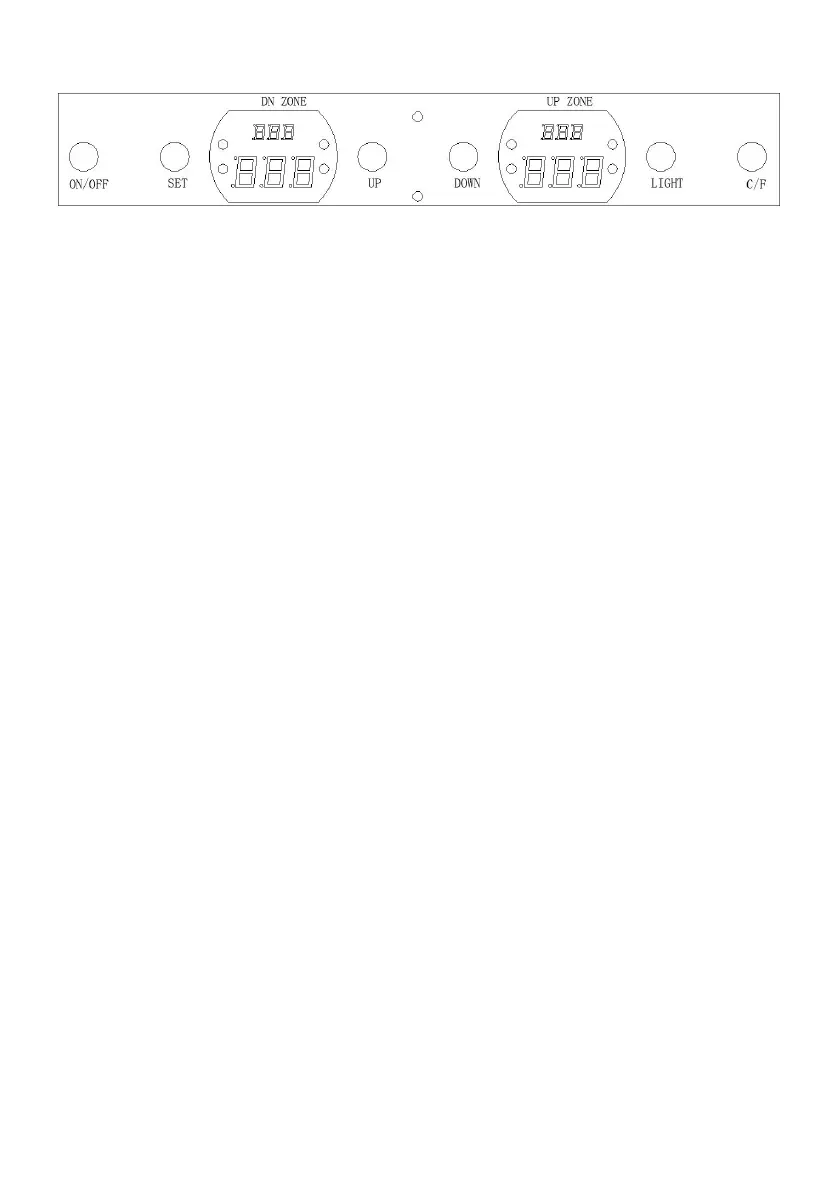
· ON/OFF: Power On / Power Off
· SET: Down-Room Temperature / Up-Room Temperature
· UP: Set Temperature Increase +
· DOWN: Set Temperature Decrease -
· LIGHT: Light On / Light Off
· ℃/°F : Celsius ℃ / Fahrenheit °F Switch
To control the temperature:
BC-145WS: The up digital chamber indicates the setting temperature, ranging
from 1℃~10℃(34℉-50℉),when temperature is set between 1℃~10℃,the
indicator corresponding the chamber on the up side will flash. The digital tube on
the down chamber indicates the actual temp inside the refrigerator, ranging from
0~37℃(32℉~99℉).
BC-145WD: The up digital chamber indicates the setting temperature,Left ranging
from 1℃~5℃ (34℉~41℉), Right ranging from 5℃~22℃ (41℉~72℉), when
temperature is set between 1℃~5℃, or 5℃~22℃ ,the indicator corresponding
the chamber on the up side will flash. The digital tube on the down chamber
indicates the actual temp inside the refrigerator, ranging from 0~37℃ (32℉-99℉)
(refrigetator);
BCD-145WD: The up digital chamber indicates the setting temperature,Left
ranging from -18℃~3℃ ( 0℉~37℉), Right ranging from 3℃~10℃ ( 37℉~50℉),
when temperature is set between -18℃~3℃, or 3℃~10℃,the indicator
corresponding the chamber on the up side will flash. The digital tube on the down
chamber indicates the actual temp inside the refrigerator, ranging from 0~37℃
(32℉-99℉) ( refrigetator );ranging from -18~37℃ ( 0℉-99℉) (freezer).
The user can re-set temp inside the refrigerator based on actual requirement, after
start working, the refrigerator will keep on refrigerating till it reaches the set temp,



 To Next Page