06
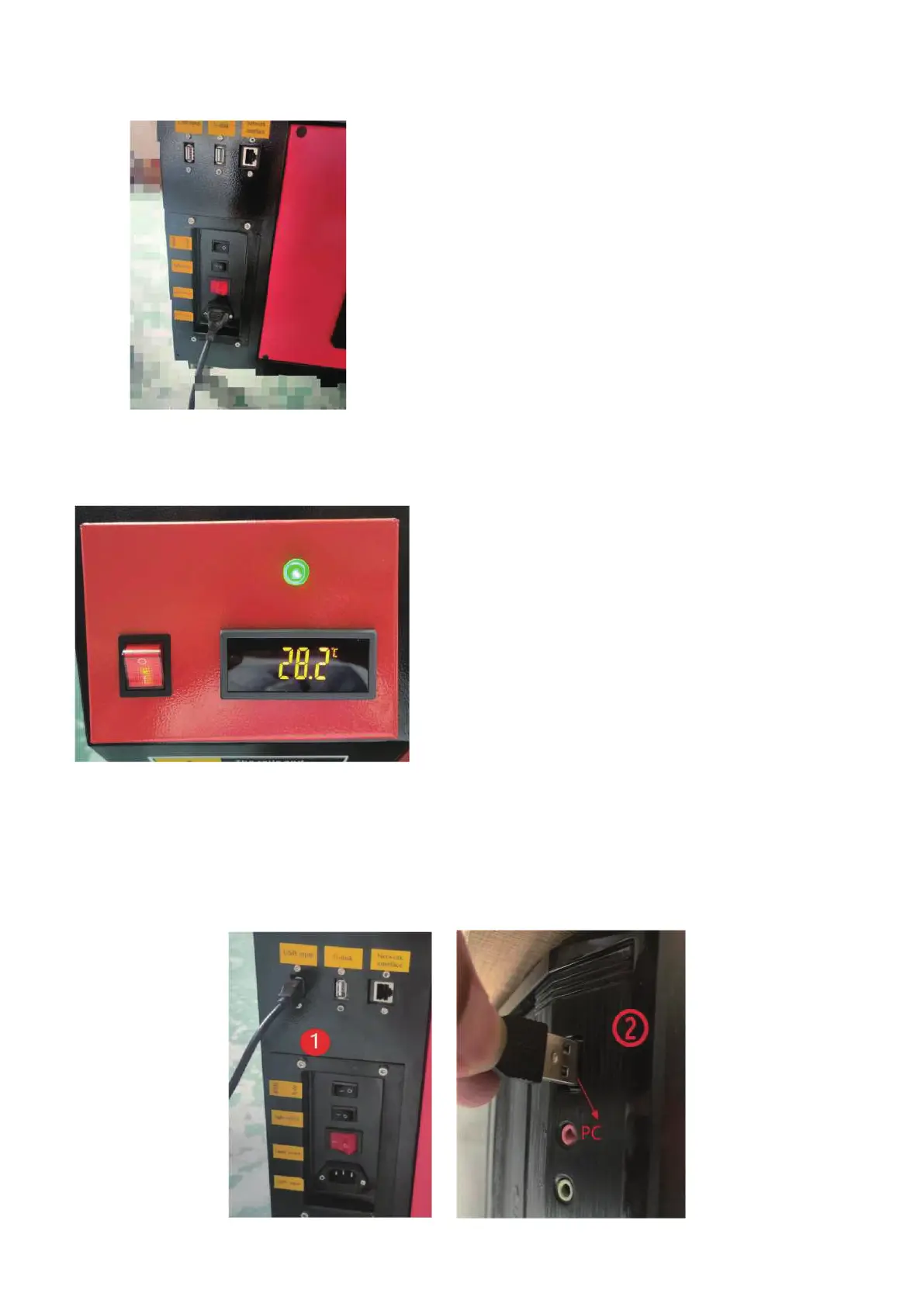
Step 4: Please take out the power cord to power on the product,Open various switches to
check the normal operation of the product without failure.
Step 5: Please turn on the cooling system switch, the water temperature display unit is
Celsius.
Step 6: Please prepare the computer (Windows system),Refer to the "Software Installation
Video" in the CD/USB to install the software, After the software installation is complete,
please take out the USB cable and connect one end to the power supply.Brain USB po ②
,one end is connected to the device USB input po ①
★it is forbidden to turn on the equipment
when the grid voltage is unstable or does
not match.
★ Please note that the water temperature should not
exceed 35 degrees Celsius during use, otherwise the
laser may be damaged. When the ambient tempera-
ture is about to drop below 0 degrees Celsius, please
replace it with antifreeze liquid to avoid damage to
the carbon dioxide glass laser.



 To Next Page