EasyManua.ls Logo

VEVOR L4040 - User Manual

VEVOR L4040
7 pages
Print Icon
To Next Page IconTo Next Page
Loading...
1/7
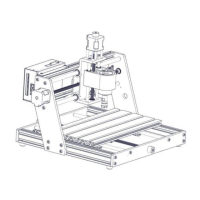
L4040 Laser Engraving Machine
Warning
Strictly prohibit laser radiation of the eyes!
Strictly prohibit watching laser without wearing protective glasses!
Strictly prohibit using by children!
Strictly prohibit using this machine unattended!
Scan for assemble video
L4040 V1.0
Question and Answer IconNeed help?

Do you have a question about the VEVOR L4040 and is the answer not in the manual?

Summary

Safety Warnings

Laser Operation Precautions

Strictly prohibit laser radiation of eyes, using without glasses, by children, or unattended.

Parts List

Machine Assembly

Laser Installation

Cable Connection

Software Setup and Operation

Download and run VevorWorks software

Instructions for downloading and launching the VevorWorks engraving control software.

Connect software to laser engraving machine

Steps to establish a connection between VevorWorks software and the laser engraving machine.

Adjust focus for engraving

Using the focal length measuring piece to set the optimal height for the laser module.

Engraving content and parameter adjustment

Opening content, selecting modes, and setting engraving parameters like speed and power.

Preview and start engraving

Confirm engraving position and range before initiating the engraving process.

Software interface overview

An introduction to the VevorWorks software interface and its various functions.

Instructions for Laser

Wear protective glasses and adjust focus

Wear protective glasses, turn on weak light, and adjust laser module height for clear spots.

Notice and Update

Important notices for parts and installation

Notices regarding part shape variations, installation sequence, and disabling sleep modes.

Software updates and support contact

Information on continuous software updates and customer support contact details.

Summary

Safety Warnings

Laser Operation Precautions

Strictly prohibit laser radiation of eyes, using without glasses, by children, or unattended.

Parts List

Machine Assembly

Laser Installation

Cable Connection

Software Setup and Operation

Download and run VevorWorks software

Instructions for downloading and launching the VevorWorks engraving control software.

Connect software to laser engraving machine

Steps to establish a connection between VevorWorks software and the laser engraving machine.

Adjust focus for engraving

Using the focal length measuring piece to set the optimal height for the laser module.

Engraving content and parameter adjustment

Opening content, selecting modes, and setting engraving parameters like speed and power.

Preview and start engraving

Confirm engraving position and range before initiating the engraving process.

Software interface overview

An introduction to the VevorWorks software interface and its various functions.

Instructions for Laser

Wear protective glasses and adjust focus

Wear protective glasses, turn on weak light, and adjust laser module height for clear spots.

Notice and Update

Important notices for parts and installation

Notices regarding part shape variations, installation sequence, and disabling sleep modes.

Software updates and support contact

Information on continuous software updates and customer support contact details.

VEVOR L4040 Specifications

General IconGeneral
BrandVEVOR
ModelL4040
CategoryPrinter
LanguageEnglish

Related product manuals