8. Close all the valves and disconnect all the external hoses.
Connect the hoses according to the Recovery Operation to do the
gas refrigerant recovery.
9.Purge.
Warning
When the showing of the electric scale show that the refrigerant in
the tank reaches 80 % capacity, please press
“
START
”
button
again and close the valves of the tank.
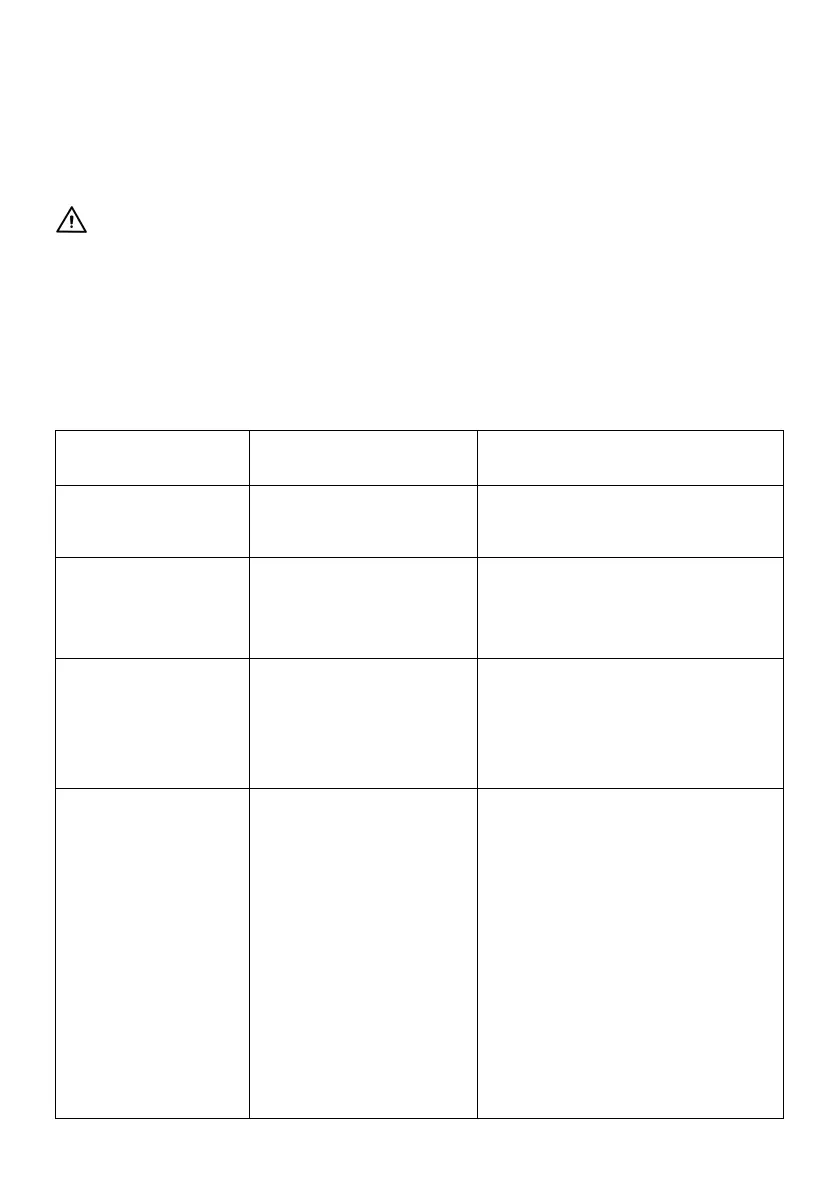
TROUBLE SHOOTING
1. Replace the fan
2. Factory service is needed
1. Shut off by High
Pressure Protection
1. Lower the pressure of the unit
2. Check the connection
3. Turn the switch two rounds and
stop at
Compressor can't
start (Jammed)
1.External pressure is
too high
2.Motor failure or other
component damage
1. Turn the Switch 2 rounds and
point to positionaland then
restart
2. Factory service is needed
Compressor starts
but stops within a few
minutes
1.High Pressure
Protection caused
by mis-operation
shuts the unit off
like: Outlet valve
closed, refrigerant
tank valve closed
2.Motor Overload
Protection shut the
motor off
3.Recovery finished,
green light ON
4.Overload during liquid
1. Read carefiilly the Operation
Manual and follow the
instructions while operating
2. Give the motor some time to
restart
3. Follow the purge Operation
to do the Purging
4. Turn the switch 2 rounds and
stop position "1 "while
recovering liquid refrigerant
5. Cool the circut breaker down
and restart after 5 minutes



 To Next Page