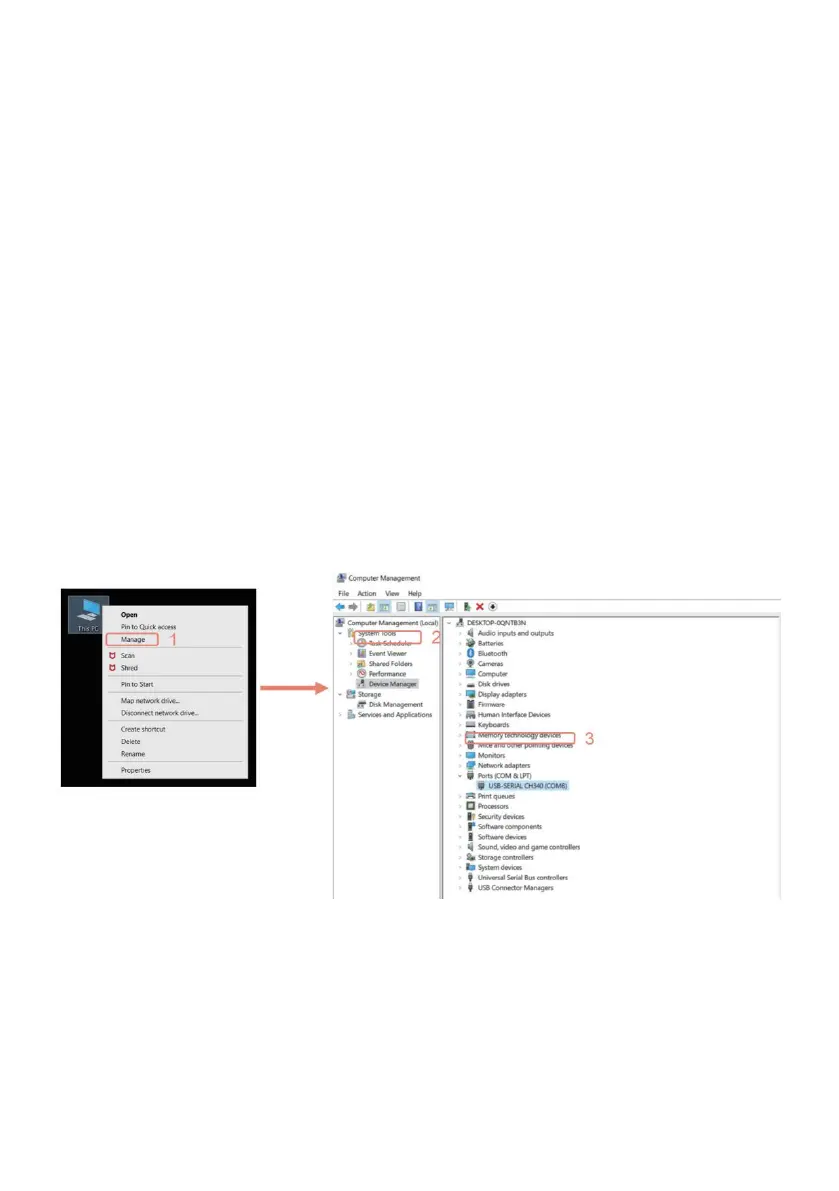
3. To Determine your Machine's COM port:
• For Windows XP: Right click "My Computer"→ Select "Manage"→ Select
"Device
Manager". For Windows 7: Right
click "Computer"→ Select "Manage" → Select "Device Manager" from left
pane.
• For Windows 10: Right click “This PC"→ Select "Manage" → Select
"Device Manager"
from left pane.
• In the tree, expand "Ports (COM & LPT)“ , your machine will be the USB
Serial Port
(COMX), where the “X” represents the COM number, for example COM6.
• If there are multiple USB serial ports, right click each one and check the
manufacturer,
the machine will be "CH340“. Select port and baud rate



 To Next Page