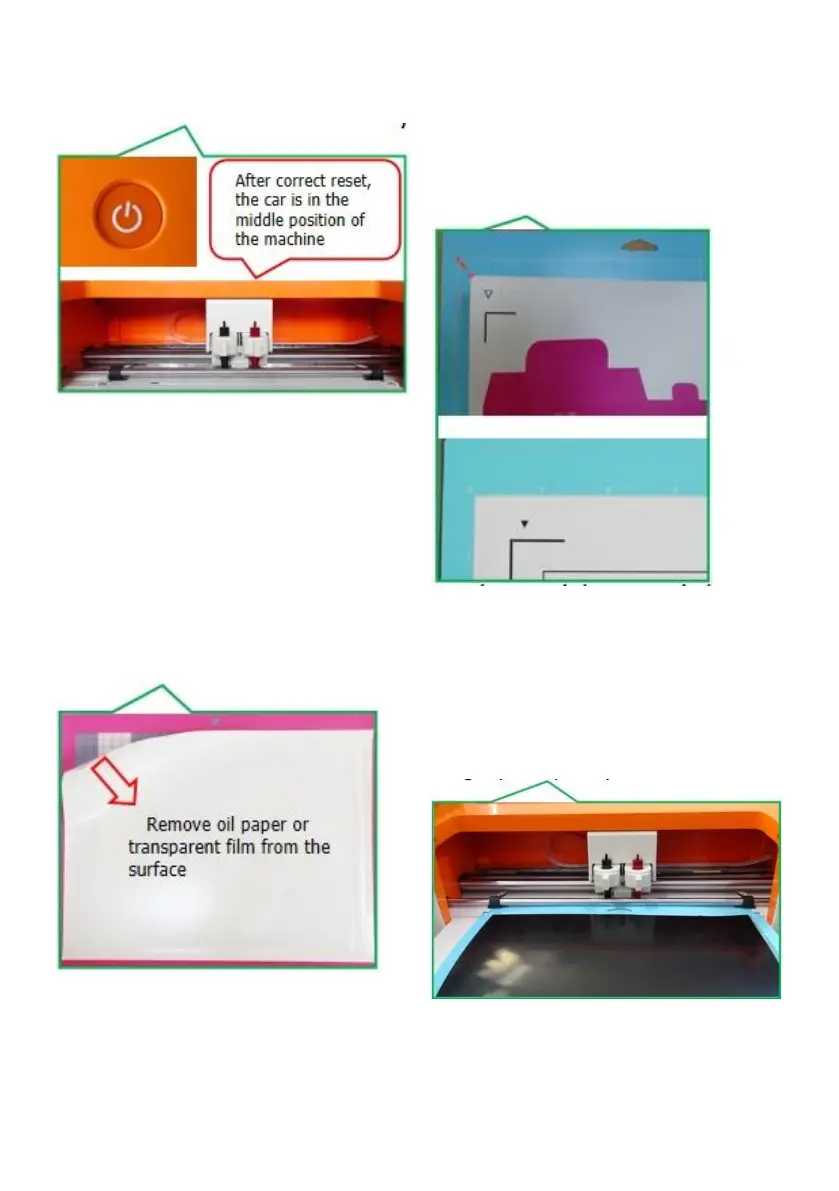
d: Press the power-on button and wait
for the machine to automatically reset.
f: Align the cutting surface of the
material to be cut upwards with the
upper left corner of the cutting pad grid
and paste it onto the cutting pad with a
backing surface.
e: Remove the cutting pad and tear off
the white oil paper protective film.
g: place material on mat inside the grid ,
position matunderneath mat guides ,
and make sure the top edge of themat
is slightly clamped by both rollers at the
same time.



 To Next Page