15
www.viavito.com
Operation
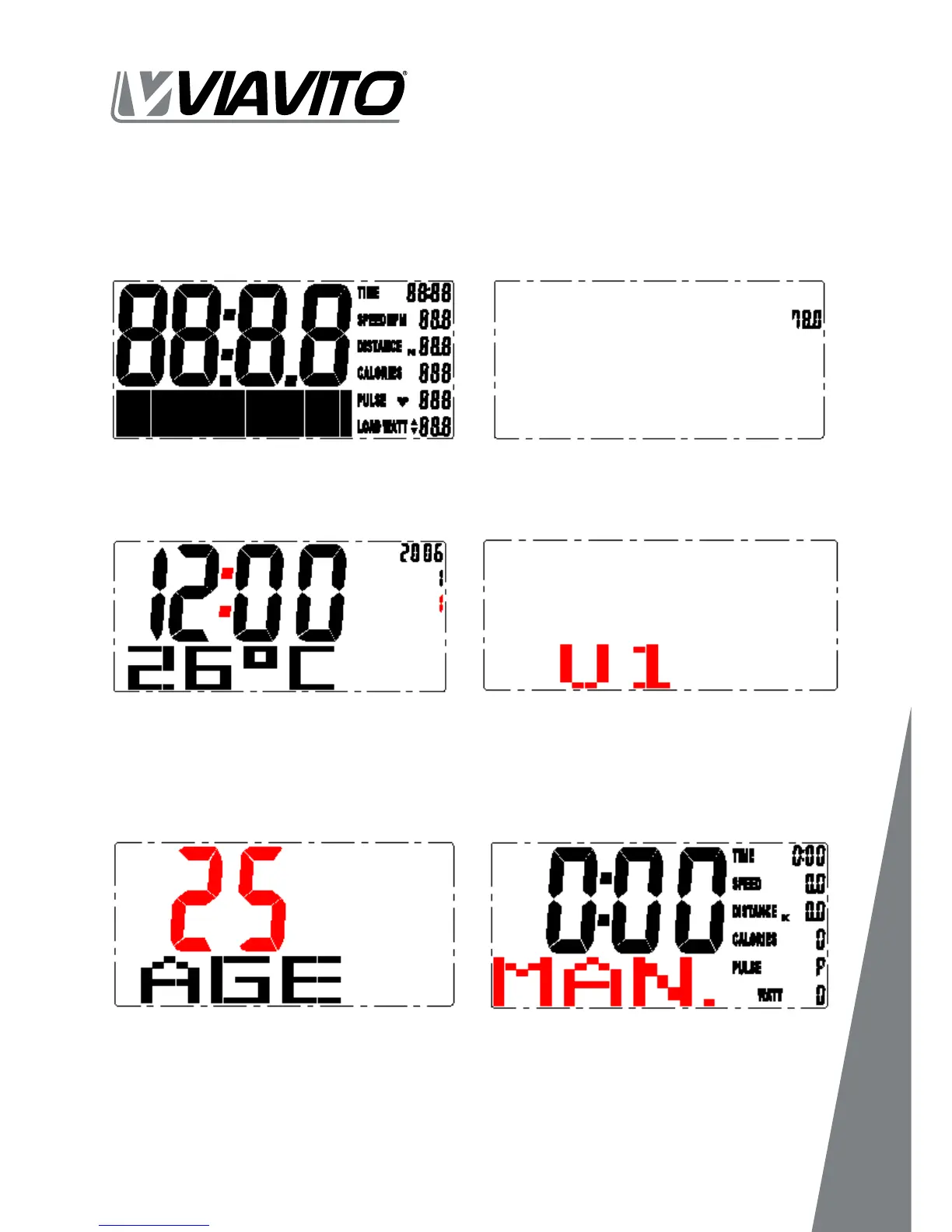
01 Power on, LCD will display segment for 2 seconds with long beep sound. (FIGURE 1),
and display wheel diameter (FIGURE 2) then enter calendar setting mode.
02 Press MODE >> Then use the UP /DOWN buttons to set year / month / day / clock
(FIGURE 3) ; screen will enter personal data set-up mode. (FIGURE 4)
03
personalised data feedback. The monitor will require you to input personal data of
age, sex, height and weight step by step. Please use UP/ DOWN/ MODE buttons to
set-up all data. After setting up, the monitor will skip to stand-by mode.
Fig. 1
Fig. 3
Fig. 5
Fig. 2
Fig. 4
Fig. 6


 To Next Page