19
www.viavito.com
Training in H.R.C Mode
Training in Watt Mode
Training in Body Fat Mode
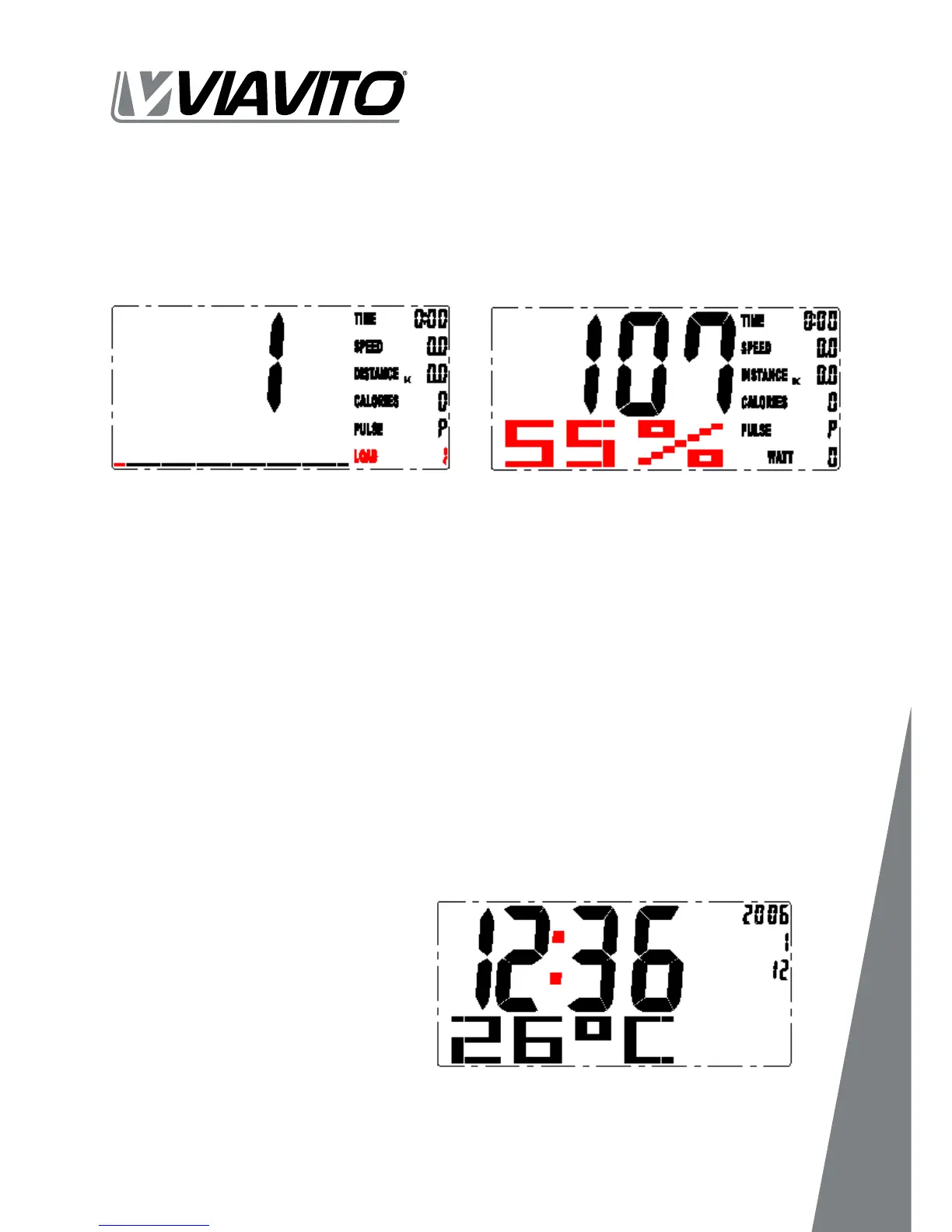
In the H.R.C. mode, the console system has heart rate percentage 55%, 75%, 90% and
TARGET. You may select heart rate percentage using the UP and DOWN buttons for
training. (FIGURE 19).
DOWN to set target value from 10 to 350. Press the START button to start training.
Note: After you stop training or if no
signal is received for over 4 minutes,
and display room temperature,
clock, and calendar (FIGURE 20).
Switch KM & Miles by button on the
back of console: power o, switch
KM or Miles, then power on.
You may test and get BODY FAT feedback when the computer is in STOP mode.
Please follow the steps as below:
Step 1 - Press BODY FAT button, and hold on handgrip to start body fat testing.
Step 2 - The symbol "- - - - - - - - " will display while testing period in 8 seconds. After 8
seconds, you will see the BODY FAT advice in percentage and BMI. After BODY FAT
testing, press BODYFAT button to reset the computer back to the previous mode.
Fig. 18 Fig. 19
Fig. 20


 To Next Page