6)
Applied the standard equipment 0.3 A,
1KHz to the meter.
7) Keep the meter at least 20 seconds, press
the REL button to save the calibrated
value, and the “SAVE” displayed on the
LCD; if the “ERR” displayed, check the set
value for the standard equipment, and
inspect the function and the method of the
line connection right or not newly.
8) Press the MNMX button again to select the
3A calibration point, and the “S” annunciator appears on the top left corner of the LCD, 1KHz appears
on the secondary display indicates the frequency of the applied signal should be 1KHz.
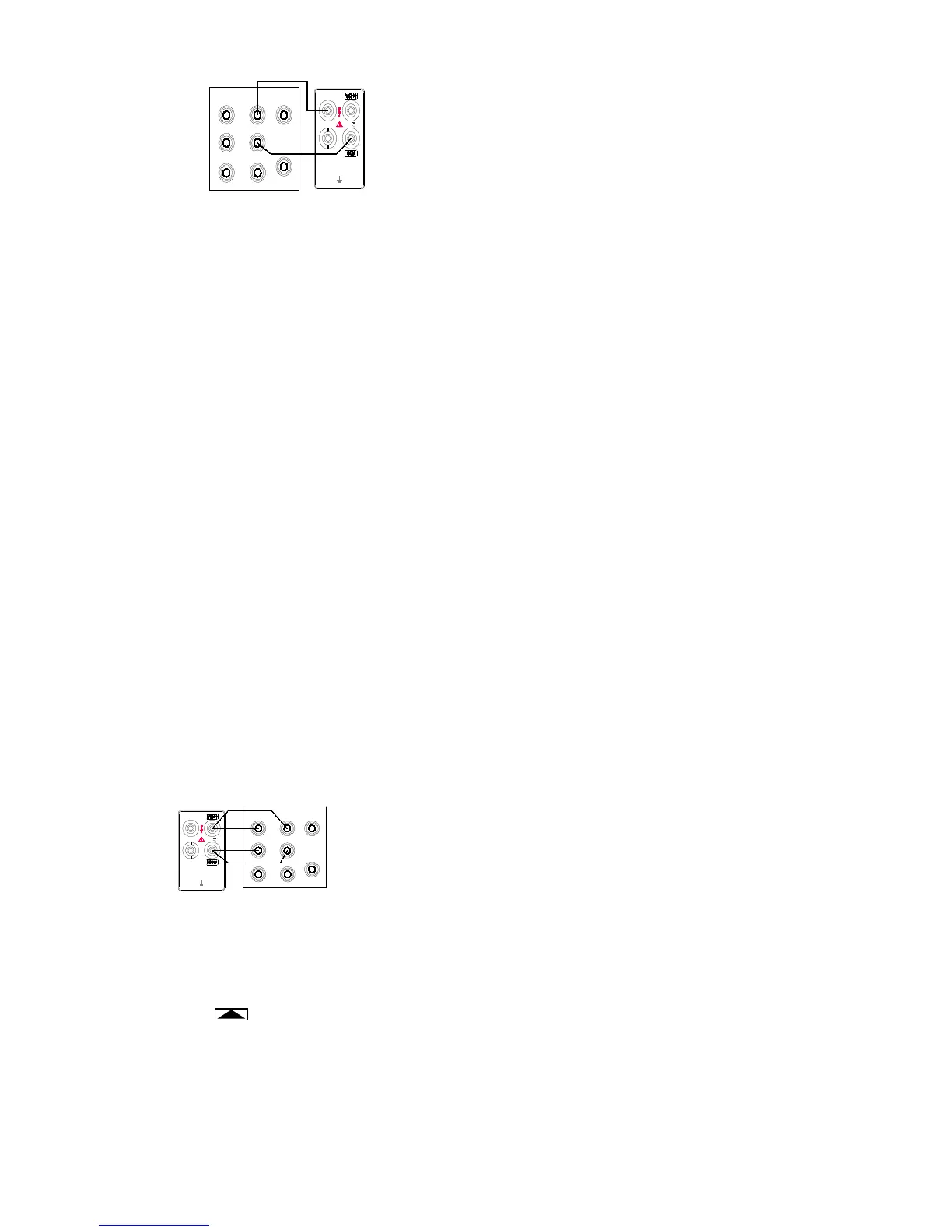
9) Placed the standard equipment in the “STBY” state, Connect the standard equipment with the meter
as shown in Figure 5-3 referred before.
10) Applied the standard equipment 3A, 1KHz to the meter.
11) Keep the meter at least 20 seconds, press the REL button to save the calibrated value, and the
“SAVE” displayed on the LCD; if the “ERR” displayed, check the set value for the standard
equipment, and inspect the function and the method of the line connection right or not newly.
12) Complete all range.
Frequency Calibration
1) Placed the standard equipment in the “STBY” state, press the FREQ button and the meter default
enter to 3KHz range calibration state.
2) Connect the standard equipment with the meter as shown in Figure 5-1 referred before.
3) Applied the standard equipment 3V of sine wave, 3KHz to the meter.
4) Press the SHIFT button of the meter to calibrate the indicated range displayed on the meter.
5) Keep the meter at least 5 seconds, press the REL button to save the calibrated value, and the “SAVE”
displayed on the LCD; if the “ERR” displayed, check the set value for the standard equipment, and inspect
the function and the method of the line connection right or not newly.
Ohms calibration
1)
Placed the standard equipment in the “STBY” state, press the Ω button and the meter default enter to
300Ω range calibration state.
2)
Connect the standard equipment with the meter as shown in Figure 5-5.
3)
Applied the standard equipment 300Ω to the meter,
and select 2-wire compensation on.
4)
Press the SHIFT button of the meter to calibrate the
indicated range displayed on the meter.
5)
Keep the meter at least 10 seconds, press the REL
button to save the calibrated value, and the “SAVE”
displayed on the LCD; if the “ERR” displayed, check
the set value for the standard equipment, and
inspect the function and the method of the line connection right or not newly.
6)
Press the button to change rang.
7)
Applied the standard equipment indicated on the display to the meter, once the calibrated range above
300KΩ, select 2-wire compensation on, remove the line connected with the AUX terminal of the standard
equipment.
8)
Repeat step 5 to step 7 until complete all range.


 To Next Page