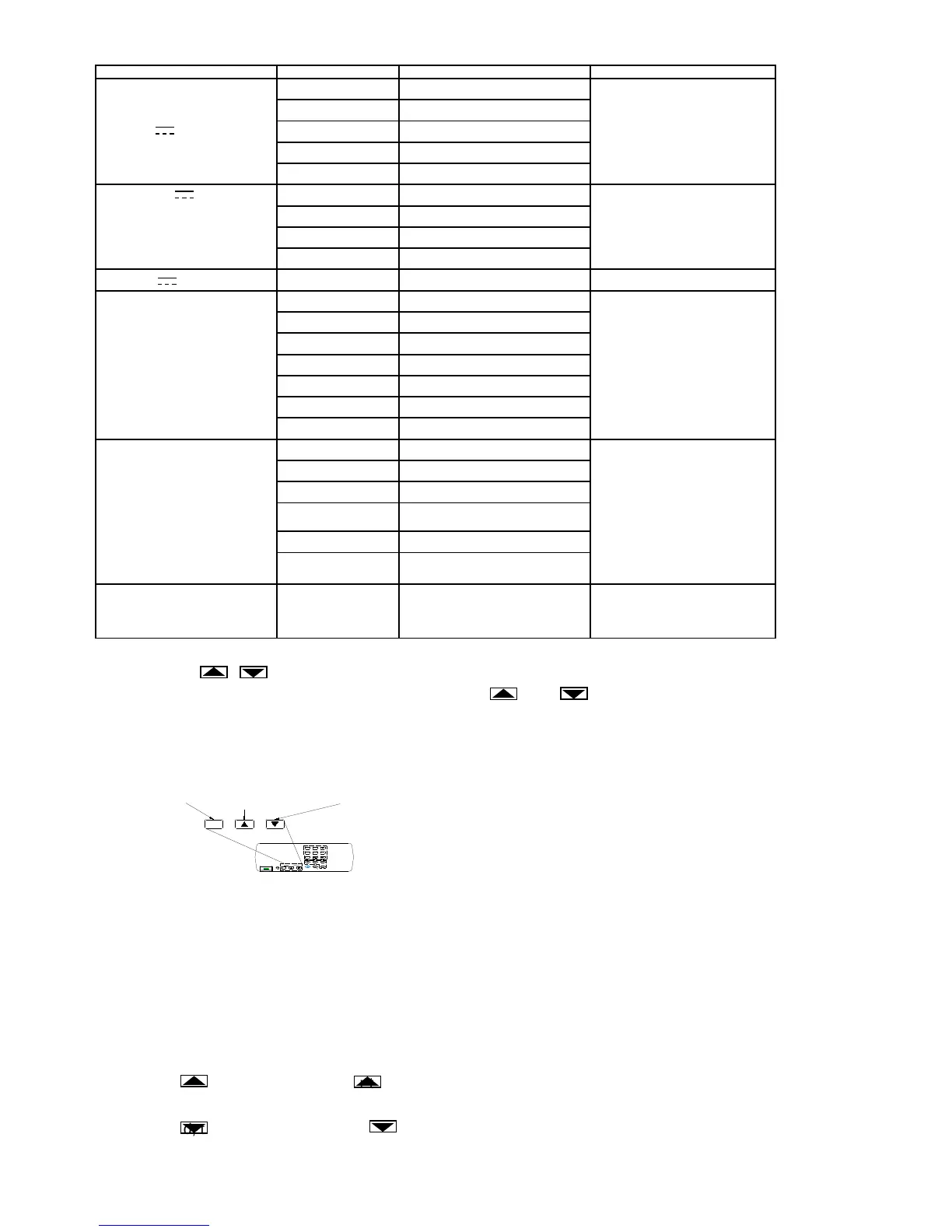
Table 3-2. Voltage, Current, Ohms and Frequency Rang and Full Scale Value
FUNCITION RANG FULL SCALE INFORMATION
V
~
and V
300mV 330.00mV
*760V ac rms
3V 3.3000V
30V 33.000 V
300 V 330.00 V
1000V* 1100.0 V*
mA ~ and mA
0.3mA** 0.33000 mA**
**AC current have not 0.3mA and
3mA range
3mA** 3.3000 mA**
30mA 33.000 mA
300 mA 330.00 mA
A ~ and A
10A 11.000A
Resistance
300Ω 330.00Ω
3KΩ 3.3000 KΩ
30 KΩ 33.000 KΩ
300 KΩ 330.00 KΩ
3MΩ 3.3000 MΩ
30 MΩ 33.000 MΩ
100 MΩ 110 MΩ
Frequency
300Hz 330.00 Hz
30MHz range have not full scale
3KHz 3.3000 KHz
30KHz 33.000 KHz
300KHz 330.00 KHz
3MHz 3.3000 MHz
30MHz /
ANGING (AUTO, , )
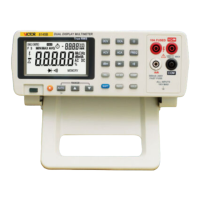
Ranging operations are performed using the AUTO, and buttons (see Figure 3-4).
Autoranging
When you are in the autorange mode, the “AUTO” annunciator is lit.
In autorange, the meter automatically selects the next higher range when a reading is greater than
full scale. If no higher range is
available, “OL” (overload) is
displayed. The meter automatically
selects a lower range when a
reading is less than approximately
10% of the selected range.
Figure 3-4. Range Selection Butons
Manual Ranging
Press AUTO to toggle in and out of manual ranging. The range you are in when you enter the manual
range mode becomes the selected range.
In manual range, the meter remains in the selected range regardless of input. Press AUTO to toggle
back to autoranging.
Press to up range. If the is pressed when the meter is still in autorange, manual ranging is
selected, the “AUTO” annunciator turns off, and the next higher range is selected (if there is one).
Press to down range. If the is pressed when the meter is still in autorange, manual ranging is
selected, the “AUTO” annunciator turns off, and the next lower range is selected (if there is one).
When one function of Volts DC, Amps DC, Volts AC, Amps AC, Resistance or FREQ is selected, the


 To Next Page