EasyManua.ls Logo

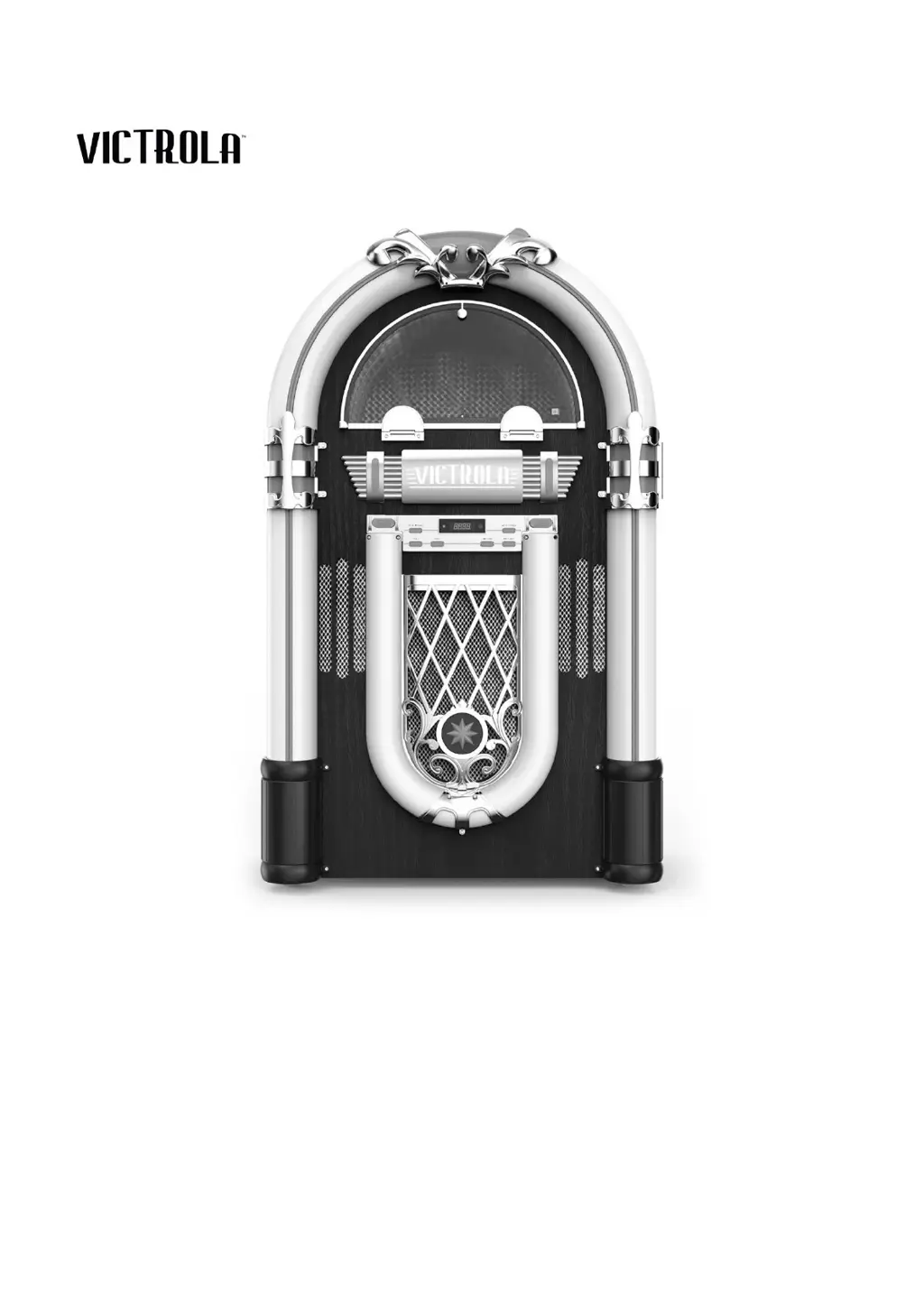
Victrola MAYFIELD - User Manual

Victrola MAYFIELD
15 pages
Print Icon
To Next Page IconTo Next Page
Loading...
THE
MAYFIELD
MODEL: VJB-130
INSTRUCTION MANUAL
PLEASE READ THIS INSTRUCTION MANUAL CAREFULLY
BEFORE USE AND KEEP IT FOR FUTURE REFERENCE.

Questions and Answers

  • M
    Mark BartlettJul 28, 2025
    How to fix Victrola MAYFIELD that will not power on?
    • L
      Larry WestJul 28, 2025
      If your Victrola Karaoke System won't power on, the first thing to check is whether the unit is properly connected to the AC power supply. Ensure the power cord is securely plugged into both the unit and a working electrical outlet.
  • M
    melissa39Aug 2, 2025
    What to do if there is no sound from the speakers of my Victrola Karaoke System?
    • H
      hkellyAug 2, 2025
      If you're not getting any sound output from the speakers of your Victrola Karaoke System, there are a few things you can check: * First, make sure the volume level isn't set too low; adjust it to a suitable level. * Second, verify that the input selector matches the source you're using for playback. * Finally, check the Rear Line-Out Switch.
  • D
    dustin38Aug 7, 2025
    Why can't I listen to any station on my Victrola MAYFIELD Karaoke System, or the signal appears weak?
    • R
      richard23Aug 7, 2025
      If you cannot listen to any station or the signal appears weak on your Victrola Karaoke System, ensure that the desired station is properly tuned-in. Additionally, if a TV set is being used nearby, it may be interfering with the radio reception; try turning off the TV.
  • T
    Tyler MurphyAug 12, 2025
    What to do if there is no sound output with external audio device plugged into rear AUX in jack of Victrola MAYFIELD Karaoke System?
    • S
      Stacy SmithAug 12, 2025
      If you're experiencing no sound output when an external audio device is plugged into the rear AUX in jack of your Victrola Karaoke System, first, make sure the auxiliary cable is securely plugged into both your audio source and the AUX in jack. Second, ensure that the unit is set to the proper AUX mode.
  • E
    Ernest CraneAug 17, 2025
    What to do if Victrola Karaoke System fails to respond?
    • J
      Jennifer HerreraAug 17, 2025
      If your Victrola Karaoke System fails to respond, it might be due to external factors like electrostatic discharge (ESD). Disconnect the power cord and any external audio devices. Then, re-plug the power cord after one minute.
  • D
    Diane CraneAug 22, 2025
    Why is there a decline in turntable audio performance on my Victrola MAYFIELD Karaoke System?
    • K
      Karen RojasAug 22, 2025
      If you notice a decline in the turntable audio performance of your Victrola Karaoke System, the stylus may be worn out. Consider replacing the stylus to restore audio quality.

Summary

Safety Precautions

Electrical Safety Warnings

Crucial warnings regarding electric shock, rain, moisture, and proper plug usage.

General Operating Safety

Essential guidelines for safe operation, covering reading instructions and environment.

Battery & Handling Safety

Detailed safety measures for handling batteries, including disposal and environmental exposure.

Battery Precautions & Disposal

Further safety advice on battery handling, storage, and disposal to prevent hazards.

Product Overview

Front Panel Controls

Detailed explanation of all buttons and indicators on the front of the unit.

Rear Panel Connections

Identification and function of all input/output ports and switches on the rear.

Turntable Components

Overview of the key parts and mechanisms of the turntable.

Remote Control Operation

Remote Control Buttons

Comprehensive guide to the functions of each button on the remote control.

Activation & Battery Management

Instructions for activating the remote and replacing its battery, plus precautions.

Getting Started and Operation

Initial Setup Steps

Basic steps to plug in, power on, and select modes for initial use.

LED Lighting Effects

How to control and customize the unit's LED lighting features.

Line Out Operation

Guide for connecting and using external speakers via the Line Out feature.

Listening to Vinyl Records

Counter Weight Adjustment

Step-by-step process for correctly setting the tonearm's counterweight for playback.

Playing Vinyl Records

Instructions on placing records, selecting speed, and starting playback.

Stylus Replacement

Detailed guide on how to safely remove and install the turntable stylus.

Listening Modes

FM Radio Operation

How to tune, adjust volume, preset stations, and improve reception.

Auxiliary Mode Connection

Connecting external audio devices via the AUX input.

Bluetooth Mode Connection

Steps for pairing and connecting Bluetooth devices for audio playback.

Specifications

General & Amplifier Specs

Details on power, dimensions, weight, output power, and frequency response.

Speaker, Radio & Bluetooth Specs

Information on speaker impedance, FM range, and Bluetooth capabilities.

Turntable Specifications

Specifics related to the turntable, including stylus model.

Troubleshooting Guide

General & FM Radio Issues

Solutions for common power, sound, and FM reception problems.

AUX, Bluetooth & Phono Issues

Troubleshooting for auxiliary, Bluetooth pairing, and turntable performance problems.

Regulatory & Warranty Information

FCC & IC Compliance

Statements regarding compliance with FCC and Industry Canada regulations.

United States Warranty

Details of the one-year warranty for original purchasers in the US.

International Warranty Terms

Warranty coverage and limitations for Canada, US Territories, and other regions.

Victrola MAYFIELD Specifications

General IconGeneral
BrandVictrola
ModelMAYFIELD
CategoryKaraoke System
USB PortYes
AM/FM RadioYes
Microphone Inputs2
Power SourceAC Power
ConnectivityBluetooth
FeaturesCassette Player