EasyManua.ls Logo

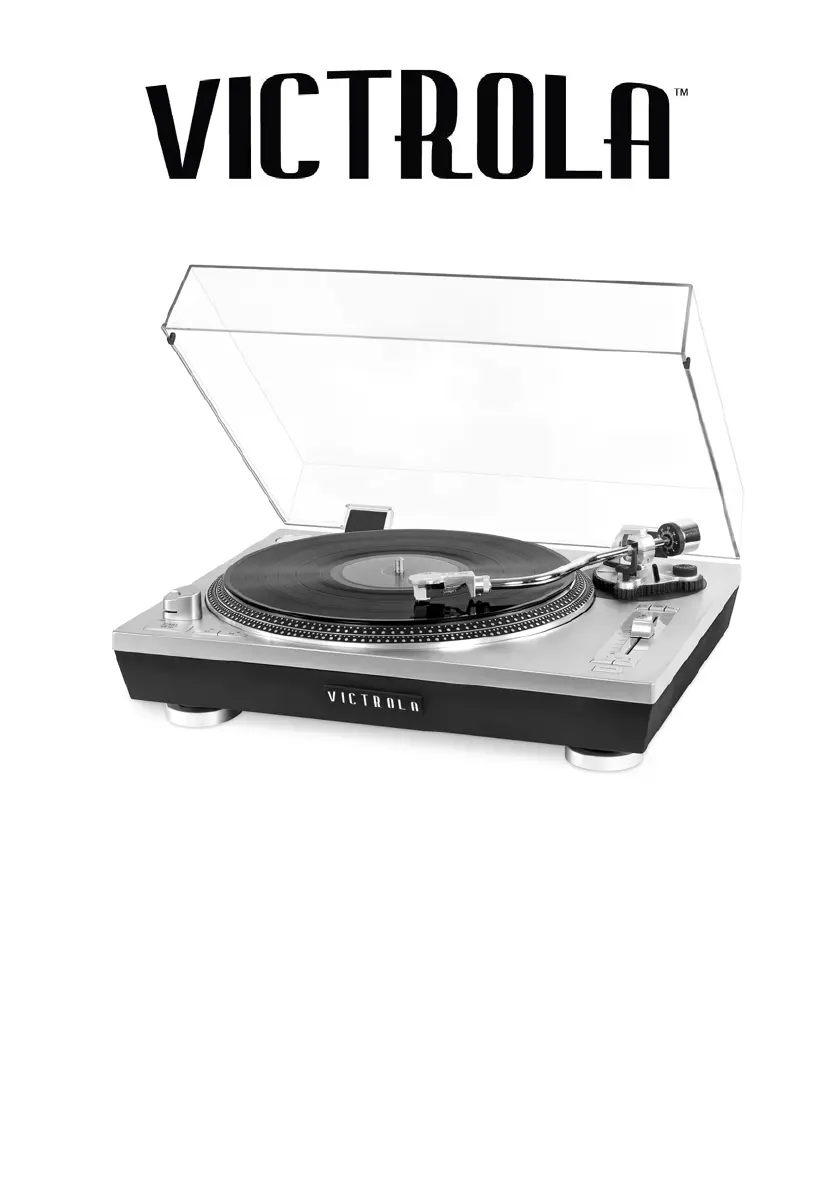
Victrola VPRO-2000 - User Manual

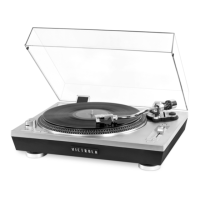
Victrola VPRO-2000
16 pages
Print Icon
To Next Page IconTo Next Page
Loading...
!
!
!
!
!
!
!
!
!
!
!
!
!
!
!
!
!
!
MODEL: VPRO-2000
PROFESSIONAL TURNTABLE
Instruction Manual
PLEASE READ THIS INSTRUCTION MANUAL CAREFULLY
BEFORE USE AND KEEP IT FOR FUTURE REFERENCE.

Questions and Answers

  • S
    shawrobertJul 28, 2025
    Why is there no sound from the speakers on my Victrola VPRO-2000?
    • J
      Joshua NelsonJul 28, 2025
      If your Victrola Turntable has no sound coming from the speakers, make sure the volume isn't turned down to the minimum. Also, verify that the selected input source matches the actual source you're using. Adjust the volume and reselect the appropriate input source as needed.
  • M
    matthew85Aug 5, 2025
    How to fix noisy sound when playing record on Victrola VPRO-2000 Turntable?
    • M
      Meghan GainesAug 5, 2025
      If the sound is noisy when playing a record on your Victrola Turntable, rebalance the stylus using the counter weight.
  • K
    Kelly HerringAug 11, 2025
    What to do if Victrola Turntable sound is noisy after a while?
    • J
      John EvansAug 11, 2025
      If the sound from your Victrola Turntable becomes noisy after some time, the stylus may be damaged. Replace it with a new one.
  • E
    Edward MurphyAug 18, 2025
    What to do if my Victrola Turntable has no response?
    • H
      hernandezjosephAug 19, 2025
      If your Victrola Turntable isn't responding or cannot reset, external factors like electrostatic discharge (ESD) might be affecting it. Unplug the power cord and all power supply devices, wait one minute, and then plug the unit back in.

Summary

Important Safety Instructions

Accessories Included

Product Overview

Front View

Detailed diagram and description of the turntable's front controls and features.

Product Overview

Rear View

Diagram and description of the turntable's rear connection ports.

Setup; Basic Operation

Installing the Platter Before Use

Step-by-step guide for correctly installing the turntable platter and belt.

Listening to a Vinyl Record

Setting the Counter Weight

Instructions for balancing the tone arm and setting tracking force for vinyl playback.

Listening to a Vinyl Record

How to Replace the Turntable Stylus

Guide on safely removing and installing the turntable stylus or needle.

Listening to Music via RCA Line Out

Listening to Music via Bluetooth Out

Using the Anti-Skate; Pitch Control; Stroboscope

Using the Anti-Skate Dial

Instructions for adjusting the anti-skate to prevent record skipping.

Using the Pitch Control

Guide to adjusting turntable speed using pitch control and quartz lock features.

Using the Stroboscope

Explanation of how to use the stroboscope for accurate speed calibration.

USB Recording Operation

Specifications

Troubleshooting

FCC Statement

California Prop 65 Warning

Warranty

Victrola VPRO-2000 Specifications

General IconGeneral
TypeBelt-drive audio turntable
CD playerNo
Operation-
Motor typeDC servo motor
CertificationFCC
On/off switchYes
Wow & flutter0.25 %
Nominal speeds33, 45 RPM
Volume controlDigital
Housing materialAluminum
Platter materialMetal
Turntable speeds33 1/3, 45, 78 RPM
Conversion sourceVinyl record
Signal-to-Noise Ratio (SNR)55 dB
USB version2.0
Bluetooth range7 m
Bluetooth version4.2
Bluetooth profilesA2DP, AVRCP
USB connector typeUSB Type-B
USB ports quantity1
Cables includedRCA, USB
Power supply typeAC
AC adapter frequency60 Hz
AC adapter input voltage120 V
Power consumption (typical)6 W
ShapeS-shaped tonearm
Weight and Dimensions IconWeight and Dimensions
Depth375 mm
Width450 mm
Height150 mm
Weight7700 g

Related product manuals