SETUP / BASIC OPERATION
1. Remove any packaging materials from the unit.
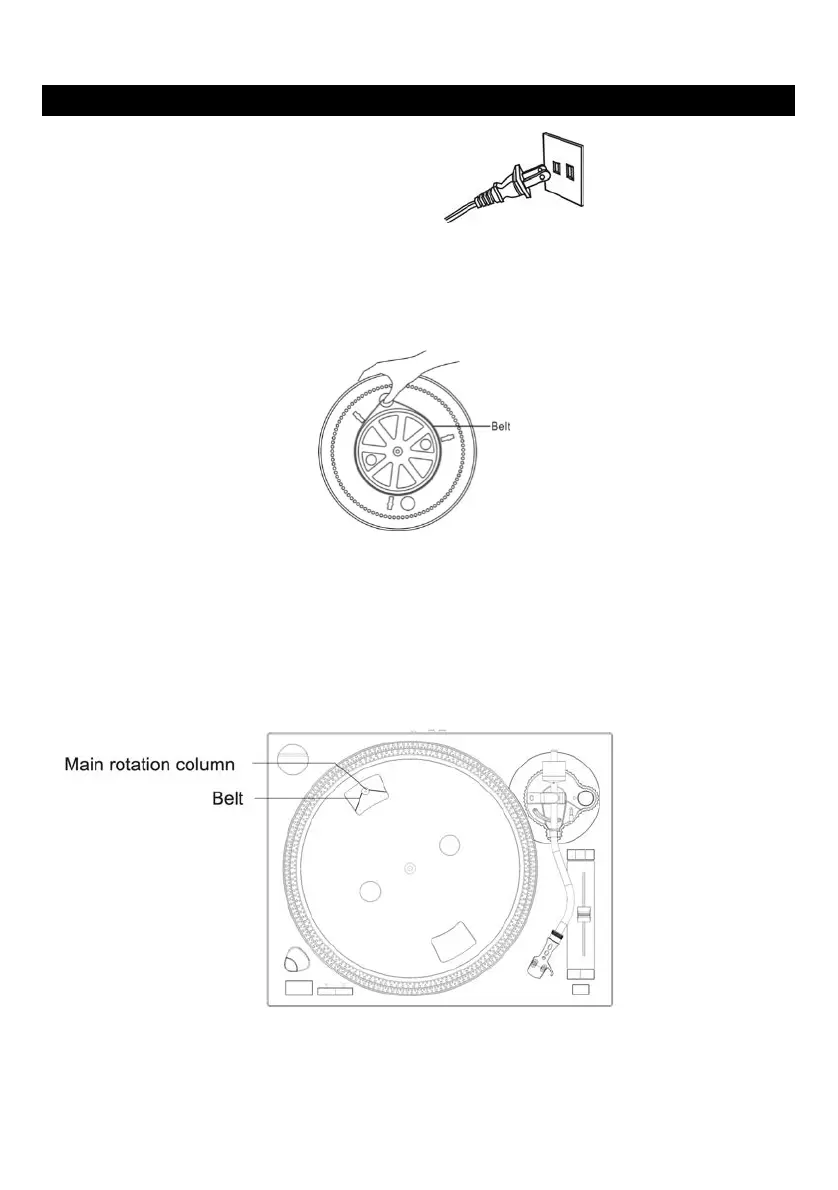
2. Connect the AC power cord to a wall outlet.
3. Press the ON/OFF button to turn the unit on.
Installing the Platter Before Use:
1. Take all the components from the package and make sure to place the unit on a clear stable surface.
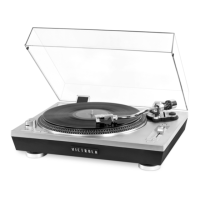
2. The belt is preinstalled on the bottom of the metal platter. Make sure the belt is NOT twisted when
installed. Use your thumb to stretch the belt to the small access hole as shown in the illustration below.
3. Carefully turn the platter over while continuing to hold the belt through the access hole. While keeping
the belt on the platter, line up the spindle hole to the center pin located in the unit and place the platter
onto the unit.
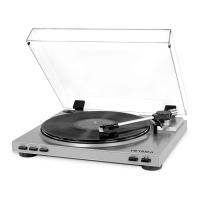
4. Through the access hole, surround the belt onto the gold colored main rotation column located in the
top left area under the platter. The belt will create a triangular line from the column to the platter.
Note: Make sure the belt has not fallen off of the platter after it has been placed on to the main rotation column.









 To Next Page