22
5.5.3 Exemplary settings
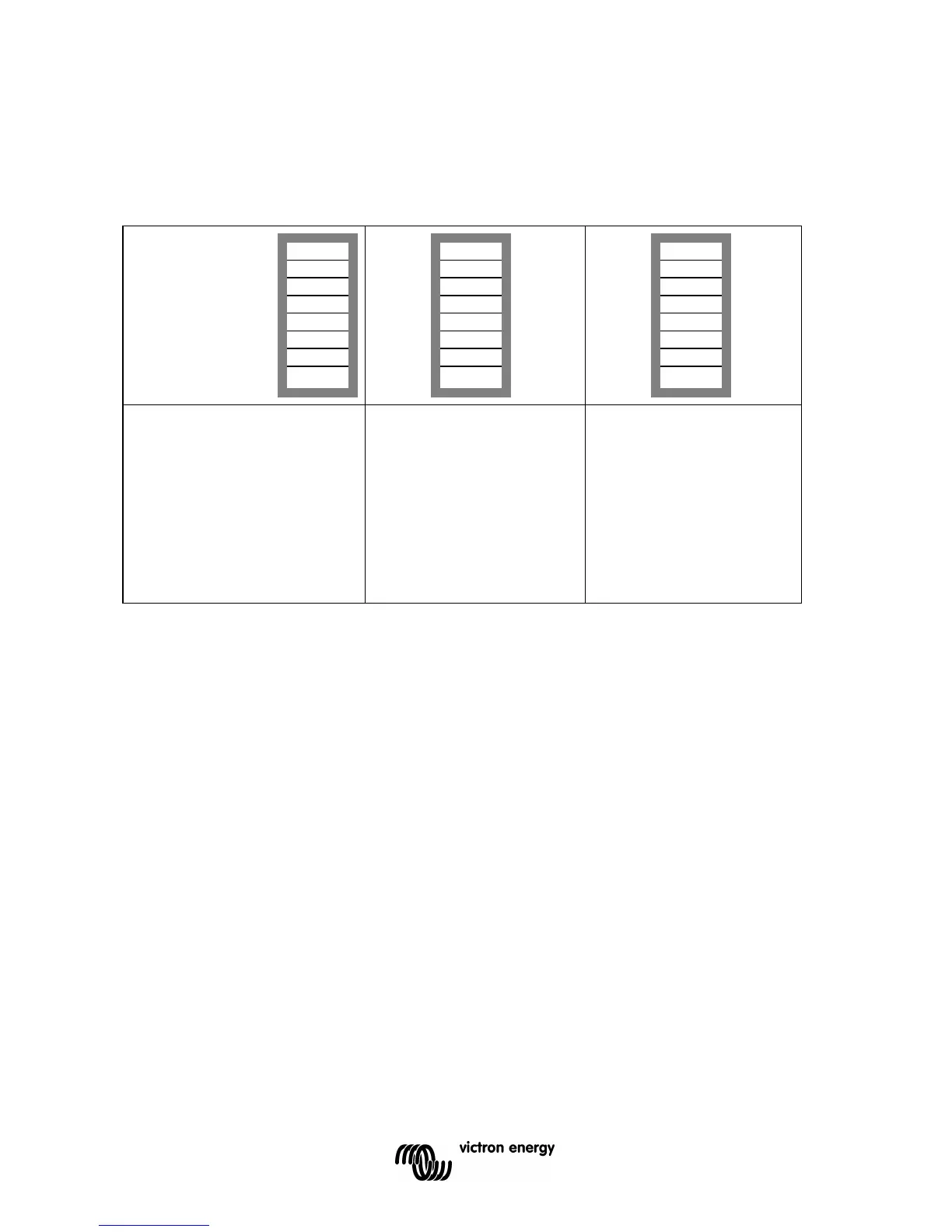
Example 1 is the factory setting (since factory settings are entered by computer, all DIP
switches of a new product are set to ‘off’, except for DS-2).
Example 1: (factory setting)
1 No panel or remote
switch connected
2 No panel or remote
switch connected
3, 4 GEL 14.4 V
5 Frequency: 50Hz
6 Search mode off
7 AC-in Limit 12 Amp
8 Store setting: off→ on→ off
Example 2
1 No panel or remote
switch connected
2 No panel or remote
switch connected
3,4 AGM 14,7V
5 Frequency: 50Hz
6 Search mode off
7 AC-in Limit
4 Amp
8 Store setting: off→ on→ off
Example 3
1 Panel or remote
switch connected
2 Panel or remote
switch connected
3, 4 Tubular plate 15V
5 Frequency: 60Hz
6 Search mode on
7 AC-in Limit
12 Amp
8 Store setting: off→ on→ off
Store the settings (DS3-DS7) by changing switch ds-8 from off to on, and then back to off.
The LED’s ‘charger’ and ‘alarm’ will flash to indicate acceptance of the settings.
6. MAINTENANCE
The Compact does not require specific maintenance. It will suffice to check all connections
once a year. Avoid moisture and oil/soot/vapours, and keep the device clean.





 To Next Page