INSTALLATION
-11-
STEPS:
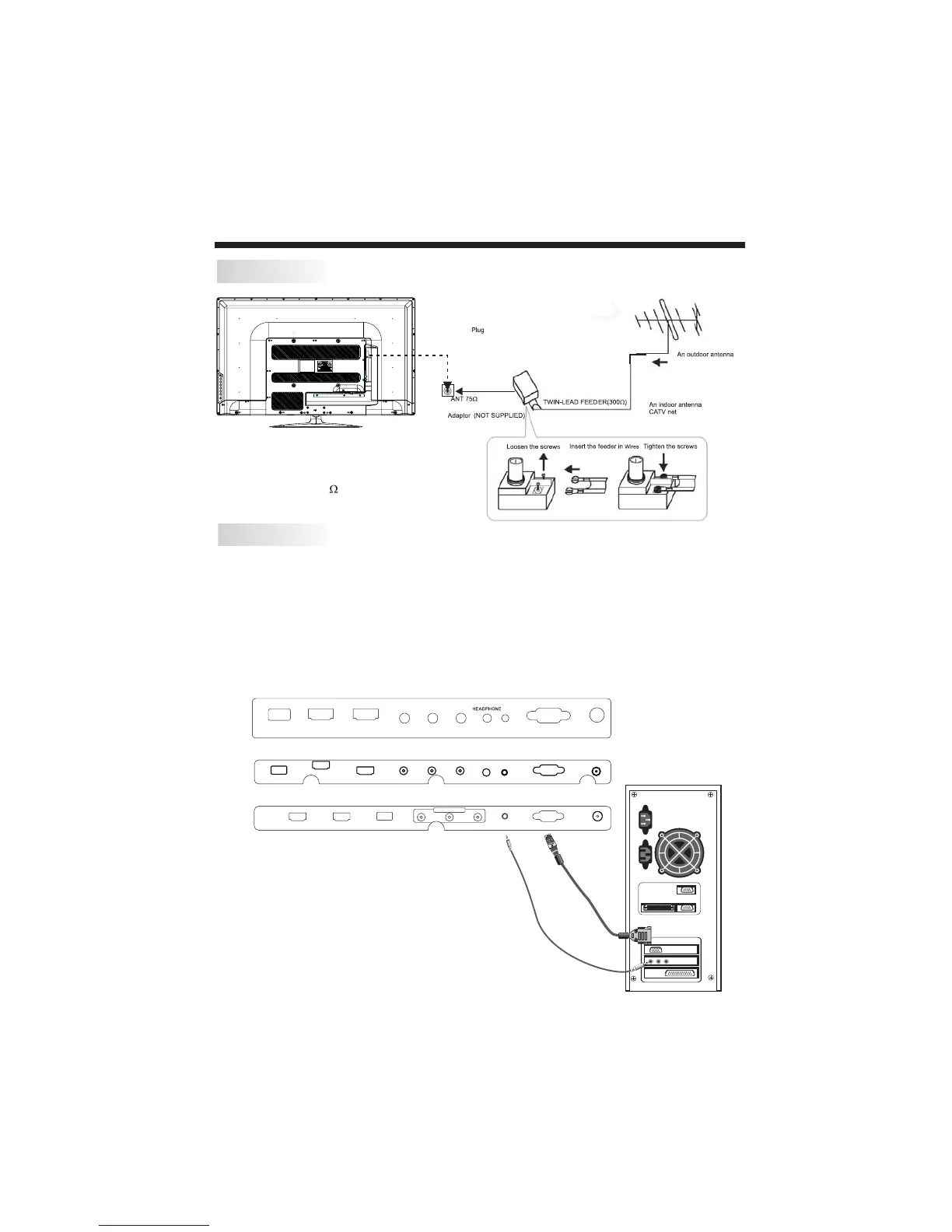
PC Connectivity
Be sure both the TV and computer are set to Power off.
1.Connect VGA and audio cable.
2.Connect the power cord.
3.Power on the TV, switch to PC mode.
4.Power on the PC.
This sequence is very important.
Note:
Aerial connections: IEC(female).
Input impendance: 75 unbalanced.
ANTENNA
HDMI2
HDMI1
USB
VGA
Y
Pb
Pr
HEADPHONE
PC AUDIO
R F
AV OUTPUT
HDMI2 HDMI1 USB R FVGAPC AUDIOVIDEO L R
HDMI2 HDMI1USB
VGA
RF
Y Pb Pr
PC AUDIO
FOR 19"/22"/24"/28"
FOR 32"
FOR 40"/46"/50"/55"



 To Next Page