EasyManua.ls Logo

Viessmann Vitodens 111-W - User Manual

Viessmann Vitodens 111-W
44 pages
Print Icon
To Next Page IconTo Next Page
Loading...
Operating instructions
for the system user
VIESMANN
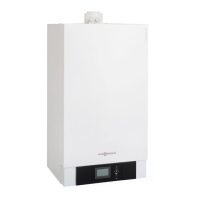
Wall mounted gas boiler with black/white screen
VITODENS 100-W/111-W/111-F/141-F
6167584 GB 12/2020
Please keep safe.

Other manuals for Viessmann Vitodens 111-W

Questions and Answers

  • V
    vanessa30Sep 8, 2025
    What to do if Viessmann Vitodens 111-W Boiler shows F8 error?
    • J
      Julia ThomasSep 8, 2025
      If your Viessmann Boiler displays the F8 error, it means the fuel valve closes too late. Check the gas train and both control paths. Press the reset button.
  • Z
    Zachary BookerAug 25, 2025
    How to fix Viessmann Vitodens 111-W Boiler fault code F1?
    • E
      Elizabeth OnealAug 25, 2025
      If your Viessmann Boiler is showing fault code F1, it means the maximum flue gas temperature has been exceeded. To resolve this, check the heating system fill level, check the circulation pump, and vent the system. You can also try pressing 'Reset'.
  • J
    Jamie CowanAug 25, 2025
    What causes fault code F2 on a Viessmann Vitodens 111-W and how to fix it?
    • A
      Austin MccoyAug 26, 2025
      Fault code F2 on your Viessmann Boiler indicates that the temperature limiter has responded. You should check the heating system fill level, check the circulation pump and vent the system. Also, check the temperature limiter and connecting cables. You can also try pressing 'Reset'.
  • K
    Keith MartinSep 18, 2025
    What does 59 mean on my Viessmann Vitodens 111-W?
    • M
      Mr. Michael WilsonSep 18, 2025
      The error code 59 on your Viessmann Boiler indicates a lead break in the outlet temperature sensor. Check the sensor.
  • A
    anthony79Sep 8, 2025
    What does F3 error mean on a Viessmann Vitodens 111-W?
    • J
      jaredbarnettSep 8, 2025
      The F3 error on a Viessmann Boiler indicates that a flame signal is already present at burner start. Check the ionization electrode and connecting cables and press the reset button.
  • S
    Sarah JonesSep 12, 2025
    Why Viessmann Vitodens 111-W fan starts no after approx. 1 min?
    • D
      Derrick PaceSep 12, 2025
      The fan in your Viessmann Boiler might not start after approximately 1 minute due to fault F9. Check the fan, fan connecting cables, power at the fan, and fan control.
  • V
    victoria22Sep 3, 2025
    What to do if my Viessmann Vitodens 111-W Boiler shows error F4?
    • V
      Valerie GonzalezSep 3, 2025
      If your Viessmann Boiler displays the error code F4, it indicates that there is no flame signal. To resolve this, check the ignition/ionisation electrode and connecting cables, check the gas pressure, check the gas train, ignition and condensate drain. You may also need to press the reset button.
  • S
    savagenicoleSep 3, 2025
    What to do if Viessmann Boiler shows F2 error?
    • R
      Renee HinesSep 3, 2025
      If your Viessmann Boiler shows the F2 error, it means the temperature limiter has responded. You should check the heating system fill level, the circulation pump, and vent the system. Also, inspect the temperature limiter and its connecting leads. Press the reset button.
  • K
    kristen75Sep 23, 2025
    Why does my Viessmann Water Heater burner stop and restart quickly?
    • N
      nataliespenceSep 23, 2025
      If the burner on your Viessmann Water Heater stops below the set boiler water temperature and restarts immediately, check the flue system for tightness, looking for flue gas recirculation. Also, check the gas flow pressure.
  • M
    Mrs. Kim BrennanAug 29, 2025
    Viessmann Boiler displays F8, what could be the reason?
    • W
      William BlairAug 29, 2025
      If your Viessmann Boiler displays fault code F8, it means the fuel valve closes too late. Check the gas train and both control paths. You can also try pressing 'Reset'.

Summary

Safety Instructions and Warnings

For Your Safety

General safety guidance for users to prevent accidents and material losses.

Safety Instructions Explained

Explanation of warning symbols like 'Danger' and 'Please note' used in the manual.

Safety for System Installation and Maintenance

Critical safety precautions for authorized contractors during installation and maintenance.

Operational Safety Procedures

Safety guidelines for operating the appliance, handling components, and common operational risks.

Emergency Safety Procedures

Procedures for handling gas leaks, flue gas, fire, water leaks, and system faults.

Liability and Disclaimers

Understanding Your Heating System

Symbols, Terminology, and Intended Use

Explanation of symbols, key terms, and the proper application of the heating system.

Product Information and Operating Modes

Details about the control unit, different operating modes, and system configurations.

System Presets and Energy Saving Tips

Overview of factory settings and advice for energy efficiency and user comfort.

System Operation and Controls

Operating Principles and User Interface

How to interact with the control unit via touchscreen and understand status displays.

Navigating the Main Menu

Guide to accessing and adjusting various system settings through the main menu.

Setting Time Programs

Configuring Time Phases for Heating

Determining heating schedules by dividing the day into time phases for central heating and DHW.

Adjusting Time Programs

Step-by-step instructions for setting time programs for central heating and DHW.

Central Heating Management

Adjusting Temperature Levels and Heating Curves

Setting desired temperatures and adjusting heating curves for optimal room heating.

Managing Heating During Absence

Using 'holiday at home' and 'holiday program' functions for energy saving during absences.

Domestic Hot Water (DHW) Control

Switching DHW Heating and Setting Temperature

Instructions for turning DHW heating on/off and adjusting the domestic hot water temperature.

DHW Eco Function

Enabling and using the Eco function for efficient DHW heating, especially with combi boilers.

Advanced System Settings

Display and Lightguide Settings

Adjusting display brightness, standby mode, and the status Lightguide indicator.

Date, Time, and Network Configuration

Setting the system's date and time, and establishing internet and WiFi connections.

System Checks and Diagnostics

Checking Operating Data and Licenses

Viewing current system data, checking software licenses, and WiFi status.

Fault Message Analysis

Identifying and interpreting fault messages, including burner lockouts and error codes.

Emissions Test Mode

Starting and Stopping Emissions Tests

Procedures for activating and deactivating the emissions test mode for flue gas checks.

Switching the System On and Off

System Shutdown Procedures

Steps for safely switching off the heating system with or without frost protection.

System Startup Procedure

Instructions for turning the system on, checking pressure, and verifying operation.

Troubleshooting Common Issues

Temperature and Hot Water Problems

Diagnosing and resolving issues with room temperature and domestic hot water supply.

Burner Faults and System Errors

Addressing burner lockouts, fault codes, and general heating system errors.

Appliance Maintenance and Cleaning

Cleaning and Regular Inspection

Guidance on cleaning the appliance and the importance of regular professional inspections.

Component Checks and Filter Maintenance

Checking safety valves and maintaining potable water filters for system integrity.

Appendix: Technical Details and Disposal

Heating Curve Explanations

Detailed explanation and graphical representation of heating curves.

Disposal of Packaging and System

Information on environmentally responsible disposal of packaging and the heating system.

Contact Information for Support

Viessmann Vitodens 111-W Specifications

General IconGeneral
TypeGas Condensing Boiler
Dimensions900 x 600 x 480 mm
Energy Efficiency ClassA
MountingWall-mounted
Water PressureMax. 3 bar
Max. Flow Temperature80 °C
EfficiencyUp to 98%
Hot Water Storage46 liters
Fuel TypeNatural gas or LPG
DHW OutputUp to 200 liters in 10 minutes (depending on model and cold water temperature)

Related product manuals