12
How to call up "Operating info":
■
The display illumination is reduced or switched off,
provided you have made the required setting (see
page 23):
1.1. Press OK.
1.2. Press .
■
If you are in the standard menu (default display):
Press .
■
From anywhere in the menu:
3.1. Press repeatedly until the standard menu
appears.
3.2. Press .
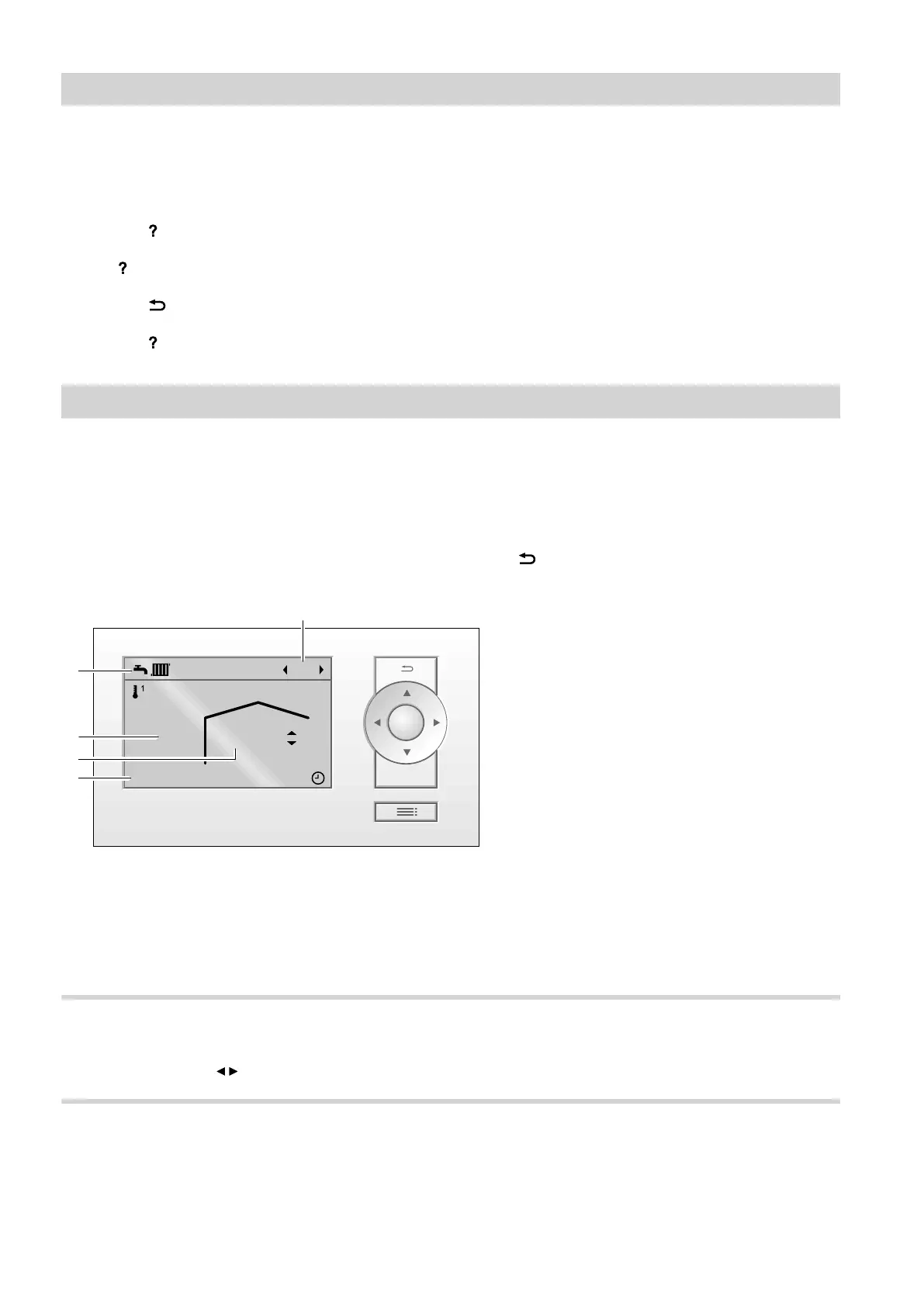
Standard menu (default display)
In the standard menu you can adjust and check the fol-
lowing settings for the selected heating circuit
E
(see
following illustration):
■
Set room temperatures
■
Heating circuit selection
Call up the standard menu as follows:
■
The display illumination is reduced or switched off,
provided you have made the required setting (see
page 23):
Press OK.
■
From anywhere in the menu:
Press repeatedly until the standard menu
appears.
14°C 20,5°C
17:35Sa 14.07.2018
HK1
OK
?
B
C
D
A
E
Fig. 2
A
Indicates operating program of control unit
B
Current outside temperature
C
Current ambient temperature at the remote control
(actual room temperature)
D
Information bar
E
Selected heating circuit
There is no display if only one heating circuit is
installed.
Heating circuit selection
If several heating circuits are installed, select required
heating circuit
E
with / .
Setting the room temperature
For setting the room temperature: See page 17.
Operating the remote control
Operating the remote control (cont.)
5839324



 To Next Page