EasyManua.ls Logo

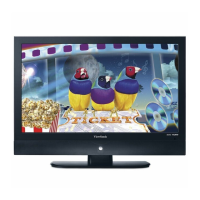
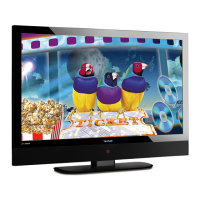
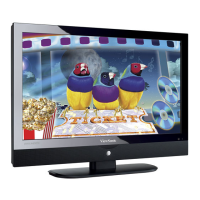
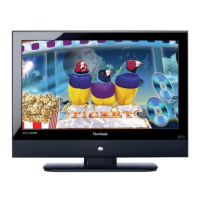
ViewSonic N4285p - User Manual

ViewSonic N4285p
50 pages
Print Icon
To Next Page IconTo Next Page
Loading...
ViewSonic
®
ViewSonic
®
N4285p
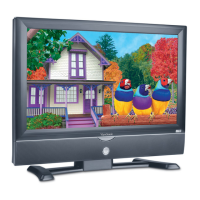
N4785p
LCD TV
- User Guide
- Guide de l’utilisateur
- Guía del usuario
IMPORTANT: Please read this User Guide to obtain important information on
installing and using your product in a safe manner, as well as registering your
product for future service. Warranty information contained in this User Guide will
describe your limited coverage from ViewSonic Corporation, which is also found
on our web site at http:// www.viewsonic.com in English, or in specic languages
using the Regional selection box in the upper right corner of our website.
“Before operating the equipment, read the instructions in this manual carefully.”
Model No. : VS11983-2M
VS12070-2M

Other manuals for ViewSonic N4285p

Questions and Answers

  • L
    Lindsay RomeroSep 2, 2025
    Why ViewSonic N4285p LCD TV has no CATV reception (or no reception above CH13)?
    • J
      John JohnsonSep 2, 2025
      If your ViewSonic LCD TV isn't receiving CATV channels, ensure the AIR/CABLE option is set to CABLE. Check all the CATV connections to make sure they are properly connected. The cable TV service may be interrupted, so contact your cable operator.
  • T
    Timothy WatsonAug 31, 2025
    Why ViewSonic N4285p LCD TV has strange color, light color, or color misalignment?
    • S
      smithtylerAug 31, 2025
      If your ViewSonic LCD TV is displaying strange colors or misalignment, first ensure that the video cable is securely connected. Keep in mind that the picture may appear dim in a brightly lit room. Also, check the input signal setting.
  • S
    Steven NelsonAug 29, 2025
    Why ViewSonic N4285p power is cut off suddenly?
    • A
      Angela ReyesAug 29, 2025
      If your ViewSonic LCD TV is suddenly losing power, check if the sleep timer is set. Also, check if there is no signal in PC mode or HDMI mode. If the internal temperature of the unit has increased, remove any objects blocking the vent or clean as necessary.
  • K
    Kristina WrightAug 27, 2025
    What to do if the ViewSonic N4285p LCD TV unit cannot be operated?
    • L
      Lisa JamesAug 27, 2025
      External influences like lightning or static electricity may cause improper operation of your ViewSonic LCD TV. Try turning the power of the LCD TV and the AVC System on. If that doesn't work, unplug the AC cord for 1 to 2 minutes, then plug it back in.
  • M
    Michelle KaneAug 26, 2025
    What to do if my ViewSonic LCD TV has no picture?
    • B
      benjamin78Aug 26, 2025
      If your ViewSonic LCD TV screen is blank, the TV station might be experiencing issues, so try switching to another channel. If you have cable, the signal may be scrambled, so contact your cable operator. Ensure all connections to other components are correct and that setup was done correctly after making the connections. Also, confirm that the correct input is selected and that the input signal is compatible.
  • W
    William BakerAug 25, 2025
    Why ViewSonic N4285p remote control unit does not operate?
    • H
      heatherstricklandAug 25, 2025
      If your ViewSonic LCD TV remote isn't working, make sure the batteries are correctly inserted. Try replacing the batteries with new ones. Check for any interference from fluorescent lights near the remote sensor. Ensure nothing is blocking the path between the remote and the TV's sensor. Try pressing the POWER button or the MENU button on the remote to see if the TV responds. Press only one button at a time.
  • L
    linda24Aug 22, 2025
    What to do if my ViewSonic N4285p has no sound?
    • B
      Brittany ScottAug 23, 2025
      If you're not getting any sound from your ViewSonic LCD TV, first ensure your audio connections are properly connected. Check if the MUTE button has been activated; if so, press it again. Also, verify that your TV's audio settings aren't set to the minimum volume. You can also try pressing the Volume + button on the remote control.

Summary

Safety and Installation

Important Safety Instructions

Comprehensive safety guidelines for operating and handling the TV.

Installation Guidelines

Instructions for safely installing the TV, including wall mounting.

Getting Started and Setup

Installing the LCD TV

Step-by-step guide for setting up the TV, including stand installation.

Mounting the TV to the Wall

Instructions for safely attaching the TV to a wall mount.

Using the TV Features

Remote Control and Basic Operation

Instructions for using the remote control and performing basic TV functions.

TV Operation and Setup

Turning the TV on/off and guiding through the initial setup wizard.

Other Information and Support

Troubleshooting Common Issues

Solutions for frequent problems and technical assistance contacts.

ViewSonic N4285p Specifications

General IconGeneral
Response time6.5 ms
Display diagonal42 \
Display brightness500 cd/m²
Display technologyLCD
Native aspect ratio16:9
Viewing angle, horizontal176 °
S-Video inputs quantity1
Component video (YPbPr/YCbCr) out2
Headphone connectivity3.5 mm
Product colorBlack
Weight and Dimensions IconWeight and Dimensions
Depth (with stand)294 mm
Width (with stand)1025 mm
Height (with stand)773 mm
Weight (with stand)29800 g
Depth (without stand)139 mm
Height (without stand)704 mm
Weight (without stand)26100 g

Related product manuals