EasyManua.ls Logo

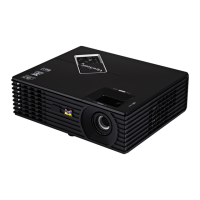
ViewSonic PJD5133-S - User Manual

ViewSonic PJD5133-S
54 pages
Print Icon
To Next Page IconTo Next Page
Loading...
IMPORTANT: Please read this User Guide to obtain important information on installing
and using your product in a safe manner, as well as registering your product for future
service. Warranty information contained in this User Guide will describe your limited
coverage from ViewSonic Corporation, which is also found on our web site at http://www.
YLHZVRQLFFRPLQ(QJOLVKRULQVSHFL¿FODQJXDJHVXVLQJWKH5HJLRQDOVHOHFWLRQER[LQ
the upper right corner of our website. “Antes de operar su equipo lea cu idadosamente
las instrucciones en este manual”
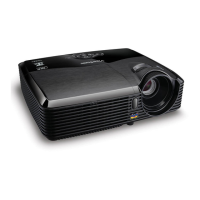
PJD5133/PJD5233/PJD5523w
DLP Projector
User Guide
Question and Answer IconNeed help?

Do you have a question about the ViewSonic PJD5133-S and is the answer not in the manual?

Summary

Regulatory Compliance Information

FCC Compliance Statement

Details FCC compliance rules and regulations for the device.

Canadian and European Regulatory Compliance

Covers Canadian ICES-003 and European CE directives.

Important Safety Instructions

General Safety Guidelines

Provides a list of essential safety instructions for operating the projector.

Declaration of RoHS Compliance

RoHS Compliance Table

Lists substances and their actual vs. proposed maximum concentrations.

Exempted Components

Details components exempted from RoHS restrictions.

Copyright, Registration, and Disposal

Copyright Information

Legal notice regarding copyright and usage rights.

Product Registration and Disposal

Instructions for registering the product and its end-of-life disposal.

AC Power Cord Information

Power Cord Requirements

Explains the need for country-specific AC power cords and grounding.

Introduction to the Projector

Projector Features

Lists key features of the projector, including resolutions and connectivity.

Package Contents

Details all items included in the projector package.

Projector Overview

Illustrates and labels the front, rear, and bottom views of the projector.

Using the Product

Control Panel Overview

Explains the functions of each button on the projector's control panel.

Connection Ports Identification

Details all available input and output ports on the projector.

Remote Control Functions

Describes the buttons and functions of the remote control.

Remote Control as Mouse

Explains how to use the remote as a computer mouse.

Remote Control Battery Installation

Provides step-by-step instructions for installing batteries in the remote.

Remote Control Usage Tips

Explains how to point and operate the remote control effectively.

Connecting External Devices

Connection Diagram and Options

Illustrates various ways to connect signal sources to the projector.

Connecting Computers and Monitors

Guides on connecting PCs, notebooks, and external monitors.

Connecting Video Source Devices

Explains how to connect HDMI, Component, S-Video, and Composite sources.

Connecting Component Video Sources

Details connecting component video sources using RCA connectors.

Connecting Composite Video Sources

Details connecting composite video sources.

Operating the Projector

Powering the Projector On and Off

Instructions for turning the projector on and off, including warm-up and cooling.

Adjusting Projector Height

How to use the elevator foot to adjust image height.

Adjusting Zoom and Focus

Explains how to use the zoom and focus rings for image adjustment.

Projection Image Size (4:3 Screen)

Provides a table for screen size and projection distance with maximum zoom.

Projection Image Size (16:10 Screen)

Provides a table for screen size and projection distance with 16:10 aspect ratio.

Locking Control Panel Keys

How to lock and unlock the projector's control panel buttons.

Setting the Presentation Timer

Guides on configuring the on-screen presentation timer.

Menu Operation and Settings

Picture Settings Menu

Details various picture adjustments like Color Mode, Brightness, Contrast.

Video and Audio Settings Menu

Covers adjustments for video timing, H/V position, zoom, and audio.

General Menu Settings

Explains menu settings for Projection, Menu, Signal Type, Blank Screen, etc.

Option Menu Details

Details settings like Closed Caption, DCR, Password, High Altitude, Lamp Setting.

User Color and Gamma Adjustments

How to adjust user-defined colors and gamma for image enhancement.

Aspect Ratio and Keystone Correction

Adjusting image fit and correcting distortion.

Video, Audio, and Projection Settings

Detailed settings for video, audio, and image orientation.

Signal Type and Power Management

Settings for input signal selection and power management.

Power Saving and Green Mode Settings

Settings for power efficiency and reduced consumption.

Projector Maintenance

General Maintenance and Safety

Importance of keeping the projector clean and warnings about servicing.

Cleaning Lens and Housing

Instructions for gently cleaning the projector lens and exterior.

Lamp Replacement Warnings and Precautions

Warnings and recommendations regarding lamp replacement.

Lamp Replacement Procedure

Step-by-step guide for replacing the projector lamp.

Projector Specifications

Model and Resolution Specifications

Details specifications for PJD5133, PJD5233, and PJD5523w models.

Dimensions and Mounting Information

Provides physical dimensions and information for ceiling mounting.

Appendix

LED Indicator Messages

Explains the meaning of different LED status indicators on the projector.

Computer Compatibility Modes

Lists supported computer resolutions and sync frequencies.

Video Compatibility Modes

Lists supported video resolutions and sync frequencies.

Troubleshooting Common Issues

Guides on resolving start-up, image, and remote control issues.

RS-232 Command and Configuration

Details RS-232 commands, control codes, and return codes.

D-Sub 9 Pinout and Wire List

Pinout diagram for D-Sub 9 pin and associated wire list.

IR Control Codes

Provides IR control codes for various projector functions.

Customer Support Information

Contact Information by Country;Region

Lists websites, phone numbers, and emails for customer support globally.

Limited Warranty Information

Warranty Coverage, Protection, and Exclusions

Details what is covered, not covered, and who is protected by the warranty.

Service and Warranty Limitations

Instructions for obtaining service and details on warranty limitations.

Mexico Limited Warranty

Mexico Warranty Terms and Duration

Details warranty terms for Mexico, including coverage and duration.

Mexico Authorized Service Centers

Lists authorized service centers and contact details in Mexico.

Summary

Regulatory Compliance Information

FCC Compliance Statement

Details FCC compliance rules and regulations for the device.

Canadian and European Regulatory Compliance

Covers Canadian ICES-003 and European CE directives.

Important Safety Instructions

General Safety Guidelines

Provides a list of essential safety instructions for operating the projector.

Declaration of RoHS Compliance

RoHS Compliance Table

Lists substances and their actual vs. proposed maximum concentrations.

Exempted Components

Details components exempted from RoHS restrictions.

Copyright, Registration, and Disposal

Copyright Information

Legal notice regarding copyright and usage rights.

Product Registration and Disposal

Instructions for registering the product and its end-of-life disposal.

AC Power Cord Information

Power Cord Requirements

Explains the need for country-specific AC power cords and grounding.

Introduction to the Projector

Projector Features

Lists key features of the projector, including resolutions and connectivity.

Package Contents

Details all items included in the projector package.

Projector Overview

Illustrates and labels the front, rear, and bottom views of the projector.

Using the Product

Control Panel Overview

Explains the functions of each button on the projector's control panel.

Connection Ports Identification

Details all available input and output ports on the projector.

Remote Control Functions

Describes the buttons and functions of the remote control.

Remote Control as Mouse

Explains how to use the remote as a computer mouse.

Remote Control Battery Installation

Provides step-by-step instructions for installing batteries in the remote.

Remote Control Usage Tips

Explains how to point and operate the remote control effectively.

Connecting External Devices

Connection Diagram and Options

Illustrates various ways to connect signal sources to the projector.

Connecting Computers and Monitors

Guides on connecting PCs, notebooks, and external monitors.

Connecting Video Source Devices

Explains how to connect HDMI, Component, S-Video, and Composite sources.

Connecting Component Video Sources

Details connecting component video sources using RCA connectors.

Connecting Composite Video Sources

Details connecting composite video sources.

Operating the Projector

Powering the Projector On and Off

Instructions for turning the projector on and off, including warm-up and cooling.

Adjusting Projector Height

How to use the elevator foot to adjust image height.

Adjusting Zoom and Focus

Explains how to use the zoom and focus rings for image adjustment.

Projection Image Size (4:3 Screen)

Provides a table for screen size and projection distance with maximum zoom.

Projection Image Size (16:10 Screen)

Provides a table for screen size and projection distance with 16:10 aspect ratio.

Locking Control Panel Keys

How to lock and unlock the projector's control panel buttons.

Setting the Presentation Timer

Guides on configuring the on-screen presentation timer.

Menu Operation and Settings

Picture Settings Menu

Details various picture adjustments like Color Mode, Brightness, Contrast.

Video and Audio Settings Menu

Covers adjustments for video timing, H/V position, zoom, and audio.

General Menu Settings

Explains menu settings for Projection, Menu, Signal Type, Blank Screen, etc.

Option Menu Details

Details settings like Closed Caption, DCR, Password, High Altitude, Lamp Setting.

User Color and Gamma Adjustments

How to adjust user-defined colors and gamma for image enhancement.

Aspect Ratio and Keystone Correction

Adjusting image fit and correcting distortion.

Video, Audio, and Projection Settings

Detailed settings for video, audio, and image orientation.

Signal Type and Power Management

Settings for input signal selection and power management.

Power Saving and Green Mode Settings

Settings for power efficiency and reduced consumption.

Projector Maintenance

General Maintenance and Safety

Importance of keeping the projector clean and warnings about servicing.

Cleaning Lens and Housing

Instructions for gently cleaning the projector lens and exterior.

Lamp Replacement Warnings and Precautions

Warnings and recommendations regarding lamp replacement.

Lamp Replacement Procedure

Step-by-step guide for replacing the projector lamp.

Projector Specifications

Model and Resolution Specifications

Details specifications for PJD5133, PJD5233, and PJD5523w models.

Dimensions and Mounting Information

Provides physical dimensions and information for ceiling mounting.

Appendix

LED Indicator Messages

Explains the meaning of different LED status indicators on the projector.

Computer Compatibility Modes

Lists supported computer resolutions and sync frequencies.

Video Compatibility Modes

Lists supported video resolutions and sync frequencies.

Troubleshooting Common Issues

Guides on resolving start-up, image, and remote control issues.

RS-232 Command and Configuration

Details RS-232 commands, control codes, and return codes.

D-Sub 9 Pinout and Wire List

Pinout diagram for D-Sub 9 pin and associated wire list.

IR Control Codes

Provides IR control codes for various projector functions.

Customer Support Information

Contact Information by Country;Region

Lists websites, phone numbers, and emails for customer support globally.

Limited Warranty Information

Warranty Coverage, Protection, and Exclusions

Details what is covered, not covered, and who is protected by the warranty.

Service and Warranty Limitations

Instructions for obtaining service and details on warranty limitations.

Mexico Limited Warranty

Mexico Warranty Terms and Duration

Details warranty terms for Mexico, including coverage and duration.

Mexico Authorized Service Centers

Lists authorized service centers and contact details in Mexico.

ViewSonic PJD5133-S Specifications

General IconGeneral
ResolutionSVGA (800 x 600)
Display TechnologyDLP
Zoom Ratio1.1x
Lamp Life5000 hours (Normal), 6000 hours (Eco)
Throw Ratio1.96 - 2.15:1
Input PortsVGA, Composite Video, S-Video, Audio In
Video CompatibilityNTSC, PAL, SECAM
Projection Size30 - 300 inches
Contrast Ratio15000:1 (Dynamic)

Related product manuals